SEO Guides
SaaS Keyword Research: The Complete Guide
The full SaaS keyword research process: market research, 15+ free sources, validation, scoring and clustering. Free Excel template and video course included.

TL;DR: Good SaaS keyword research is not a tool exercise. Understand the market first, mine 15+ free sources for the language real buyers use, validate volume and difficulty second, score by intent rather than volume, then cluster into one page per intent. This guide is the whole process end to end, with the free Excel template and the full video course.
Most SaaS companies that fail at SEO do not fail because they cannot write. They fail because they chose the wrong keywords before they wrote anything.
I have been doing keyword research for over 15 years across more than 100 websites. I have seen products with genuinely excellent content rank for nothing, because the keyword strategy was wrong on day one. I have also seen mediocre content rank on page one because the research behind it was right.
This guide covers the whole process: what keywords are, the types worth knowing, how to validate them, how to find the opportunities free tools have never measured, how to score them, and how to group them into clusters that build topical authority. No paid tools required to start.
If you prefer to watch, the full course video is above. The written guide covers everything in it with more depth, plus the SaaS-specific layer the video does not cover.
Why SaaS Keyword Research Is Different
The mechanics of keyword research are universal. The economics are not, and the economics are what should drive your decisions.
Three things make SaaS a different problem:
A customer is worth their lifetime value, not a transaction. An e-commerce site converting a $40 order needs volume to make a keyword pay. If your product is $200 a month with an average 30-month life, one customer is worth $6,000. That changes which keywords are viable so completely that most general keyword advice actively misleads you. A query with 40 searches a month converting at 2% is worth around $4,800 a month in new lifetime value at a strong ranking. No consumer-goods SEO would look twice at 40 searches a month. In SaaS it can justify a dedicated page.
Demand splits into families that generic guides never mention. Category terms are the ones everyone chases and the ones almost nobody wins early. The revenue usually sits in the other six.
| Keyword family | Example | Intent | Typical difficulty |
|---|---|---|---|
| Category | ”project management software” | Commercial, very broad | Brutal — funded competitors, review sites, ads |
| Job to be done | ”how to track billable hours across a team” | Informational, high relevance | Low to moderate |
| Alternative | ”asana alternative for small teams” | Commercial, buyer already shopping | Moderate — worth it |
| Comparison | ”asana vs monday for agencies” | Commercial, late stage | Moderate |
| Integration | ”slack time tracking integration” | Commercial, very specific | Low |
| Use case / segment | ”project management software for architects” | Commercial, qualified | Low to moderate |
| Pricing / free | ”free project management software for 5 users” | Transactional, price-sensitive | Moderate |
Alternative, comparison and integration queries are where a searcher has already accepted they need to buy something and is deciding what. They convert several times better than category terms, they are winnable in months rather than years, and most competitors under-serve them because they are unglamorous pages.
Your buyer and your user may not be the same person. A developer searches “webhook retry logic” while the person holding the budget searches “SOC 2 compliant workflow automation”. Both are your keywords, they need completely different pages, and a keyword list that only reflects one of them leaves half the funnel uncovered.
Everything that follows is the general process. Where SaaS changes how you apply it, I have said so.
What Keyword Research Actually Is
Keyword research is the process of finding the right keywords for your content.
That is the one-sentence definition and it undersells what is happening. Done properly, it tells you what your market is thinking, what problems it is trying to solve, and the exact words it uses to look for solutions. That shapes your entire content strategy, not just your titles.
When you get it right, everything downstream is easier. You know what to write, what angle to take, whether a topic has commercial value, roughly how hard it will be to rank, and roughly how long it will take.
When you get it wrong, you spend months producing content that ranks for nothing — or worse, content that ranks for an audience that will never buy.
Two approaches, same effort:
- Poor research: writing about “SEO tips” because it sounds relevant. Massive competition, unclear intent, buried under established authority.
- Good research: finding that “local plumber SEO checklist” has low competition, obvious commercial intent, and is exactly what the audience searches when they are ready to hire.
The difference is not writing ability. It is research.
When I started my first website in 2010 I wrote 50 articles before I learned what keyword research was. Most never ranked for anything useful. When I rebuilt the site with proper research behind every piece, traffic grew 300% within 8 months. The writing was arguably worse the second time. The keyword strategy was better.
What Is a Keyword?
Three perspectives, and you need all three.
From the searcher’s side, a keyword is any word or phrase typed into a search engine to find information, a product or a service. It can be one word, a short phrase, or a full question. There are no rules about length or format — whatever someone types is a keyword.
From your side, a keyword is a target. It is a phrase you deliberately optimise for because you know your buyers search it. You find them through research, evaluate them against multiple factors, and build content around them. The goal is that when your market types those words, your page is at the top.
From the search engine’s side, keywords are how a page’s subject is understood and ranked. Google analyses your words, headings, links and hundreds of other signals to judge relevance, then matches pages to queries it believes they answer.
One critical point: modern search engines do not just match exact keywords. They understand meaning, context and relationships. Google can determine that a page about “automobile maintenance” is relevant to “how to take care of my car” even when those words never appear on it.
That is why your strategy has to be built around topics and intent, not word matches.
The Types of Keywords Worth Knowing
More types exist than most beginner guides cover, and knowing them gives you a vocabulary for thinking precisely about your list.
By role in your strategy
Seed keywords are the starting point. Broad, category-defining terms you would not necessarily target directly, but which generate deeper ideas. If you sell helpdesk software, “customer support” and “helpdesk” are seeds. You will not rank for them as a new or mid-authority site — that is not what they are for.
Primary keywords are the single main target for one page. Every page on your site should have exactly one.
Secondary keywords are the related terms that support it: synonyms, close variants, phrasings the same searcher might use. For a page targeting “best helpdesk software for startups”, secondary terms include “affordable support ticketing tool” and “helpdesk software for small teams”. Including them naturally widens the range of queries the page can rank for.
Semantic keywords — not “LSI”. You will see “LSI keywords” used constantly in SEO content. LSI is Latent Semantic Indexing, a text-analysis method from the 1980s that Google has confirmed it does not use. What Google actually uses is its own semantic understanding built on modern natural language processing. When people say “LSI keywords” they nearly always mean semantic keywords: related terms, entities and concepts that give your content context and depth.
For a page about ticketing software, semantic terms include “SLA”, “first response time”, “escalation rules” and “CSAT”. Google understands these are related, and including them signals topical authority. You do not need a tool to find them — use industry terminology, synonyms, and Google’s own “People Also Ask” and “Related Searches”.
By time horizon
Evergreen keywords hold steady search volume year after year, because the underlying need never goes away. “How to start a blog”, “how to learn SEO”. These are your foundation.
Fresh keywords emerge around launches, events and trends. They spike immediately and may decline just as fast. Huge short-term traffic, but they require you to move quickly.
Seasonal keywords peak at predictable times. In SaaS this is usually budget cycles, renewal periods and end-of-quarter procurement rather than holidays. Publish well before the peak, not during it.
Dying keywords are tied to declining products or trends. There is still niche opportunity here, but know the trend before you invest.
By length
Short (1–2 words): high volume, extreme competition, low purchase intent. “Software”, “CRM”. Rarely the right target for a growing site.
Mid-tail (2–5 words): medium volume, medium competition. Most research lands here and these are practical targets for most content.
Long-tail (6+ words, or question-shaped): lower volume, low competition, very high intent. “How to migrate from Trello to a proper project tool” is long-tail. The person typing that knows exactly what they need. These convert at several times the rate of broad terms, and they are the fastest path to rankings for a new site. Most of your early content should target them.
By buyer intent
Informational: the user wants to learn. “What is a webhook”, “how does SSO work”. Not ready to buy. Guides, tutorials and explainers rank here.
Navigational: the user knows where they are going. “Ahrefs login”, “Semrush review”. Brand and product pages rank here.
Commercial and transactional: the user is ready, or nearly. “Best helpdesk software for agencies”, “Zendesk vs Freshdesk”, “start free trial”. These are your highest-value queries. Comparison pages, alternative pages and product pages rank here.
Understanding intent before you write means you build the right type of page for the right stage of the funnel, instead of writing guides for people who want to buy.
How to Choose: 7 Validation Factors
Finding ideas is half the job. Validating them is where most people fall short.
1. Search volume and search value
Volume tells you how many times a month people search a term. On its own that number means almost nothing.
Two keywords, both 100 searches a month:
- “how to clean office floors”
- “commercial cleaning tender bid requirements”
The second is worth many times the first at identical volume, because the buyer is further along and the contract is larger.
In SaaS this gap is even wider. “What is project management” and “HIPAA compliant project management for clinics” might sit at 2,000 and 60 searches a month. The second is worth incomparably more. Always ask what one conversion from a keyword is worth to you, then judge the volume against that.
2. Keyword difficulty in the SERP
Difficulty estimates how hard page one will be, usually as a 0–100 score. It reflects the authority of the sites currently ranking, their backlinks, how well they satisfy intent, and how much established content exists.
Practical approach: target difficulty below 30 while you are building. As authority grows through published content and links, work upward. Do not ignore hard keywords entirely — start on them early, because they take time — but do not expect quick results.
3. Cost per click as a commercial signal
CPC is what advertisers pay per click. Use it as a proxy for commercial value even when you are doing organic work.
When advertisers pay $20–50 a click, they do so because the revenue justifies it. That tells you the term has real business value. Low CPC can mean low commercial value, or an untapped opportunity — treat it as one signal, not a verdict.
4. Organic click-through rate
Not every page-one ranking earns the same traffic. Features absorb clicks before organic results get them: AI Overviews, featured snippets, People Also Ask, knowledge panels, shopping ads, map packs.
If a query triggers a snippet and five ads, a page-one ranking might see 5–10% of searches rather than the 30–40% a clean SERP delivers. Check the actual results page before committing.
5. Search intent — the factor that overrides the rest
Get intent right and you can rank with good-but-not-great content. Get it wrong and you will not rank no matter how good the content is.
If you build a product page for a query whose SERP is full of informational posts, you will not rank. If you write a beginner’s guide for a query whose SERP is full of tools and product pages, you will not rank.
How to read it: look at the top ten results. What type of content is Google rewarding? What format — list, guide, comparison, tool, video? That is Google telling you what satisfies the searcher. Match it.
6. Trend and seasonal demand
Use Google Trends. A keyword at 500 searches a month and rising is worth more long term than one at 1,000 and falling. For seasonal terms, publish and get indexed well before the peak.
7. Suitability for you
A keyword can be perfect on every metric and still be wrong:
- Relevance: does the topic fit your site’s established subject? A page ranking far outside your niche confuses Google about what you are.
- Product fit: does what you sell actually solve the problem behind the query?
- Geography: if you serve one region, national volume is misleading.
- Compliance: in regulated categories, some claims you would need to make are not ones you are allowed to make.
The best keyword is the one that fits across all of these, not the one with the biggest number.
Step 0: Market Research Before You Open Any Tool
Here is what nearly every keyword research guide gets wrong. They start with the tool.
You open Semrush or Ahrefs, type a seed, and export a list. The data is real. But without understanding the market first, you cannot tell which of those keywords matters, which ones your buyers actually use, or what intent sits behind them.
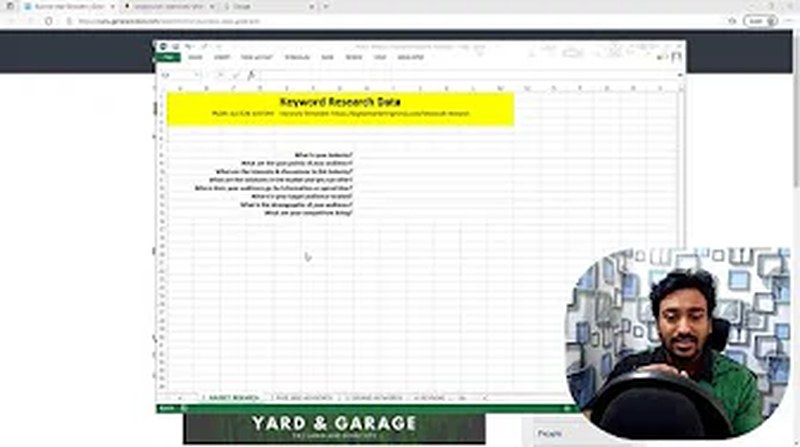
There are two kinds of people doing this work, and the stakes differ:
- You know your market — you have customers and intuition about their problems. This phase converts that intuition into structure.
- You are entering a category cold — a new client, a new vertical, a product you just joined. Here this phase is not optional. You need to know how people talk about this category before a tool can show you anything useful.
The 7 questions to answer first
1. What are the pain points? What specific problems does your product solve? Each pain point is a keyword cluster. For a support tool: “tickets falling through the cracks”, “no visibility into response times”, “customers repeating themselves across channels”.
2. What are their interests? What do buyers want to learn about in this space? Interests map to informational opportunities.
3. What solutions are they considering? Which products, approaches and workarounds are on the table? These are your commercial-intent terms — and in SaaS, the list of competitors here becomes your alternative and comparison keywords directly.
4. Where do they spend time online? Which forums, communities, subreddits, Slack groups and publications? Those are your research sources for the next phase.
5. What is the geographic context? Does location matter? Data residency, currency and regional compliance change the query in ways that are easy to miss.
6. What are the demographic and role specifics? A CTO evaluating infrastructure and an ops manager evaluating the same tool search completely differently. Role is usually a bigger differentiator than age in B2B.
7. Who are the competitors? Your competitors have already done keyword research. Their navigation, service pages, integration directory and blog categories are a map of the opportunities they believe are valuable. Study that map before building your own.
Building your seed list
Once you have answers you can write a preliminary seed list — the 10 to 20 broad terms that define your category. Everything downstream flows from it.
A support-software seed list might include: helpdesk software, ticketing system, customer support tool, shared inbox, live chat software, knowledge base software, SLA management, customer service automation.
None of these are final targets. They are the starting point for discovery.
The Free Keyword Research Template
Before you start mining sources, set up somewhere to put what you find. I built a four-tab template that structures the whole process, and it is free with no email required.
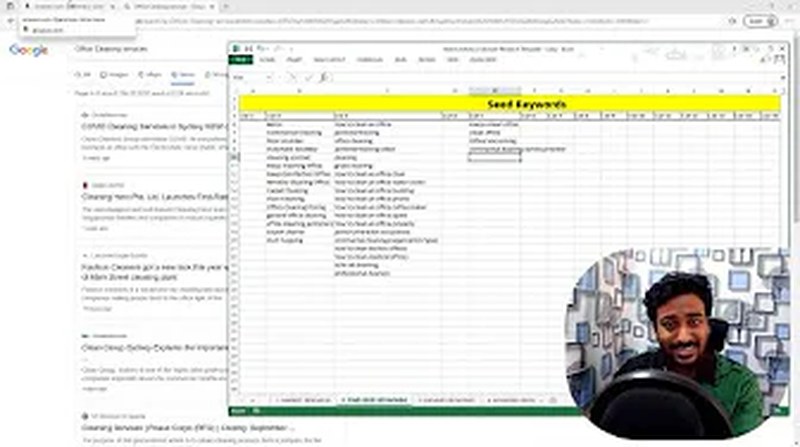
In that walkthrough I ran the process live on “office cleaning services” — a niche I deliberately knew nothing about. That is the point of it: seeing the method work on an unfamiliar market proves it does not depend on domain expertise. Apply the same steps to your own category and the sources are identical; only the vocabulary changes.
Download the template:
- Excel format — no email, no sign-up
- Google Sheets version — use File → Make a copy, do not request edit access to the original
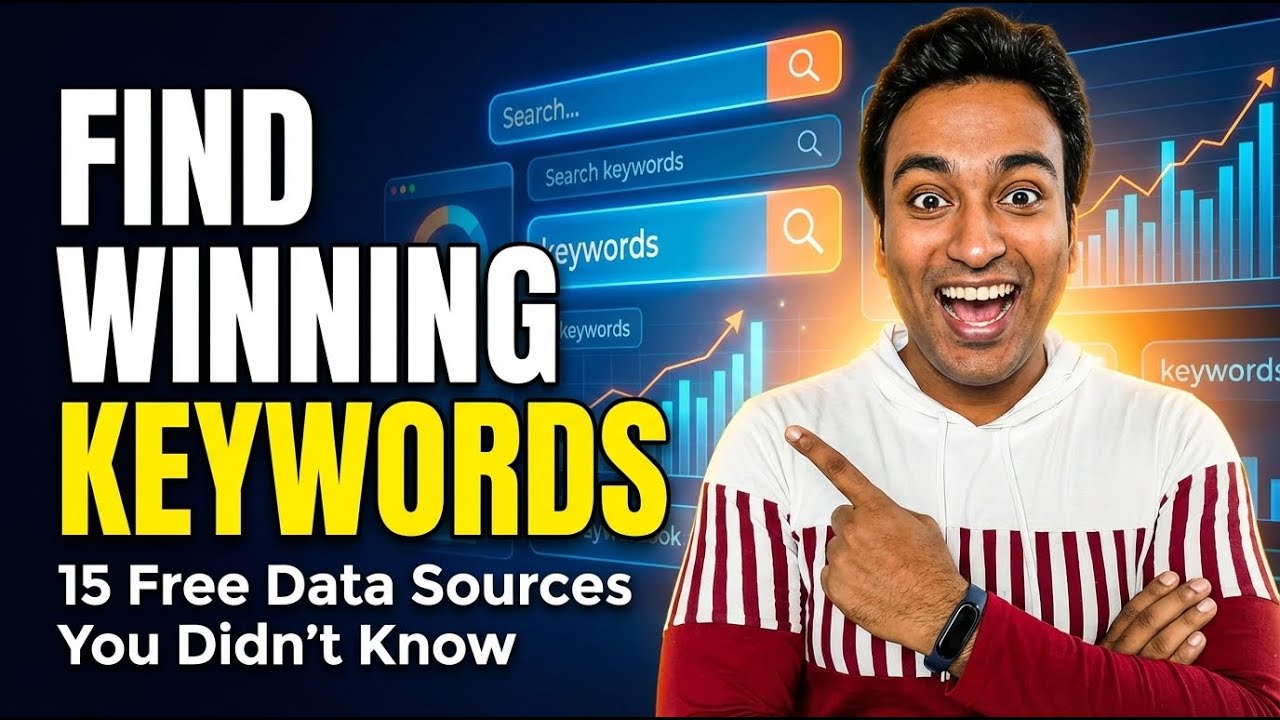
Tab 1: Market research
The seven questions above, in structured form: industry and niche, target audience, pain points, goals and motivations, where the audience gathers, competitor landscape, and industry terminology.
This tab comes first because people who skip it do keyword research in their own head rather than in their buyer’s. You end up targeting the words you use to describe your product, not the words your customer uses to look for one.
If you know your market, fill it from experience. If you do not, it becomes a research checklist. Leave the blanks visible — they tell you exactly where to focus.
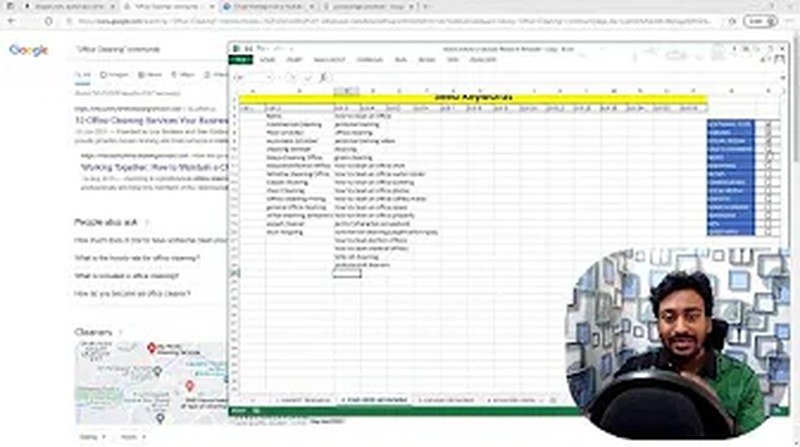
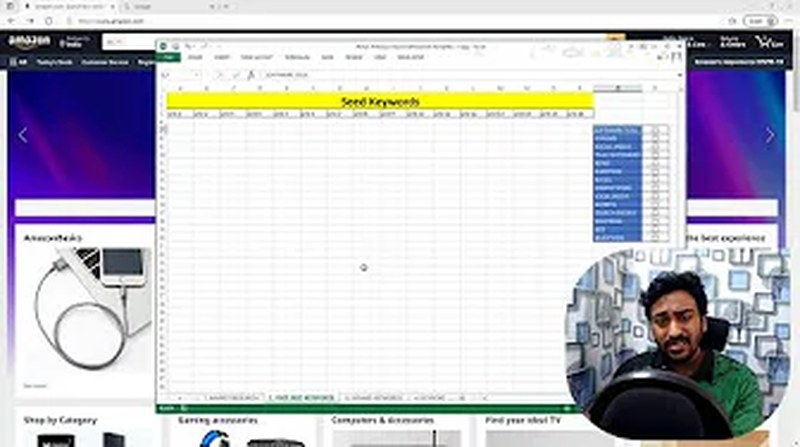
Tab 2: Seed keywords from 15 free sources
The heart of the template. Fifteen sources, each with a row, a description of what to look for, and space to record what you find, plus a checkbox so you can see which you have actually worked through. The tab totals your count as you go.
Most people stop after two or three sources. The structure exists to show you the twelve you are leaving on the table.
Tab 3: Expand and validate
Where seeds go into a tool. Record the keyword, monthly volume, keyword type (short, mid, long-tail) and intent classification. The tab totals estimated volume across the list so you can see the size of the opportunity you are building toward.
One caveat on volume: every number is an estimate. No tool has Google’s actual data. Cross-reference at least two before making decisions on volume alone. Google Search Console is the only source of real click data, and only for pages already ranking.
Tab 4: Clustering and grouping
Where raw keywords become a content plan. Group by theme, intent and priority: which topics become pillars, which become supporting posts, which keywords belong together on one page because they share intent.
Clustering matters because Google does not rank keywords, it ranks pages. A page targeting 15 closely related queries around one topic will almost always outperform 15 thin pages each targeting one.
The brainstorming sheet
Whether you use the template or your own spreadsheet, four columns are the minimum:
| Column | What to record |
|---|---|
| Seed keyword / topic | The core idea you found |
| Source | Where you found it |
| Intent | Informational, commercial, transactional, navigational |
| Notes | Pain points, jargon, questions, context |
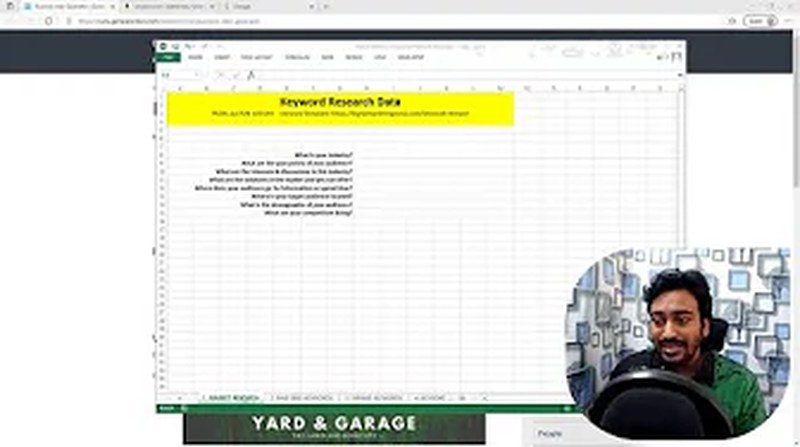
Do not filter at this stage. Capture everything. Validation happens later.
The 15+ Free Sources for Finding Keywords
This is the phase that separates thorough researchers from everyone else. Tools show you keywords that are already well known. These sources show you keywords before they become obvious.
Most guides stop at “use Google Autocomplete and check Quora”. That leaves thirteen sources untouched.
1. Forums and online communities
The most underused source available. Real people post real problems in their own words, and the language they use is the language they search with.
To find them:
niche + foruminurl:forum + nichesite:reddit.com + nicheintitle:forum + keyword
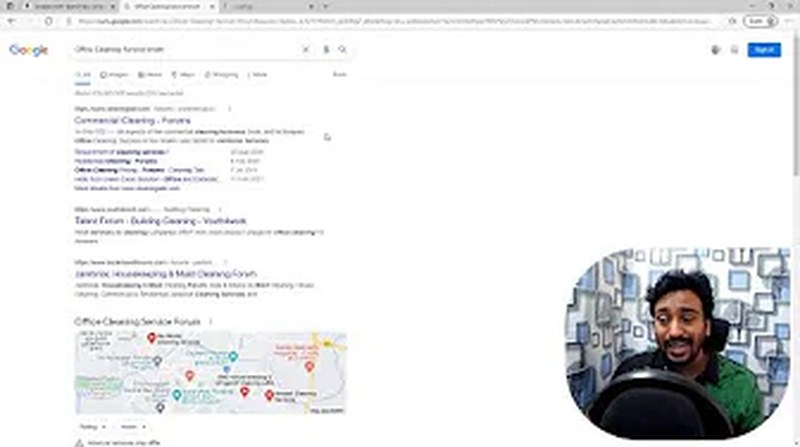
What to mine:
- Thread titles phrased as questions — that is exact search-query phrasing
- Terms that repeat across threads, which signals consistent demand
- Complaints and frustrations, which are pain-point content opportunities
- Technical jargon a non-expert would have to search to understand
For SaaS specifically, the highest-value communities are usually not general forums. They are your competitors’ user communities, the subreddits for the role you sell to (r/devops, r/sysadmin, r/marketing, r/accounting), and the public Slack and Discord servers where practitioners in your category talk. People complaining about a competitor in public are describing your alternative-page keywords for you.
Pro tip: mine the words people use to describe the problem, not the solution. “Why do my support tickets keep getting reopened” is a better keyword starting point than “helpdesk software tips”.
2. Reddit
Reddit earns its own section because it is the richest single source of natural-language keyword data available free. Subreddits are tightly segmented communities where people post unfiltered questions, rants, reviews and recommendations.
Three tactics:
- Sort by Top, past year. The highest-voted posts show what your audience actually cares about most.
- Search Reddit from Google:
site:reddit.com "your keyword"surfaces the threads Google has indexed heavily — which are also the threads competing for your keywords. - Mine comments, not just posts. Top comments in popular threads carry the specific vocabulary of engaged community members.
Take the phrases you find into a keyword tool to validate volume and difficulty. Human language discovery plus data validation beats either alone.
3. Social media
Social platforms are search engines, and their keyword data is distinct from Google’s.
YouTube is the most valuable of them. Search your seed and pause — autocomplete shows real search behaviour. Read the top video titles for phrasing patterns. View page source on a video and search for "keywords" to see the creator’s tags. Then read the comments, which are full of unfiltered questions and frustrations.
LinkedIn is where B2B keyword research lives. Job listings are especially good: a posting that says “must have experience with Looker and dbt” is telling you both the tools your buyers use and the integration keywords worth owning. Professional articles use the formal terminology corporate buyers search with.
Instagram and TikTok: hashtags are keyword research in visual form. More useful for consumer and prosumer products than enterprise.
X and Facebook groups: search your topic and look for repeated language. One mention is a data point; ten is a keyword.
4. Talking to customers and prospects
The highest-quality research you can do, and almost nobody does it.
Ask customers:
- “What did you search for when you first had this problem?”
- “How would you have described what you needed before you knew what it was called?”
- “What questions did you have that you could not find answers to?”
The gap between what the industry calls something and what customers call it is where the opportunities live. You may sell “workflow orchestration”; your buyer is searching “automatically move data between apps”.
Record phrasing verbatim. Do not clean it up. Messy natural-language queries are your most honest data.
No customers yet? Read support tickets, chat logs and sales call transcripts. Every question a prospect asks is a potential keyword.
5. News and industry publications
Google News shows you what the industry is talking about right now. That gives you emerging terminology before it reaches keyword databases, and journalist phrasing, which is often how educated buyers search.

Search your seed at news.google.com and look for topic clusters appearing across multiple publications, specific phrases in headlines, and emerging issues with no established competition yet.
Trade publications are especially valuable in B2B — they use the precise technical vocabulary decision-makers search, and that vocabulary often has low difficulty because few content teams read trade journals.
Bonus: read subheadings and pull quotes. Journalists write for clarity, which means plain-language phrasing close to how people search.
6. Marketplaces and review sites
E-commerce platforms are excellent sources even for software, because buyer language on them is as close to transactional intent as you will find.
Amazon autocomplete reflects real buyer behaviour rather than estimated volume. Category navigation shows how buyers segment their own needs. Reviews and Q&A describe the problem before the solution, and that “before” language is exactly how people search.
A real example from a research session: an office vacuum review read “Finally a vacuum that handles carpet tiles in an open-plan office without leaving marks.” That one sentence contains three distinct keyword ideas.
The SaaS equivalent is G2, Capterra and TrustRadius. They are the single best free source in this category, and most SaaS teams never mine them systematically:
- Review titles are query-shaped and written by your exact buyer
- The “what problem is the product solving” field is a pain-point keyword list
- Competitor review pages surface the specific complaints that drive alternative searches
- Category pages show you how the market segments itself, which is your use-case keyword map
- Comparison pages tell you which head-to-heads people actually make, so you build the comparison pages that get searched rather than the ones you assume
Product Hunt launch comments and changelog discussions serve the same purpose for newer categories.
7. Blogs and niche sites
Reading authoritative content in your category teaches you the vocabulary, the depth expectations and the structural patterns your audience encounters.
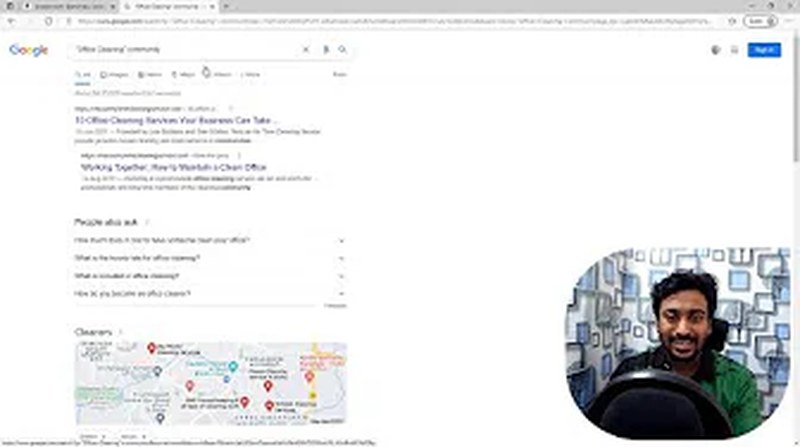
- Search your seed and open the top five organic results
- Read the table of contents — each H2 usually targets a separate long-tail keyword
- Note bolded and defined terms; the author signalled those as important
- Check internal link anchor text, which reveals that site’s priority targets
Industry associations and trade bodies are the richest of these. In one cleaning-sector session the ISSA site surfaced “Green Seal GS-37 certified cleaning”, “LEED points cleaning documentation” and “OSHA bloodborne pathogen cleaning” — high-value terms for medical and government buyers that no tool would have suggested. Every regulated category has an equivalent body producing equivalent vocabulary.
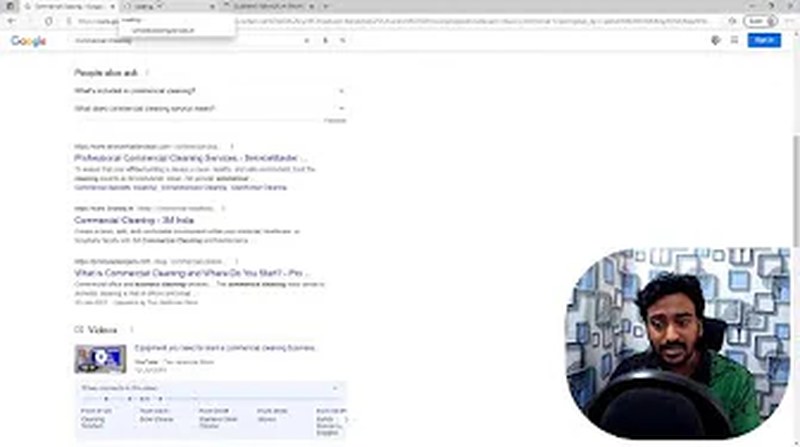
8. Competitor websites
Your competitors have already done this work. Their structure tells you what they think is worth building for.
- Navigation and product pages: every dedicated page is a cluster they believe is valuable
- FAQ sections: built to rank for question-shaped long-tail queries
- Blog categories: how they have organised their clusters
- Meta titles: view source and read the
<title>tags - Bolded and repeated terms: the page’s priority phrases
Two places specific to SaaS competitors are worth more than the rest combined. The first is the integrations directory — every listing is a ready-made “X + Y integration” keyword with clear commercial intent and usually low difficulty. The second is the comparison and alternative pages they have built against you and against each other, which tell you precisely which head-to-heads the market makes.
For deeper analysis, Semrush Organic Research shows every keyword a competitor ranks for, and the Keyword Gap tool finds the ones they rank for and you have no content for. My Semrush tutorial covers that workflow, and the competitor analysis template structures the output.
9. Directories and classified listings
Directories reveal how buyers describe and categorise services in plain language, with no marketing polish.
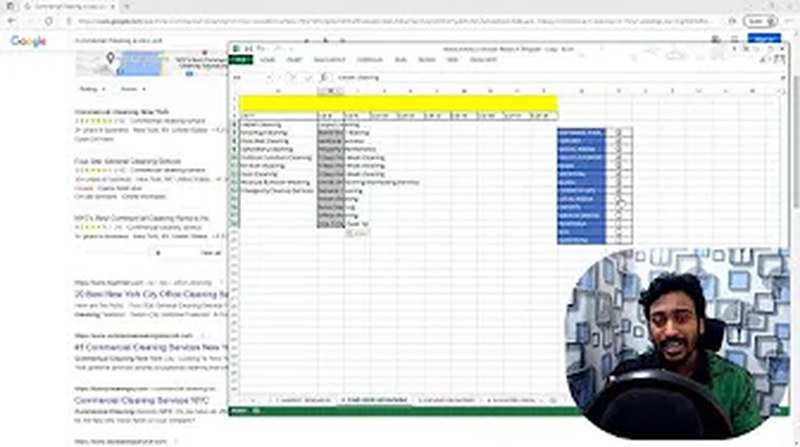
Yelp and Google Business Profile category lists, Angi service categories, Thumbtack listings, Craigslist services, chamber of commerce directories. Each platform structures categories differently, and each structure reveals how buyers think.
For local SEO: the [city] + [service] pages on Yelp and Angi contain the localised patterns that dominate local results. For SaaS, the equivalents are software directories and marketplace listings — the AWS, Shopify, Slack and Salesforce app stores categorise your product the way buyers look for it, and their category names are keywords.
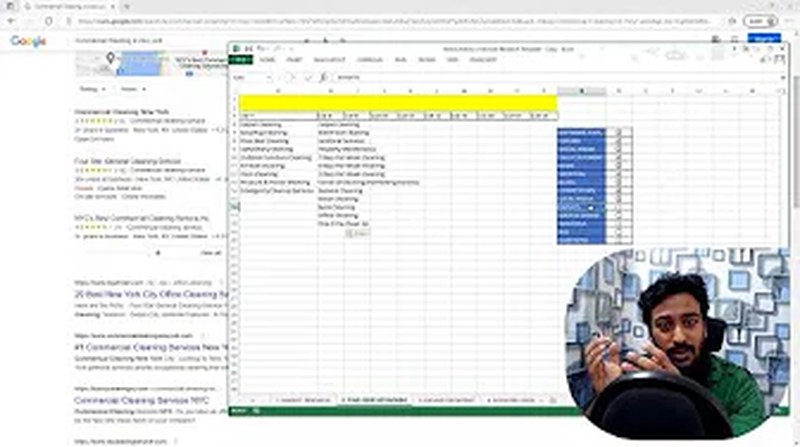
10. Industry experts and trade publications
Buyers deep in the research cycle use precise terminology. Experts use it consistently.
- Industry association and institute websites
- Trade magazines, most with free archives
- Conference agendas and session titles — these are keyword-dense and often published a year ahead of the trend
- Professional certification curricula
- Government publications in regulated categories
Following 10–15 relevant LinkedIn thought leaders and reading them for half an hour gives you a vocabulary list worth weeks of tool research. This terminology often has high buyer intent and low difficulty precisely because most content teams do not read this material.
11. Search engine autocomplete and People Also Ask
The search engines themselves are among the best free keyword tools available.
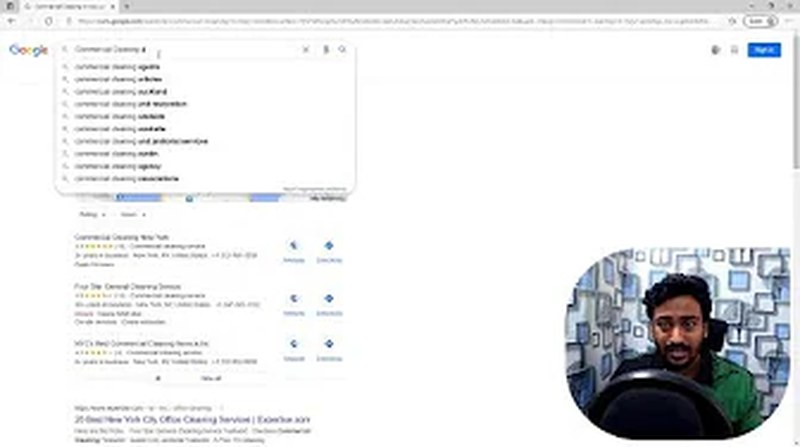
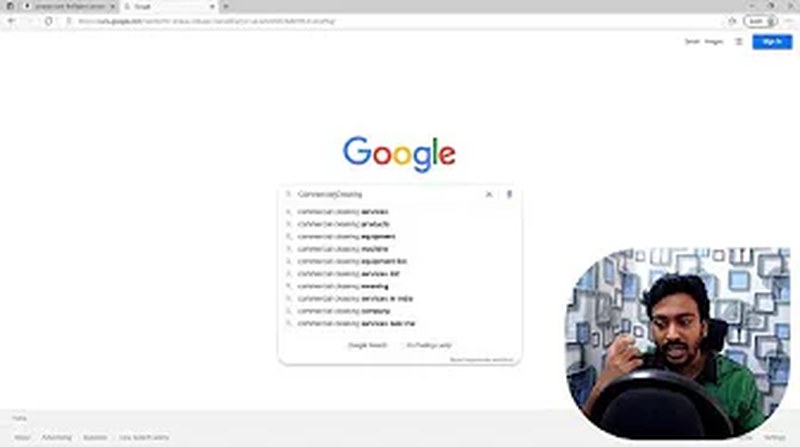
Autocomplete: type your seed and pause. Every suggestion is a real query. Work the alphabet systematically — “helpdesk software a”, “helpdesk software b” — and you will uncover dozens of variations.
People Also Ask: click a question to expand it and new questions appear. That chain gives you a deep cluster of question-based keywords already pre-validated by Google as related.
Related searches: the eight terms at the bottom of every results page are Google’s own semantic connections, telling you how the algorithm categorises your topic.
Bing: a different data source produces different suggestions. Catching even 10% more ideas is worth the two minutes.
12. Wikipedia
Underrated, and it takes two minutes.
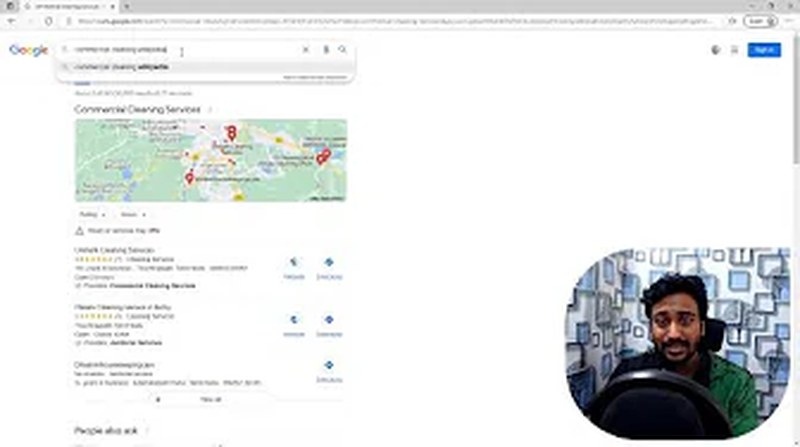
- Search your seed on Wikipedia
- Read the table of contents — a pre-built topic map where each section is a potential cluster
- Read the introduction, which defines the topic using multiple synonyms people search
- Follow internal links, each one a term Wikipedia considers significant enough for its own page
- Check categories and See also for adjacent territory you had not considered
Wikipedia uses formal, technical names for things. That is useful precisely because it may differ from what your customers call them — knowing both lets you cover the full range.
13. Paid advertisements
Advertisers pay for every click and do not keep paying for keywords that fail. Their copy is market-validated language.
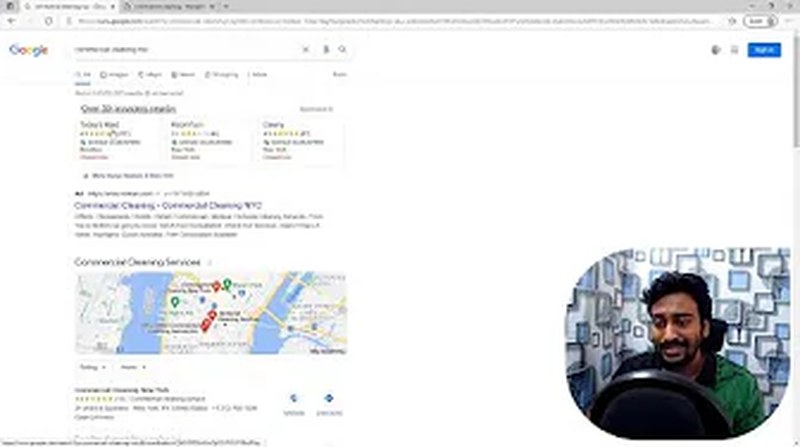
- Google and Bing search ads for your seeds, above and below the organic results
- The Facebook Ad Library, which lets you search any brand’s active ads free
- Display and remarketing ads you see while browsing sites in your category
- Newsletter and trade publication ads
When the same phrase appears across ads from several different competitors, it has been validated as language that triggers buying behaviour. Target it organically.
14. Q&A communities
Q&A platforms capture questions in their most natural form. Every question is a search query someone typed, or would.
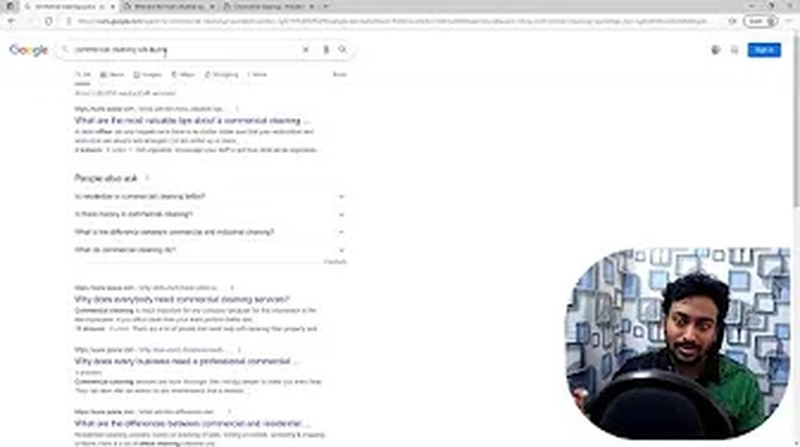
Quora: search your seed and read the question phrasing on top results. Note which have many followers. Featured snippets for these exact queries are highly achievable with a well-structured answer.
Stack Overflow and Stack Exchange: for technical products this is the highest-signal source there is. The questions are written by the practitioners who will evaluate your product, in the exact terms they use. A question with 40,000 views and no good answer is a content brief.
Answer Socrates and Answer The Public automate parts of this, pulling question-based keywords from autocomplete data across platforms.
15. Free keyword research software
After manual brainstorming, tools validate and expand what you found. Used in this order — manual first, tools second — they perform far better, because you are feeding them informed seeds instead of guesses.
- Google Keyword Planner: free with a Google Ads account, no need to run ads. Volume ranges and related keywords. “Discover new keywords” is the useful part.
- Google Search Console: if your site is live, the most accurate data you have access to — real impressions and clicks. See my GSC keyword research guide.
- Ubersuggest: free tier gives volume, difficulty and suggestions, with daily limits.
- Semrush free account: ten lookups a day, enough to validate your top ideas before committing.
16. Your own inbox and product data
If you already have customers, you own the richest source available.
- Email inquiries: what prospects ask before they buy
- Support tickets: what breaks after they buy
- Live chat logs: what visitors cannot find on the site
- Sales call notes: the objections and questions that recur
- Internal site search: every query is a content gap, stated explicitly
- In-app search and empty-state searches: in SaaS, what users type into your own product’s search bar is a direct list of features they expected and terms they use
One cleaning company found that 40% of email inquiries contained “do you clean after construction” — a high-intent query they had never targeted. A dedicated page for it was one of the highest-ROI moves they made. The same pattern shows up in SaaS every time someone actually reads their support tags.
Bonus: AI for brainstorming
ChatGPT, Claude and Perplexity are useful for accelerating the brainstorm — generating lists, suggesting adjacent topics, and simulating how different buyer roles might search. Use them as a starting point, not a replacement: AI-generated ideas still need validating against real human sources.
I have published 40 ChatGPT prompts for keyword research you can copy directly.
Turning the Brainstorm Into a Plan
Work through those sources and you should have 100–300 raw ideas. Here is how that becomes a plan.
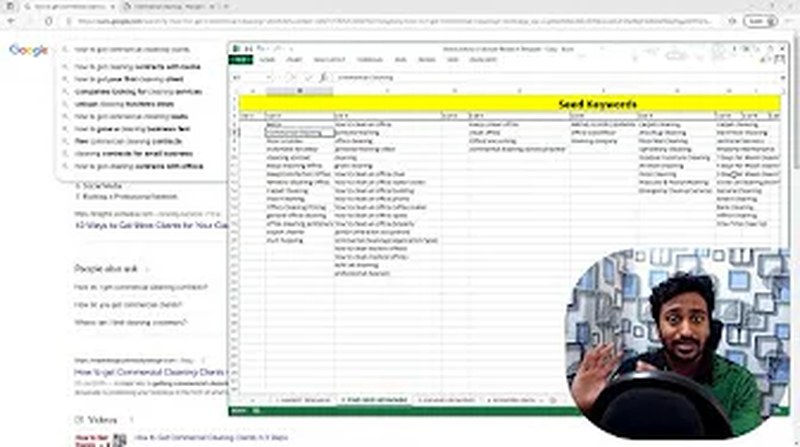
First, clean up: remove duplicates, consolidating phrasings that mean the same thing. Assign intent to every idea. Flag the ones most relevant to what you actually sell.
Then take the best 50–100 into a keyword tool for volume, difficulty and CPC. The tools confirm and expand what you found. They do not replace the discovery phase.
Mapping a tool export to the template
The step that actually stalls people: you export from a tool, open the template, and cannot tell which of fourteen columns maps where. This is the translation.
| This sheet | Ahrefs | Semrush | Moz | Search Console |
|---|---|---|---|---|
| Keyword | Keyword | Keyword | Keyword | Query |
| Volume | Volume | Volume | Monthly Volume | Not available — GSC reports impressions, not volume |
| Difficulty | KD | KD % | Difficulty | Not available |
| Current position | Current position | Position | Rank | Position — the most trustworthy of the four |
| Intent | Intents | Intent | Not available | Judge it yourself from the query |
| Modifier, Cluster, Target URL, Status | You fill these in | You fill these in | You fill these in | You fill these in |
Two things worth knowing before you paste anything in:
- Difficulty scores are not comparable between tools. A KD of 4 in Ahrefs is not a KD of 4 in Semrush. Pick one tool for the whole sheet or the priority column ranks noise. Blank difficulty is also not the same as easy — it usually means insufficient data, which is a reason to inspect the results page manually rather than assume an opportunity.
- Search Console position beats every tool’s estimate, because it is your actual average position rather than a sample. Where you have both, use Search Console for position and the tool for volume.
Scoring the list: the priority formula
Sorting by search volume ranks the wrong work first. The highest-volume queries are usually the hardest and the vaguest, and they rarely produce anything.
I use a score that discounts volume by difficulty and then weights it by intent. It is deliberately simple enough that you can audit it rather than trust it:
Priority = Volume / (1 + Difficulty/10) × Intent weightIntent weights: transactional 1.5, commercial 1.3, informational 1.0, navigational 0.6.
Two things follow from that shape:
- Difficulty discounts rather than excludes. A hard keyword is not disqualified; it just has to be worth more volume to earn the same priority.
- Intent can outrank volume. A transactional query at 200 searches scores above an informational one at 250, which matches how they actually contribute.
For SaaS, add one more multiplier: fit. If a query maps to a segment you close well, weight it up. If it maps to users who churn in two months, weight it down even when the volume is attractive. Ranking for the wrong customer is not a win.
What I check before trusting a high-priority keyword
The sheet gives an order. Before acting on the top rows, two checks:
- Look at the actual results page. The results tell you what Google believes the intent is, which frequently disagrees with the intent you assigned. If page one is all comparison pages and you planned a definition article, Google has already decided and you will not win the argument.
- Ask whether you can make the best page for it. Not a comparable page — the best one. If the honest answer is no, a high score is not an opportunity. This is the check that removes most of the keywords I would otherwise have wasted a month on.
Why modifiers matter more than head terms
The modifier column exists because modifiers are where the achievable opportunities sit. A head term is contested by everyone in the market. The same topic with “template”, “example”, “checklist”, “pdf”, “alternative”, “vs”, “for [role]” or “integration” attached is a narrower query with clearer intent and a searcher who wants an output rather than an explanation.
That is easier to satisfy well and easier to rank for, and the visitor arrives wanting something specific you can actually give them. Tagging the modifier makes those opportunities visible in the sheet instead of buried among head terms with larger volumes.
Clustering: One Page Per Intent
Most beginners make one page per keyword. That approach is outdated. Google understands that multiple related queries are often best answered by a single comprehensive page.
The one-line rule
Clustering is where most keyword sheets quietly go wrong, and the decision comes down to a single test:
Queries belong in the same cluster when one page can satisfy all of them without compromise. If satisfying the second query would make the page worse for the first, split them.
Applied: “helpdesk software pricing”, “helpdesk software cost per agent” and “how much does helpdesk software cost” all describe the same person — someone budgeting. One page carrying a pricing breakdown, per-agent maths and a comparison table serves all three better than three thin pages.
Whereas “helpdesk software pricing” and “what is a helpdesk” do not cluster. Adding a definition section long enough to satisfy the second would push the pricing further down the page and make it worse for the first.
Getting this right is what stops a keyword sheet from becoming a plan for forty weak pages.
Building the cluster
Step 1 — identify the core topic. The broadest, highest-value term in your list becomes the pillar.
Step 2 — group by intent and subtopic. Keywords answering different aspects of the same question belong together.
Step 3 — decide what each cluster needs. Some are best served by a focused 1,500-word guide, some need 5,000. Look at what Google currently ranks to calibrate depth.
Step 4 — map internal linking before you publish. Cluster pages link to the pillar; the pillar links to cluster pages; supporting pages link to relevant clusters.
A SaaS cluster usually looks like this:
- Pillar: the category guide — “helpdesk software: the complete guide”
- Alternative pages: one per major competitor
- Comparison pages: the head-to-heads the market actually makes
- Integration pages: one per meaningful integration
- Use-case pages: one per segment you close well
- JTBD guides: the problem-shaped queries that feed the whole cluster from the top of the funnel
Why clustering matters more than ever
Google increasingly evaluates topical authority — how deeply and comprehensively a site covers a subject — rather than individual page relevance. A site with 20 well-clustered articles on one topic will outrank a site with 100 unconnected posts on it.
Clustering also exposes gaps. When you map the cluster, the missing pages become obvious.
Mistakes to Avoid
Going straight to tools. Tools show what is already searched at measurable volume. They cannot show you what your buyers say in private communities, the pain-point language they use, or emerging terminology. Without market research first you are working from incomplete information.
Chasing the category head term first. “Project management software” is not your first win, it is your last. Start where intent is high and difficulty is low, and earn the head term with the authority those pages build.
Ignoring low-volume keywords. A 50-search query with zero competition, clear intent and a $6,000 customer behind it beats a 5,000-search query that converts at nothing. Low volume is not low value.
Expecting all the volume to arrive. Rank first for a 1,000-search keyword and you will not get 1,000 visits. Ads, AI Overviews, snippets and PAA boxes absorb clicks. Position one on a clean SERP typically sees 25–35%, often much less.
Targeting only a few keywords per page. Each page can rank for hundreds of related queries. Build around topics: primary keyword, secondaries, question variants and semantic terms, all naturally placed.
Keyword stuffing. Google penalises it and it destroys the reading experience. Place keywords where they genuinely fit.
Ignoring intent. You can have good volume, low difficulty and still rank for nothing if the content type does not match what Google believes satisfies the query. Always check the SERP first.
Two pages chasing the same phrase. They split their own signals and neither wins. This is the most common self-inflicted problem on sites that did good research and bad mapping.
Clustering too broadly. Fifty keywords in one cluster expecting one article to rank for all of them is not a strategy. If two keywords need different content to satisfy the searcher, they need different clusters.
Doing it once. Markets change and vocabulary changes with them. Revisit quarterly.
The Full Workflow
Phase 1 — Market research (a day minimum for a new category). Answer the seven questions. Identify pain points, interests, search behaviour and vocabulary. Build 10–20 seed keywords.
Phase 2 — Free-source brainstorm (2–4 hours). Work the sources above. Capture everything in the sheet with intent assigned. Aim for 100–300 raw ideas.
Phase 3 — Tool validation (1–2 hours). Take the top 50–100 into a keyword tool. Record volume, difficulty, CPC and trend. Remove the clearly impractical. Flag the best.
Phase 4 — Scoring and clustering (1 hour). Apply the priority formula. Group into clusters. Identify pillars and cluster pages. Build a calendar starting with low-competition long-tail and working toward competitive core terms.
Phase 5 — Track and iterate. Track rankings in Search Console. When a page reaches position 5–15 for a target, it is a prime candidate for optimisation: update the content, improve the title, build internal links. Keyword research is not a one-time exercise.
What to Do Next
Keyword research is the foundation every other SEO decision rests on. The process is not complicated, but it is thorough — and the biggest difference between teams that see results in six months and teams still waiting after two years is not technical skill. It is the quality of the research done before anything was published.
Start small. Pick one segment, run one brainstorming session, fill one spreadsheet. Take twenty realistic targets, build the pages, track the results, and let the data teach you.
This week: download the template, work through five sources on your own category, take the best twenty ideas to a tool, check the SERP for each survivor, and map them to pages.
Then go deeper where you need it:
- Google Search Console keyword research — free first-party data on what is already working
- 40 ChatGPT prompts for keyword research — accelerate the brainstorm
- The Semrush tutorial — validating and expanding at scale
- SEO competitor analysis template — structuring the competitor phase
- Content audit template — deciding which existing pages to update before writing anything new
- Technical SEO checklist — making sure the pages you target are actually crawlable
- SEO basics for beginners — if you want the fundamentals in order first
If you would rather have this run on your product than run it yourself, that is what I do — see SaaS SEO.
Disclosure: some links in this guide are affiliate links to tools I have personally used. I provide non-referral versions where possible. See my transparency policy for details.
Frequently asked
Questions About This Article
How is SaaS keyword research different from normal keyword research?
Do I need paid tools for keyword research?
Should I target head terms like 'project management software'?
How much search volume is enough for a SaaS keyword?
How many keywords should one page target?
How long does the full process take?
Do long-tail keywords still work now that AI Overviews answer queries directly?
How often should I redo keyword research?
Keep reading
You Might Also Like
SEO for SaaS: The Complete Beginner's Tutorial
Learn SEO for SaaS from zero: how search works, the page types that drive signups, keyword research, technical SEO, AI search, and realistic timelines.
46 min read
Blogger Not Indexing in Google? Here Is How to Fix It (2026)
Your Blogger site not indexing in Google for months? Learn how to fix redirect errors, m=1 issues, and Search Console problems step by step. Tested solutions inside.
14 min read

Digital Marketing for Business: A Complete Step-by-Step Guide (2026)
Learn how to do digital marketing for your business step by step. Covers all types, benefits, buyer personas, SMART goals and a 3-month action plan. No fluff.
23 min read