SEO
I Built a Free AI Internal Linking Tool in Google AI Studio
A free AI internal linking tool I built in Google AI Studio. It reads your sitemaps, suggests contextual links with reasons and writes them into your HTML.

My AI internal linking tool is a small app I built in Google AI Studio without writing the code myself. Give it your sitemaps and an article, and it suggests where a link should go, which page it should point to and why, then writes the approved links into the article’s HTML. Paste the prompt below, test the build on one real article, and review every suggestion before it goes live.
Prefer to watch? Here is the full build and test, errors included.
Skip this if you run a single WordPress site and want zero setup, because a plugin is a fair purchase at that scale. I built my own because I pay per-site licenses across several properties and publish on two different stacks. Link Whisper’s single-site plan is billed at $119 a year (checked 24 September 2026).
What it sells you is the finding, and the finding is the cheap part.
What do you need to build it?
- A Google account, to sign in to Google AI Studio.
- Your sitemap URLs. On WordPress, an SEO plugin such as Rank Math or SEOPress usually generates them. Open the sitemap index and note the individual post and page sitemaps inside it.
- A Gemini API key from aistudio.google.com/app/apikey, if your build asks for one.
- About thirty minutes, most of it waiting and testing.
Building is free. Running it may not be: Gemini API usage has free-tier limits and paid rates beyond them, and rate limits are scoped per project and shown in AI Studio. Read yours there rather than trusting a figure copied out of a blog post two model generations ago. My test account had no billing connected and the build still ran.
How do I build the app in Google AI Studio?
Sign in at aistudio.google.com, pick Build an app, and paste the prompt below. It describes the projects, the sitemap handling, the Gemini analysis, the link suggestions and the HTML workflow. Rename the app or add your own twist; what matters is telling the builder what the tool has to do.
Build a web app called "LinkWhisperer AI", an AI internal linking tool.

OBJECTIVE
Discover internal link opportunities and authority external links for one page of
content, by analyzing that page against a knowledge base of existing site URLs.

FEATURES
1. Projects. One per site. Name, description, one or more sitemap URLs. Each
   project stores its own indexed URL knowledge base. Switch between projects.
2. Sitemap knowledge base. Accept XML sitemap URLs. Parse them to extract page
   URLs. Support sitemap index files. Show the indexed URL count and a
   last-updated time. Allow manual refresh. If the direct fetch fails with a CORS
   error, fall back to a textarea where the user pastes the sitemap XML, and parse
   that instead.
3. Analysis engine. Accept a target page URL or raw HTML/text. Analyze it
   semantically and cross-reference the indexed knowledge base. Return, per
   suggestion: anchorText, targetURL, contextSnippet (the exact sentence the link
   belongs in), relevanceScore (1-10), reason.
4. Authority links. Alongside internal links, suggest 5-8 external links to
   Wikipedia, .gov, .edu, WHO or World Bank sources, with citation context. Let
   the user add their own trusted domains in settings and prioritize those.
5. HTML injection. Accept raw page HTML. Wrap approved anchor text in <a href>
   tags. Rules: never inject where the anchor text already sits inside a link;
   never link the same target URL twice on one page; preserve existing attributes
   and formatting; log every injection with before/after context; include an
   "Undo all injections" button.

UI
Dark sidebar for projects. Main area with Analysis, Knowledge Base and Settings
tabs. Suggestions as cards with approve/reject toggles and the relevance score
visible. An HTML editor pane for the injected output. Indexing progress state.

STACK
React, TypeScript, Tailwind, Lucide icons. Gemini Flash (latest available) as the
analysis model, Gemini Pro as the fallback for documents over 5,000 words. Store
the API key in localStorage only.

Return the complete app as a single HTML file using CDN imports.- Paste the prompt into the build field and start the build. Code streams into the right-hand pane, then the app renders. Mine ran for 136 seconds; yours will vary with load.
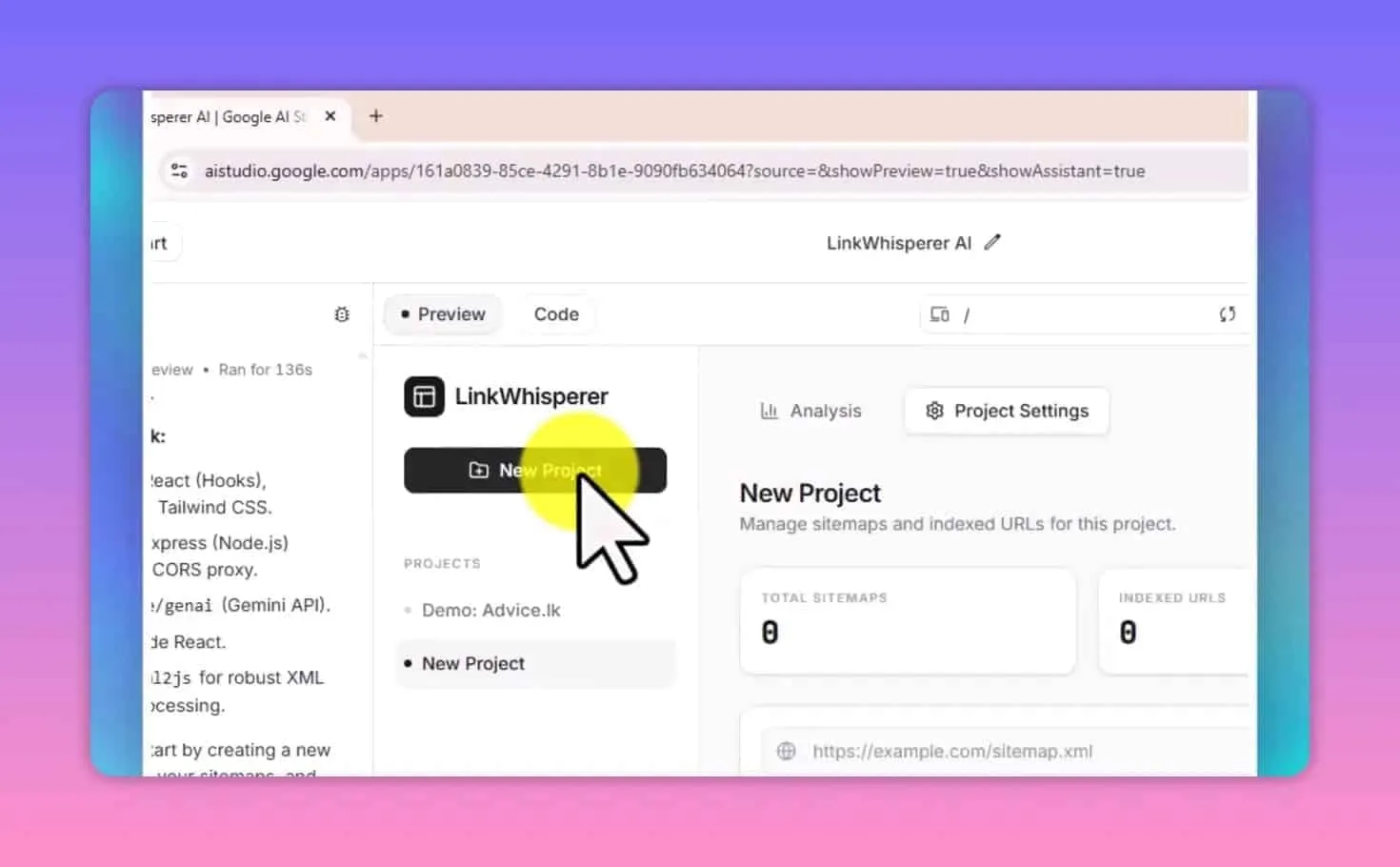
- Create a project for one website and add its individual sitemap URLs.
- Gather or refresh the sitemap data, and check the URL count looks right.
- Paste an article URL, run the analysis and read what comes back.
- Describe anything missing or broken in plain language, then test again.
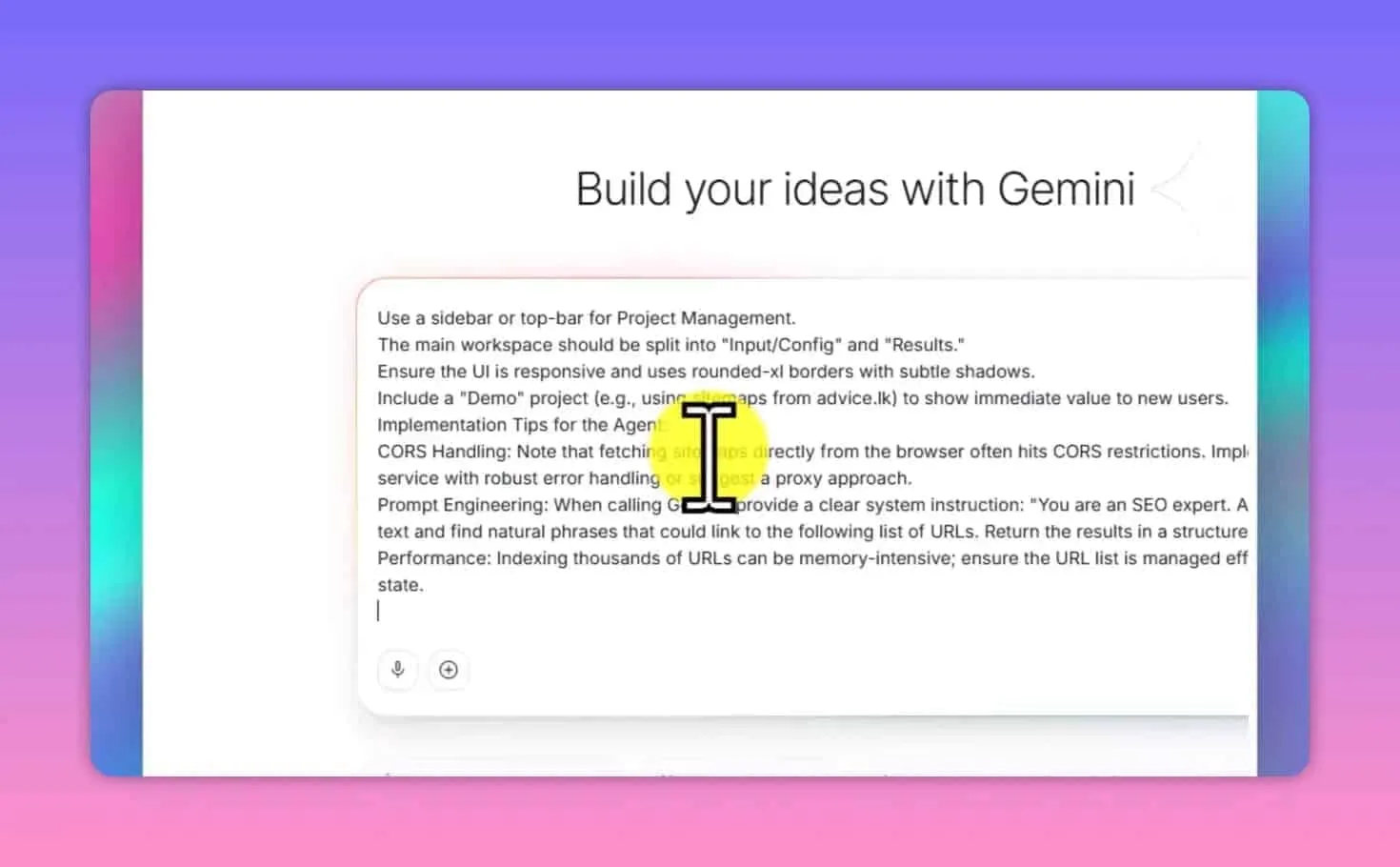
The builder offers extras before you start. Persistent storage with sign-in keeps the same projects across devices; I left it off because I run this locally. Grounding with Google Search can help it find external sources, and a stronger reasoning setting may help when many pages compete for one link. I began without any of them.
This is the same pattern as the local SEO GPT I built, and the pattern is the point: one prompt, one knowledge base, and nobody’s license terms deciding what your tool is allowed to do.
How do I give the tool pages to link to?
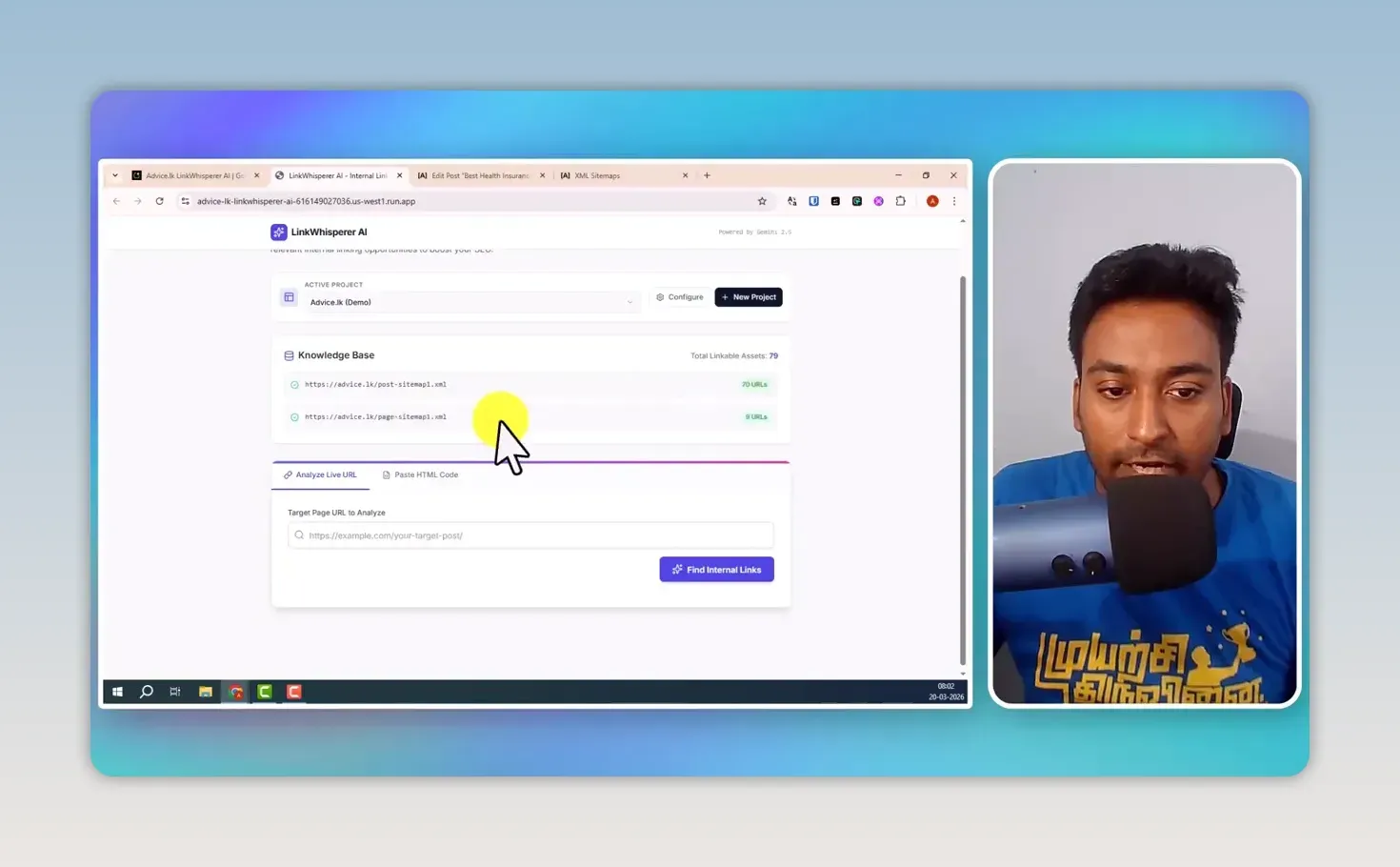
Create one project per website and add that site’s individual sitemaps, not the sitemap index. The pages in those sitemaps become the tool’s knowledge base, and it can only suggest links to what is in there. Separate projects keep each site’s pages apart.
I tested it on advice.lk. Its post sitemap held 70 URLs and its page sitemap held nine, so the knowledge base had 79 linkable pages. My original build fetched the sitemaps when it needed them, so a newly published article became a candidate without my entering its URL. The version I generated in the video had a refresh button instead.
The URL list is the variable, not the model
My first build produced noise, and the model wasn’t at fault.
I’d fed it the sitemap index whole, which meant tag archives, paginated pages and author pages all landed in the knowledge base, so the tool did exactly what I asked and proposed links to pages that were never meant to receive them. That is why I add the post and page sitemaps one by one now.
Swap the model and the output barely moves. Trim the URL list down to real content pages and it transforms.
That’s why a per-site license buys you less than it looks like: a paid plugin reads your CMS and offers you every published post, because it holds no opinion about which of them should be accumulating internal links.
Forming that opinion is the actual job, and there’s no price at which a vendor does it for you. So decide before you index: which pages on this site are actually supposed to rank? Those, and only those, belong in the knowledge base.
How does the AI internal linking tool find contextual links?
Paste an article URL and click Find Internal Links. The tool reads the article, compares it with every page in the project, and returns each opportunity with the section it belongs in, the anchor text, the destination and a reason.
On a health insurance article on advice.lk it found five. One was plain: the introduction mentioned advice.lk without linking it. Another was the kind I built this for. A paragraph about long-term foreign workers in Sri Lanka got a suggestion pointing at the site’s Sri Lanka digital nomad visa article, which means it matched the topic of the passage, not a repeated word. It also proposed a tourist visa page beside text about how long someone can stay in the country.
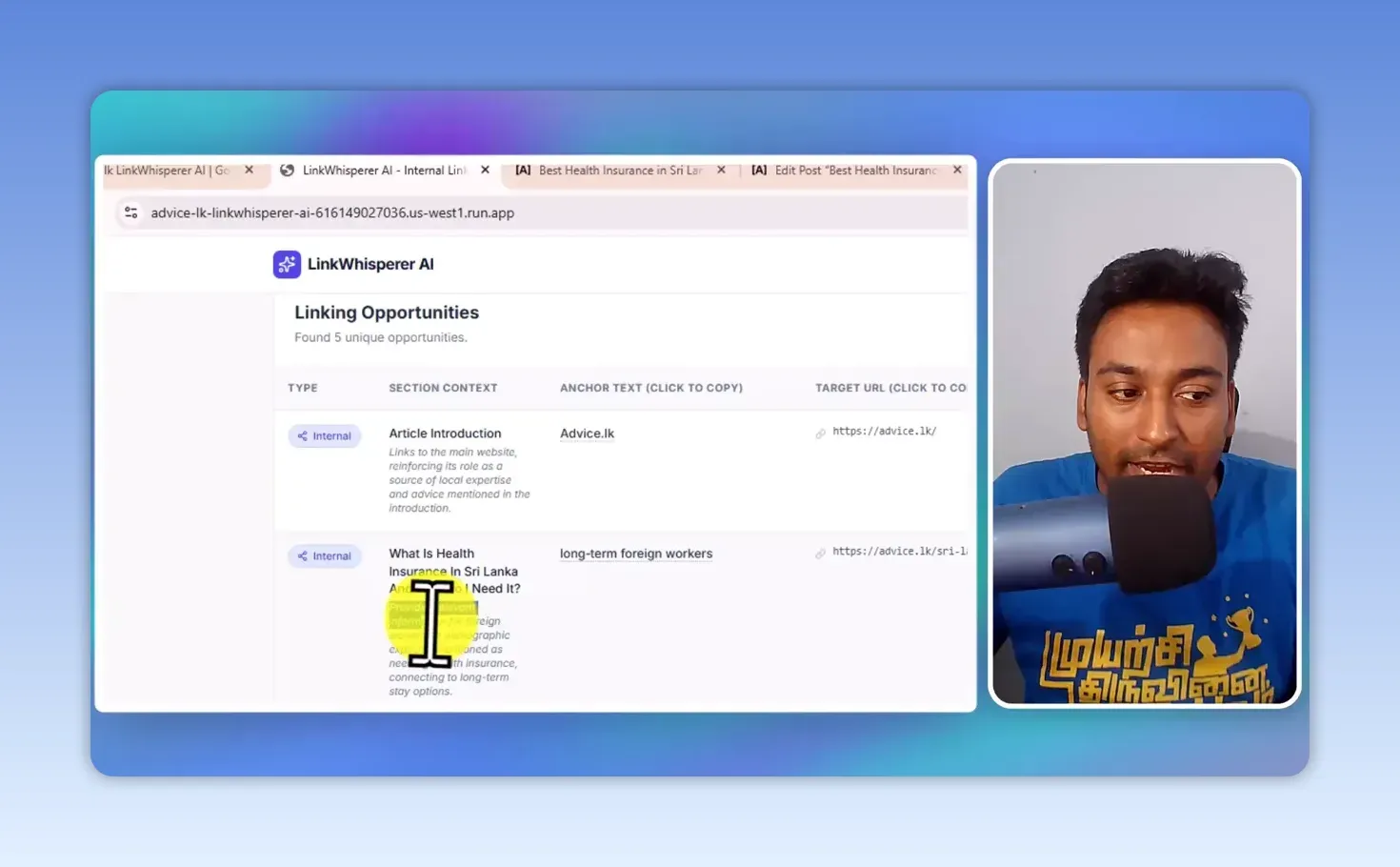
I still read the sentence and the destination before using any of them. Google’s guidance on crawlable links is useful background, but my own test is simpler: would this link help someone reading that paragraph? A suggestion is an opportunity, not an instruction.
A relevance score is confidence, not relevance
The number beside each suggestion is the model’s confidence that a link fits. It isn’t a measurement of whether it fits. Same distinction as Ahrefs DR: a figure a tool produced, not a property of the thing it’s pointed at.
That matters because an internal link is a sentence. Anchor text plus the clause around it is body copy, and body copy is what gets chunked and embedded when a retrieval system reads the page. A forced anchor drags the passage it lives in toward a topic the page wasn’t answering, and passage retrieval scores chunks, not pages. You lose ground on the thing the page was for.
That’s the mechanical reason a missing link costs less than a bad one, and why I hold a threshold instead of approving whatever comes back. On a 2,500-word article my knowledge base returns 8 to 15 suggestions. I approve 5 to 7. Anything at 7 or above is usually a link I’d have placed myself. Below 6 it’s technically related and reads as forced, which makes it worse than the gap it was filling.
Can it suggest external authority links too?
Yes. Some articles need a source outside my own site, so the tool suggests authority links alongside the internal ones. On the health insurance article it offered pages from organizations including the World Health Organization and the World Bank, plus sources for names the article mentioned.
My build inserts external links with nofollow and opens them in a new tab. Neither setting replaces reading the page: I only keep a source that supports the point the sentence is making.
How do I insert the links without editing every anchor?
Paste the article’s HTML into the tool’s code editor, review the suggestions, and click Inject All Links. The tool returns the updated HTML with the links written in, and you paste that back into your editor.
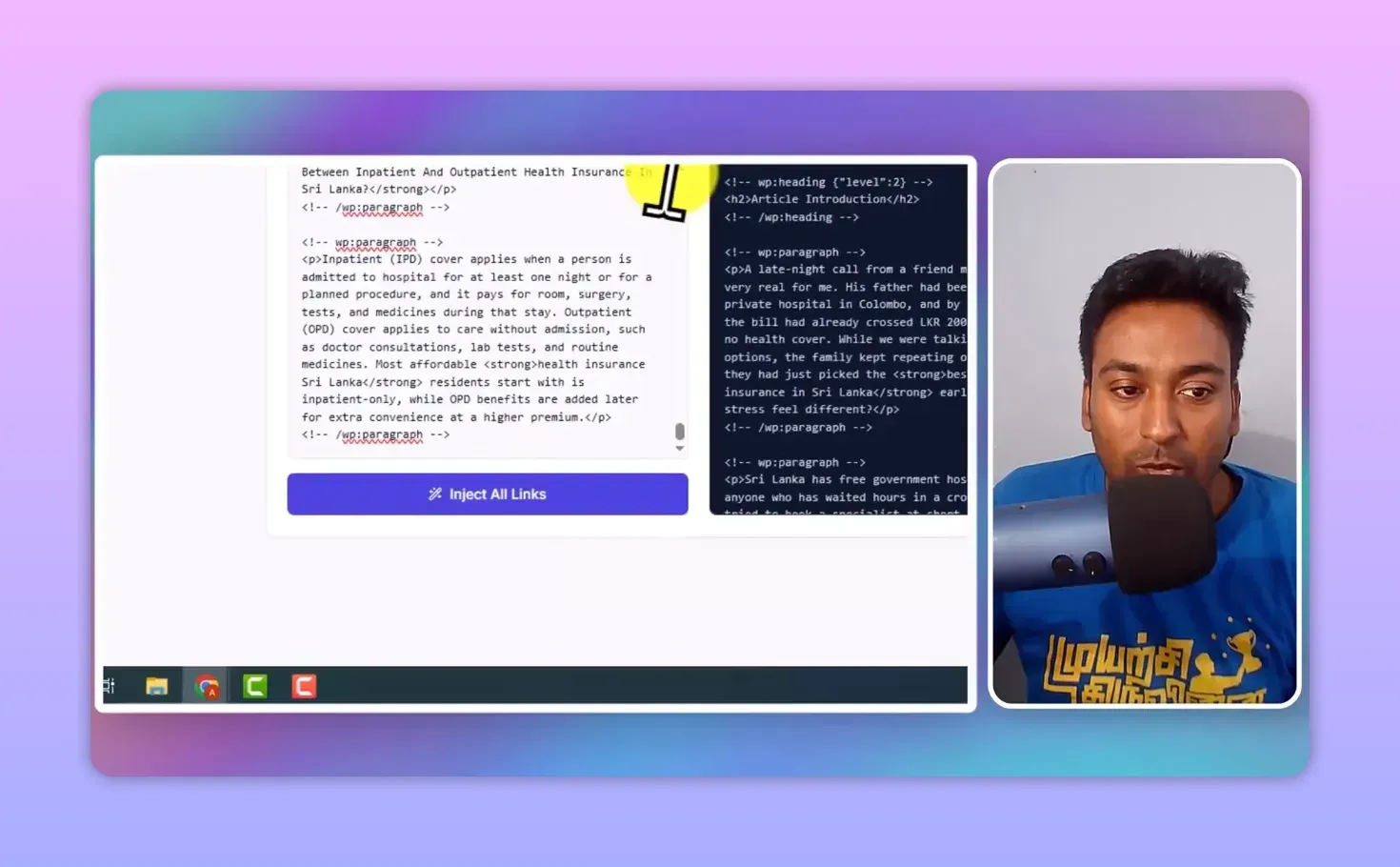
In the video I pasted the result back into the WordPress editor, checked the layout had not broken, saved, and refreshed the live page. The phrase “long-term foreign workers” now linked internally, and there was an external link to the World Health Organization. I always check the finished article. One click saves the typing, but I still want to see the right words pointing at the right pages.
The article doesn’t have to be live. For a draft, paste the text or HTML instead of a URL, and you can place links before it publishes.
Where this breaks
Don’t expect a new build to be right first time. The one in the video showed sitemap errors, a confusing message in the interface, and no way to rename a project. I used AI Studio’s error-fixing option, then asked in plain language for a way to change the project name, and it added a project settings screen.
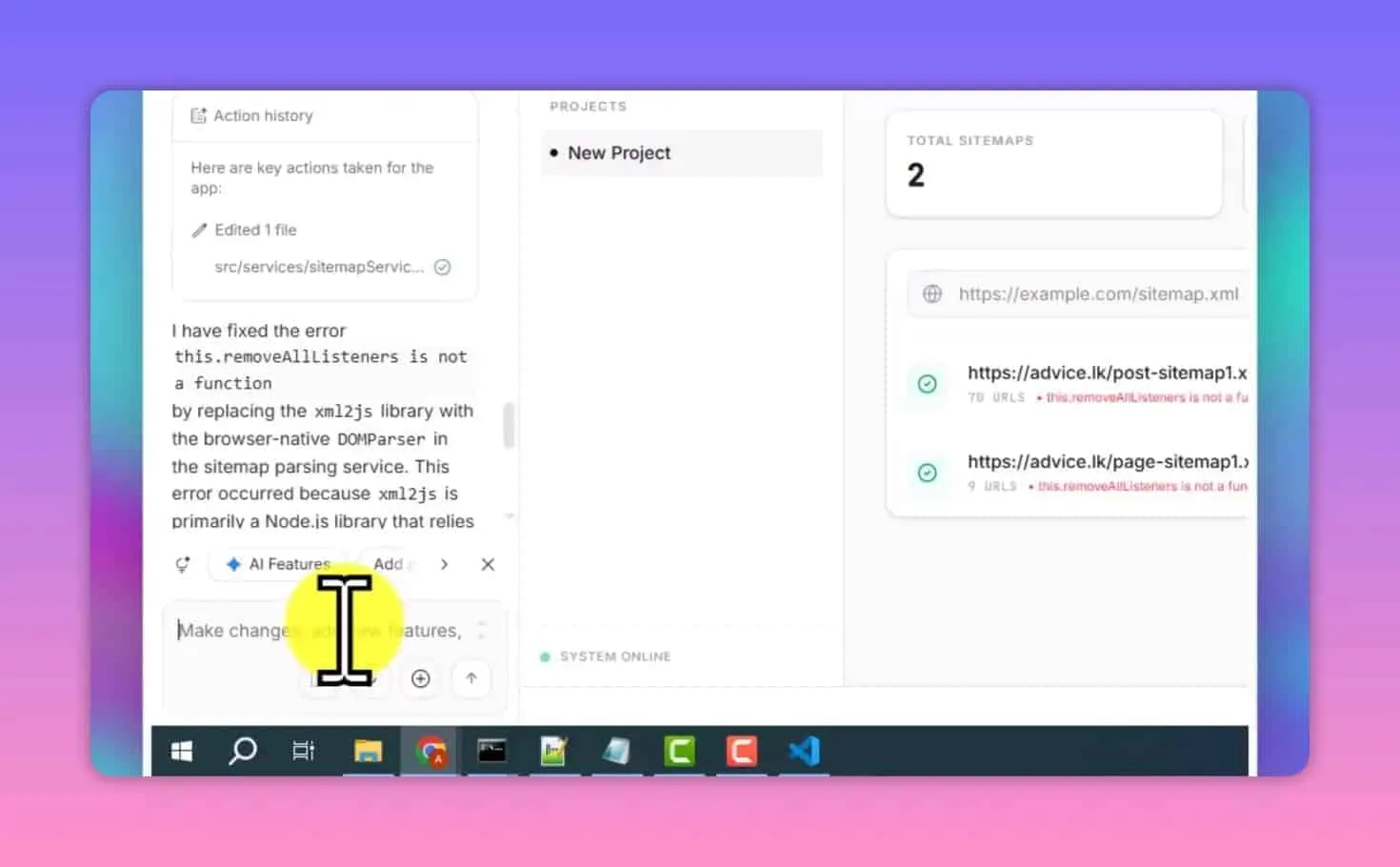
The analysis then failed on an article URL. It looked like the Gemini configuration was calling a deprecated model name. I described the error, let the builder change it, and the next run returned link opportunities. If an old error message stays on screen after a fix, refresh the browser, but test the actual function before you decide the message was only cosmetic.
Two builds from the same prompt won’t match. The version in the video showed scores beside each suggestion and a refresh button my original didn’t have. If yours is missing the authority links or the HTML injection, ask for them. Treat the prompt as a starting point.
The sitemap fetch can die on CORS. Some servers block cross-origin requests from browser JavaScript. The prompt already builds a paste-your-XML fallback, so open the sitemap, select all and paste it in.
Long articles come back thin. Flash-tier models truncate. If a 5,000-word pillar returns four suggestions where a 1,200-word post returned twelve, the document got cut, not the opportunities. Rerun that one on Pro.
It has no memory between articles. Every analysis sees one page and optimizes for that page alone, so run it across thirty posts and it will happily hand the same anchor text to the same pillar thirty times. That’s a limit of the whole category rather than this build. Vary the anchors yourself, or you’re building an exact-match footprint one approved suggestion at a time.
Is the tool completely free?
It is free to build, with possible usage costs. AI Studio lets you build and test at no charge, but Gemini API use beyond the free tier is billed, and publishing through Google Cloud can cost money too.
When the app works you can keep using it inside AI Studio, share it, download the code to host yourself, or publish it. Publishing asks for a Google Cloud project and may need billing set up. My test account had none connected, so I didn’t complete a public deployment. Check current pricing before you rely on it every day.
How to tell if it worked
Two checks, one cheap and one slow.
The cheap one runs today: take the five pages you most want ranking, count the internal links pointing at each of them, then count again after a month of working this way. If that number hasn’t moved on the pages you called important, you are approving suggestions for the wrong targets.
The slow one is crawl discovery. Watch time-to-first-impression in Search Console across your next ten posts against your last ten, because a new post should get found faster once established pages point at it.
Crawled, indexed, ranking and retrieved-by-an-LLM are four different states. Internal links move the first one hard, the second one somewhat, and the last one only if the sentence survives contact with a reader.
If neither number moves, the honest reading is that internal linking was never your bottleneck, and nothing in this category is going to change that. Internal links redistribute authority. They don’t create it.
FAQ
Do I need a published article to find internal links?
No. Paste the text or HTML of a draft and the tool analyzes it the same way it does a live URL.
Will my build have the same features as yours?
Probably not exactly. My generated version differed from my original, and I used follow-up prompts to fix errors and add what was missing.
Find one repetitive job, build a small tool for it, and test it on a real article. Internal linking comes after the content plan, and my ChatGPT prompts for keyword research cover the part before it. For the domain strength of an external source, my free Ahrefs DR checker extension shows the score of any link you right-click.
No affiliate links in this one. Everything else I’ve measured about how AI search retrieves and cites sits in AI SEO.
Keep reading
You Might Also Like
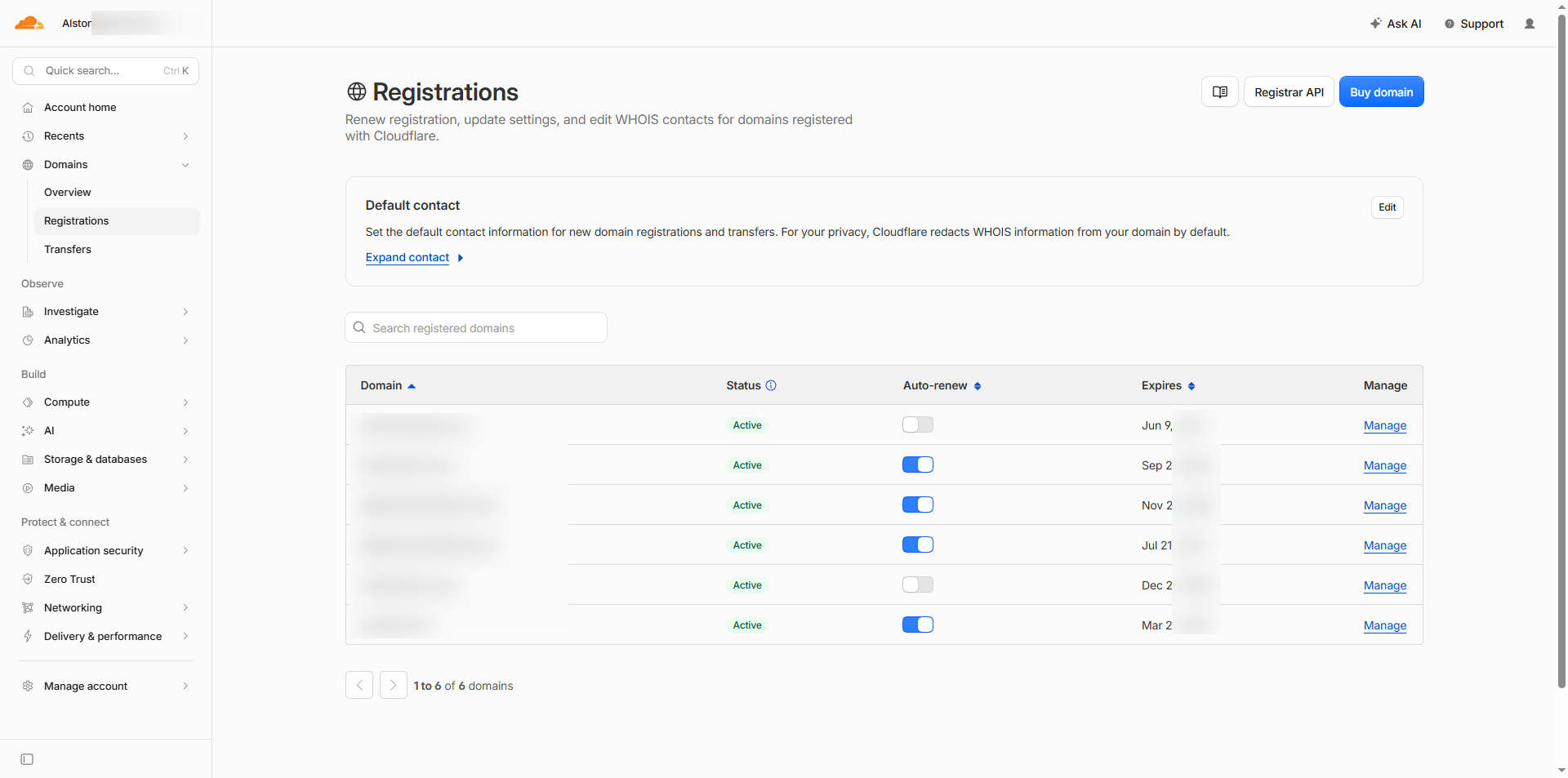
The Cheapest Domain Registrars for SEO
Your registrar has no effect on SEO. Compare renewal price, DNS control and transfer friction instead, and measure every quote against Cloudflare's.
4 min read
40+ ChatGPT Prompts for SEO Keyword Research (Copy-Paste Ready)
Copy-paste 40+ ChatGPT prompts for SEO keyword research. Organized by task: idea generation, intent filtering, clustering, competitor analysis, and more.
31 min read
How do I check Google algorithm penalty?
How do I check Google algorithm penalty? Pick the month your traffic fell and see every confirmed Google update from that window. Free, no signup.
5 min read