SEO
Ahrefs Domain Authority Checker: Free Chrome Extension
A free Chrome extension I built that shows the Ahrefs Domain Rating of the site you are on, or of any link you right-click, with no login needed.

I built a free Ahrefs domain authority checker as a Chrome extension. It shows the Ahrefs Domain Rating (DR) of the site you are on, or of any link you right-click, without opening Ahrefs and without a login. Install it, pin it, and a DR check takes one or two clicks instead of a trip to another tool.
Prefer to watch? Here is the full walkthrough.
Does it show Moz DA or Ahrefs DR?
It shows Ahrefs Domain Rating. Moz owns Domain Authority (DA) and Ahrefs owns Domain Rating (DR): two companies with two crawlers, two link graphs and two scoring formulas. A DA of 40 and a DR of 40 do not describe the same site, and they never will.
The extension is called Domain Authority Checker because “domain authority” is the phrase most people type into Google. Plenty of checkers show DR and label it DA without saying so. This one prints “Domain Rating by Ahrefs” under every score. If you need the Moz number, Moz’s Domain Authority page is where to start.
Neither number is a Google ranking factor. Both are third-party estimates built from each vendor’s own crawl of the web, so treat them as a reading, not a verdict.
Why did I build it?
I check DR five or ten times a day: competitor sites, backlink prospects, guest-post and outreach lists, and whatever a link in someone else’s article points to. Each check used to mean opening Ahrefs, pasting the URL, waiting, then closing the tab. At forty checks a week, that adds up.
Ahrefs has its own free website authority checker, and it works, but you have to leave the page you are reading to use it. An extension puts the check where the URLs already are. I built it for my own research first, then published it for anyone doing the same work.
Which domain authority checker should you use?
Use the extension when you are checking sites as you browse, and a web checker when you already have a list. I built both, and they return the same Ahrefs number.
| This Chrome extension | My free DR checker | |
|---|---|---|
| Where it runs | In Chrome, on the page you are reading | In any browser, on this site |
| How you check | Toolbar icon for the current tab, or right-click a link | Paste a domain |
| Domains per check | One | One, or up to 20 in bulk with CSV export |
| Sign-up | None | None |
| Metric | Ahrefs DR, from Ahrefs’ free API | Ahrefs DR, from Ahrefs’ free API |
How do I install and pin it?
- Open the Domain Authority Checker listing on the Chrome Web Store and click Add to Chrome.
- Click Add extension in the prompt that follows.
- Click the puzzle-piece Extensions icon at the top right of Chrome.
- Find Domain Authority Checker in the list and click the pin icon.
Pin it. If you run as many extensions as I do, a new one hides under the Extensions menu, and an extra click on every check defeats the point.
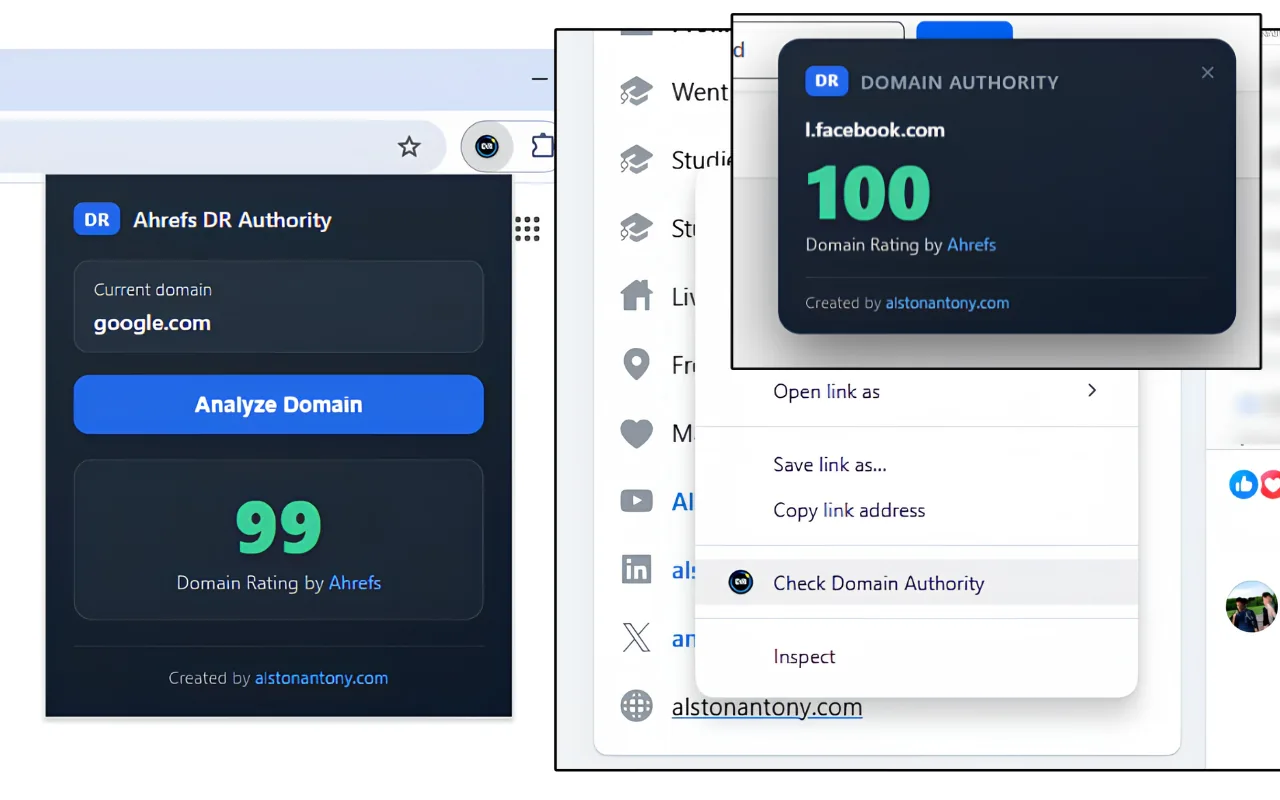
How do I check the DR of the site I am on?
Click the toolbar icon, then click Analyze Domain. The popup fills in the current tab’s domain by itself and shows the score a moment later, with no page reload.
- Open the site you want to check.
- Click the Domain Authority Checker icon in the toolbar. The popup already shows the current domain.
- Click Analyze Domain and read the score.
In the video I ran it on zplatform.ai, one of my own sites (here is how it grew), and it came back at 54.
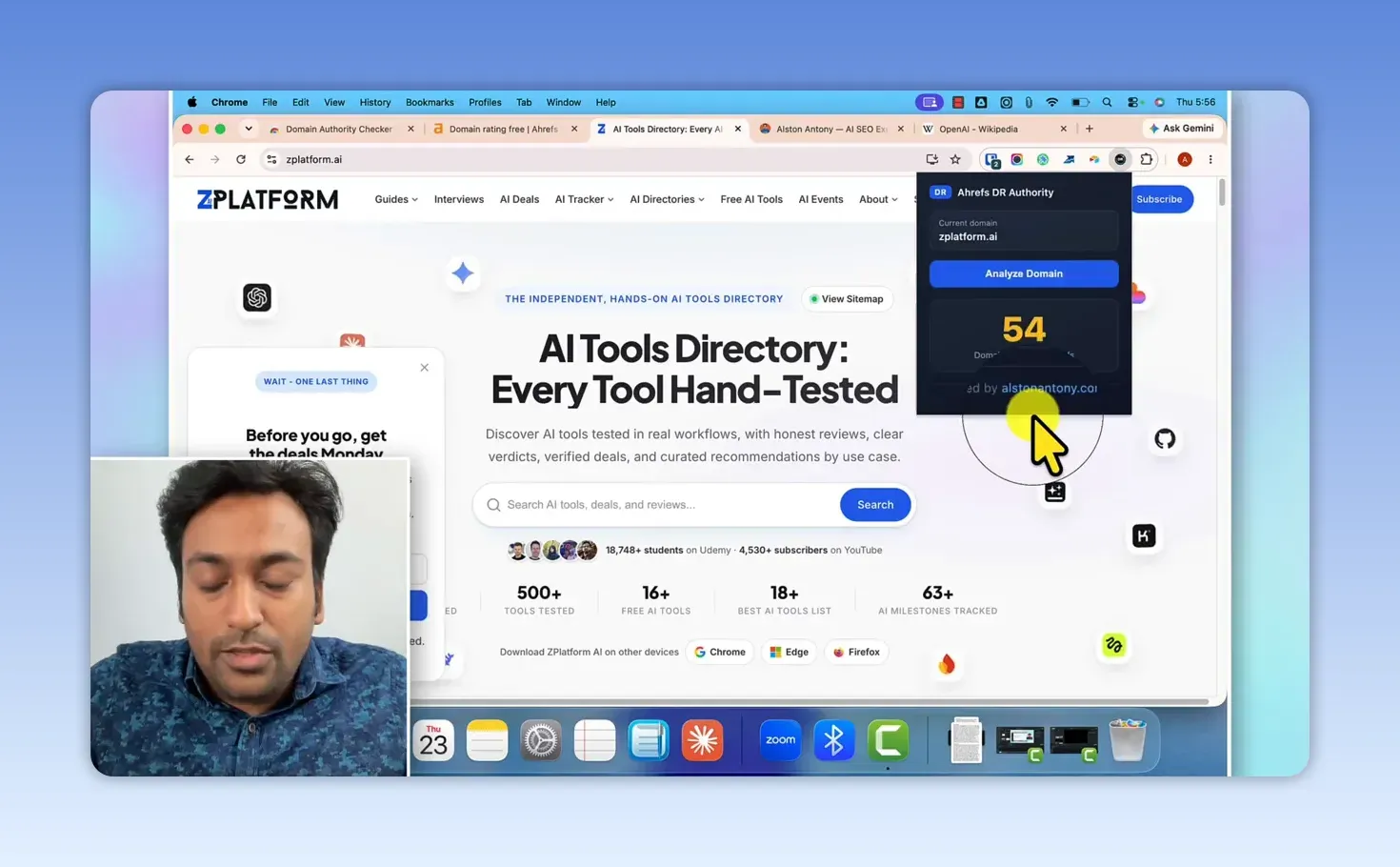
I use this on competitor sites in the search results, on directories and software listings, and on sites I land on during manual backlink research. It works the same on a prospect list from a lead scraper; my LeadSniper Yellow Pages review shows where those lists come from.
How do I check a link without opening it?
Right-click the link and choose Check Domain Authority. A small popup shows the DR of the domain the link points to, without loading that page. It closes by itself after a while, or you can close it yourself.
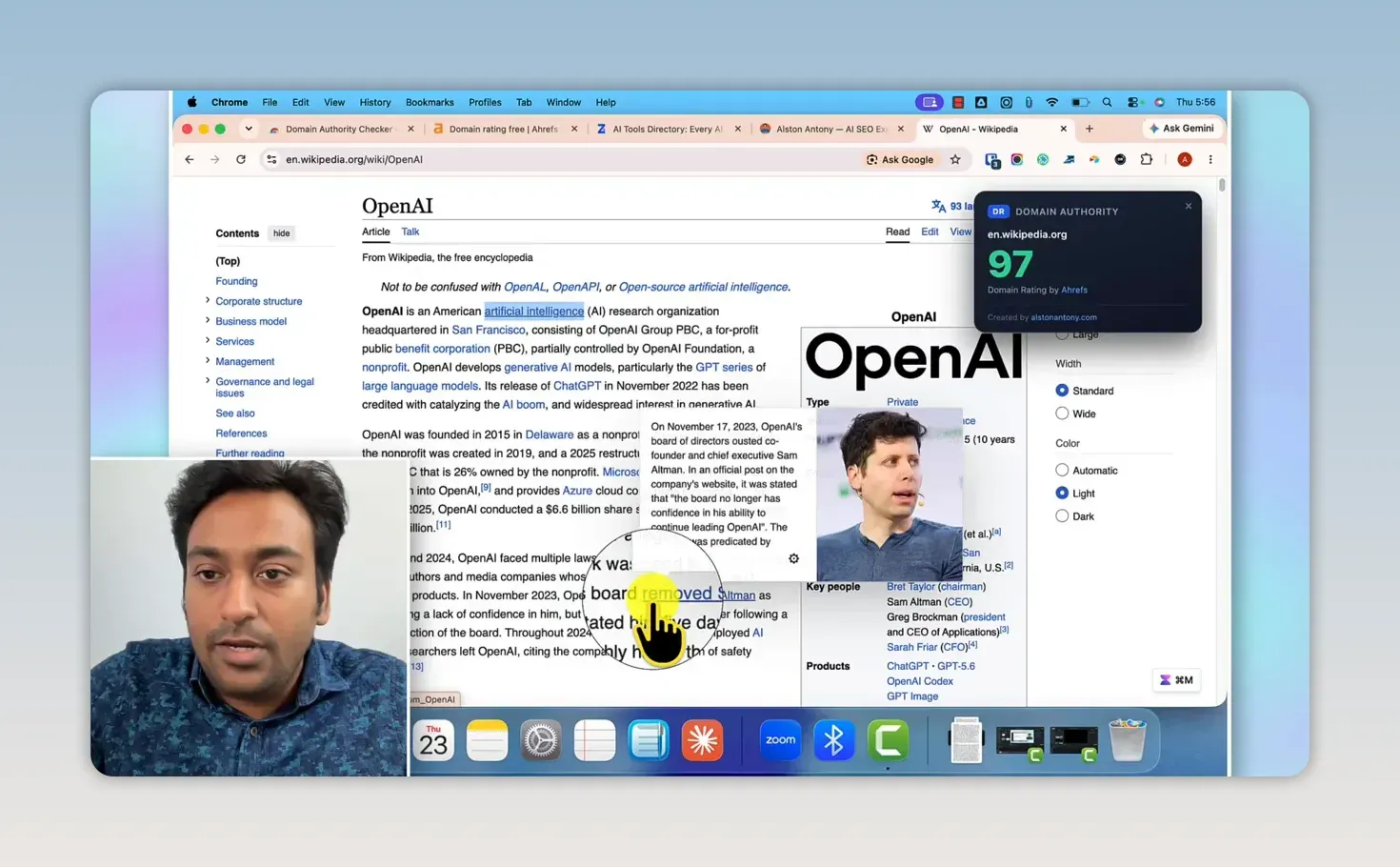
On the OpenAI article on Wikipedia, I right-clicked a link inside the article text and got 97 for en.wikipedia.org.
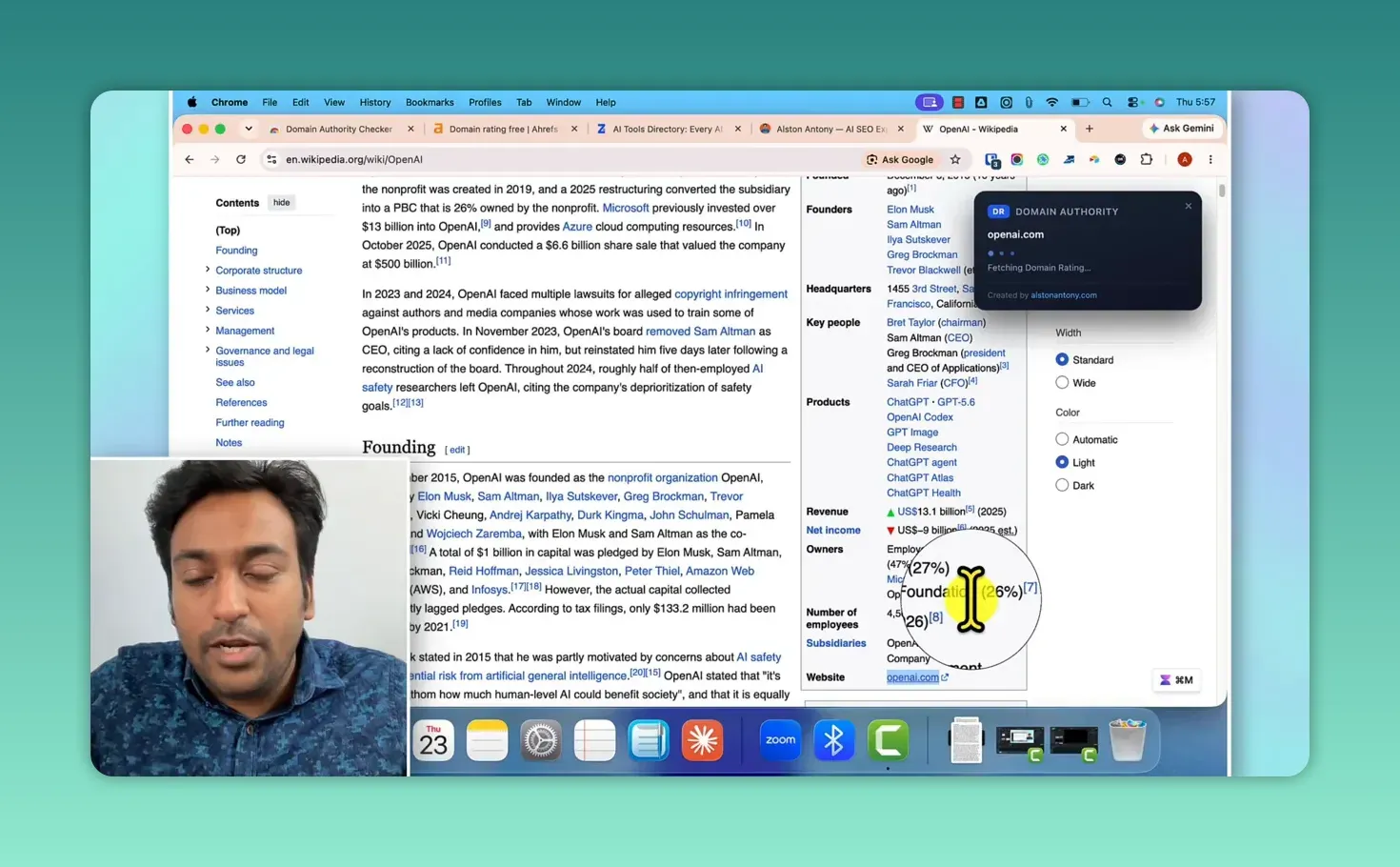
Then I did the same on the openai.com link in the article’s infobox. The popup names the destination domain straight away and shows “Fetching Domain Rating” while the lookup runs.
This pays off most on a page full of links: a search results page, a resource page, a directory, a competitor’s backlink list. Right-click down the list and you can tell the established domains from a DR 2 blog without opening a single tab. I use it to drop the obviously weak prospects from an outreach list, so I spend my review time on the ones that look promising.
Does a high DR mean a good backlink?
No. DR measures the strength of a site’s backlink profile and nothing else. A high-DR site that has nothing to do with your topic can be worth less to you than a relevant site with a lower score. Before I go after a link, I still check that the site is on topic, active, trustworthy and useful to my audience. The number decides which sites get a closer look, not which ones get an email.
What doesn’t it do?
- It doesn’t explain the number. For the referring domains behind a score you need Ahrefs Site Explorer, and no free tool replaces that view.
- It doesn’t take heavy use. The API it calls is a public one and throttles you if you hammer it, which I confirmed against the endpoint on 2026-09-01. Don’t build a bulk checker on top of it.
- It doesn’t move your rankings. DR is Ahrefs’ estimate of a backlink profile. Google does not compute it or read it.
- It doesn’t cover internal links, the links you control yourself. My free AI internal linking tool is built for those.
FAQ
Is the extension safe to install?
Its manifest asks for the active tab, a right-click menu item, permission to run its popup script, and access to Ahrefs’ API. It sends only the domain you choose to check. The Chrome Web Store listing states that it does not collect or sell your browsing history or personal information.
Does it work in Edge or Firefox?
I have only published it on the Chrome Web Store, so Chrome is the browser I built and tested it for. If you want an Edge or Firefox version, comment on the video and I will build one.
Install it from the Chrome Web Store, pin it, and right-click the next link you are unsure about. If you have a list rather than a page, the bulk DR checker takes up to 20 domains at once.
Keep reading
You Might Also Like
How can I find my domain SEO power?
How can I find my domain SEO power? Score any domain 0-100 on real Ahrefs Domain Rating from the official API, not an estimate. Free, no signup.
6 min read
Semrush Backlinks: How I Find, Build and Audit Links
How I use Semrush for backlinks: filter a competitor's links into real prospects, audit my own profile, organise outreach and shortlist domains in bulk.
11 min read

Semrush Competitor Analysis: Find Their Keywords and Links
How I do Semrush competitor analysis with five tools: Domain Overview, Traffic Analytics, Organic Research, Keyword Gap and Backlink Gap, and what to skip.
9 min read