SEO
Semrush Backlinks: How I Find, Build and Audit Links
How I use Semrush for backlinks: filter a competitor's links into real prospects, audit my own profile, organise outreach and shortlist domains in bulk.

Semrush backlinks research is useful to me because it does more than list the websites linking to my competitors. I can analyse those links, find opportunities for my own site, organise the outreach, monitor the links I earn and audit the links I already have. Backlinks matter for SEO, but I don’t want to collect them without understanding where they come from: if I’m improving one page, I want to know which pages link to the competing result, and if I’m checking my own site, I want to know which links are new, which are lost and which deserve a closer look.
Affiliate disclosure: links marked “affiliate link” earn me a commission if you buy, at no extra cost to you. How I review tools. I recorded this in 2024, and some tools have been renamed or moved since (see the next section). For my verdict on Semrush as a whole, read my Semrush review.
Prefer to watch? Here is the walkthrough.
What has changed in Semrush’s backlink tools since I recorded this?
The outreach side, mainly. On 29 September 2026, Semrush’s backlink features page listed Backlinks, Referring Domains, Backlink Gap, Backlink Audit (which it now describes as finding potential spam links and generating a disavow file), an AI PR Toolkit for outreach, and Media Monitoring. The Link Building Tool and Bulk Analysis weren’t on that page, so check your own account’s menu before you look for them where I found them. The way I decide which links are worth having hasn’t changed.
Which Semrush backlink tool should you use?
| Job | Tool | What I use it for |
|---|---|---|
| Understand any site’s links | Backlink Analytics | Referring domains, anchors, link types and the full backlink list |
| Check my own profile | Backlink Audit | Reviewing suspicious links, removal requests and a disavow file |
| Get new links | Link Building Tool | Prospects, outreach emails and monitoring in one workflow |
| Compare many domains | Bulk Analysis | Shortlisting up to 200 domains before researching them properly |
How do I use Backlink Analytics to understand a site’s link profile?
I start with Backlink Analytics. Under Link Building, I enter a domain and click Analyze: my own domain, or a competitor’s to see the backlinks they are getting. I can add up to three competitors for a comparison.
The overview gives a quick picture: referring domains, total backlinks, traffic, outbound domains and an Authority Score. A referring domain is a website linking to the domain you entered. It isn’t the same as the backlink count, because one website can provide many links, and links from many different sites are generally worth more than lots of links from one. For a free way to check a site’s overall strength, see my domain SEO power checker.
I don’t stop at the big numbers. I check the Authority Score trend and the charts of new and lost referring domains and backlinks. A profile can gain referring domains while its total backlinks fall; when I looked at semrush.com, its referring domains had grown to over 150,000 while its backlinks had dropped from about 71 million to 46 million. That tells me to investigate the change, not to guess why it happened.
Then I look at where the links come from. Backlink Analytics shows referring-domain categories, anchor text, Authority Score ranges, link types, link attributes, countries and domain extensions. Anchor text is the clickable text of a link. Together, these reports show whether a site’s links look relevant to its topic and which pages attract the most links.
The Network Graph gives another view of how the domains in a backlink profile connect. I find it interesting, but it takes time to get used to, and for practical research I spend far more time in the Backlinks table.
How do I filter millions of competitor backlinks into useful opportunities?
With the filters in the Backlinks tab. A competitor can have so many backlinks that the full list is useless by itself, so my job is to narrow it down. I can choose active, new or lost links and a time period, and filter by link attribute, placement, referring-page platform, language, mobile-friendliness, title or URL.
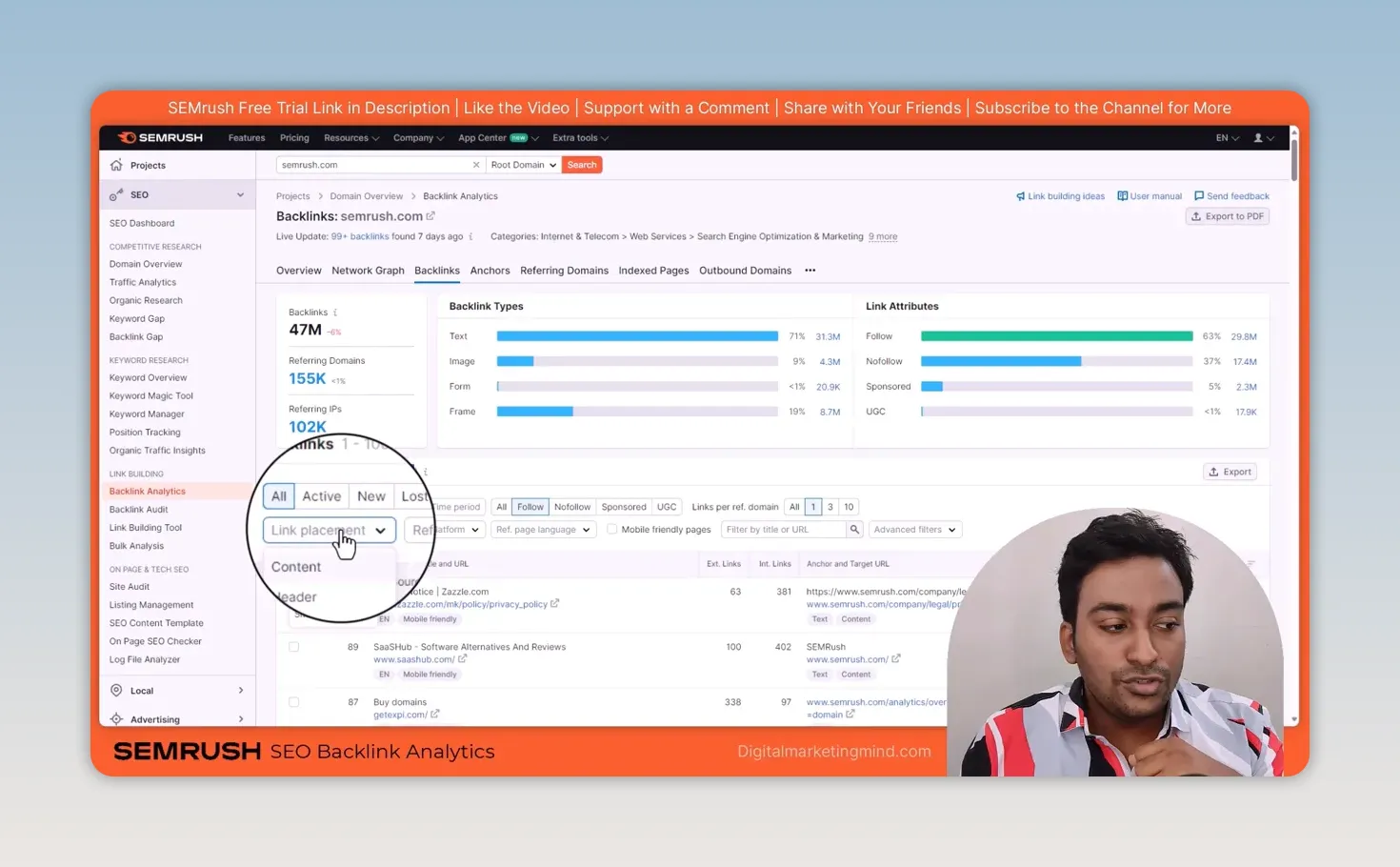
For example, I select follow links, show one link per domain (the strongest link from each site) and choose links placed within content, which usually carry more weight than header, footer or sidebar links. Then I narrow by language, or use the advanced include and exclude filters. On semrush.com, a few of these filters took 47 million backlinks down to about 50,000. Instead of inspecting every backlink, I have a group of pages I can actually work through.
From there, I look at the referring page itself:
- Is it relevant to my business?
- Why does it link to my competitor?
- Could my website offer something useful to that page?
A high score alone isn’t a reason for me to contact someone.
I also check the Anchors, Referring Domains and Indexed Pages tabs. Referring Domains groups the data by website, and Indexed Pages shows which pages on the analysed site get the backlinks. The Outbound Domains and Competitors reports give more ideas about related websites. If I need a link opportunity for one specific page, I analyse its exact URL rather than the whole domain.
How do I set up a Backlink Audit for my own website?
Inside a Semrush project. Finding new links is only one part of the work; I also want to understand the links my site already has. I create a new project or set up the audit in one I already use.
During setup, I choose the scope. Root domain covers the whole domain; a narrower option helps if I only want to check a particular version or section. I add my brand names (up to 10), review the suggested domain category and choose my target countries before starting. Semrush then collects and analyses the links it finds. I can also connect Google Search Console, by adding Semrush’s email address as a user on the property, to bring in its backlink data too.
When the audit finishes, the overview shows the referring domains analysed, Authority Score, the overall toxicity score, new and lost domains, top anchors and target pages. On one of my sites, about 95% of the backlinks came out as non-toxic.
I treat a toxicity score as a reason to review a link, not as proof that it must be removed. The Audit tab lets me inspect individual links and filter them by toxic markers, anchor text, category, Authority Score and link type, which is particularly useful when there are hundreds or thousands of links to sort through.
What do I do when a backlink looks unwanted or has been lost?
I check the linking page first, then decide. For each link I review, I can leave it in the review list, whitelist it, move it to Remove or add it to Disavow. A tool’s warning doesn’t replace looking at the link myself.
If I want a link removed, Semrush helps me find the site owner’s contact details and organise the request. After connecting a mailbox, I can write the email from a template, preview it, send a follow-up and keep notes about the response, so I don’t lose track of whom I contacted.
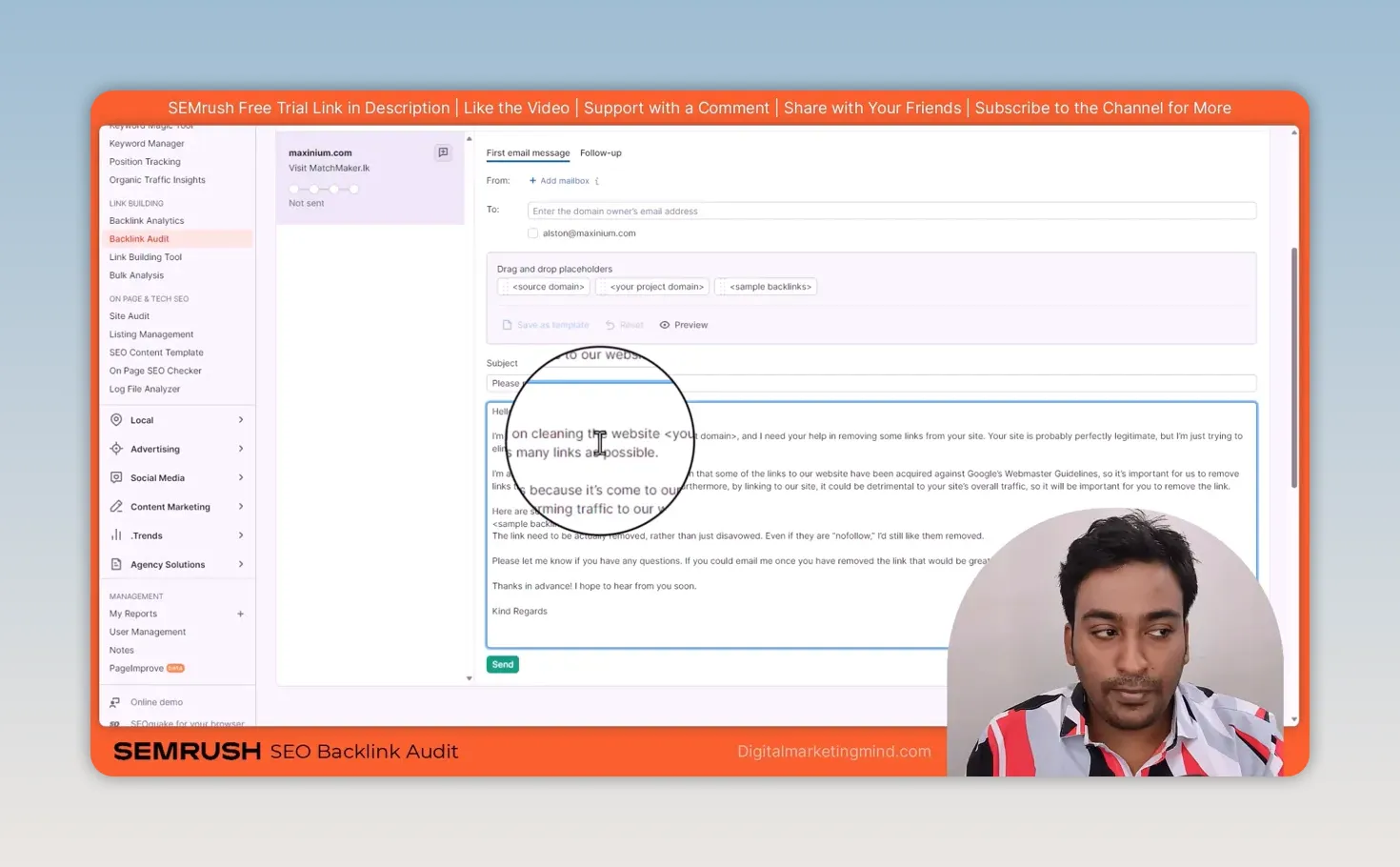
The Disavow list is a separate step. Semrush prepares a text file, but I still review it and upload it through Google’s tool myself, and I wouldn’t disavow links just because a score looks bad. Google’s disavow guidance explains when that tool may be appropriate. My penalty recovery case study shows what recovering from a real problem looked like on my own site.
I also check Lost & Found for new, broken and lost backlinks, and Target Pages for which pages on my site attract links. If a valuable linked page returns an error, that’s something concrete to fix before I spend time looking for new opportunities.
How do I find prospects and manage outreach with the Link Building Tool?
By setting it up in a project with my keywords and competitors. Once I understand my current profile, I use the Link Building Tool to work on new backlinks. I add up to 10 keywords relevant to my site and select competitors, and Semrush uses them to find potential linking domains; on my test it found 991 prospects. I can add more keywords, competitors or prospects later.
The Prospects section is where I do the checking. I can look at opportunities found from keywords separately from those found through competitors, reject unsuitable ones and add comments. Before contacting a site, I choose a strategy that fits the opportunity: a directory listing, a link added to an existing article, a product review, a guest post, recovering a lost link, or a custom approach.
That choice matters, because I wouldn’t send the same request to every website. Some links need a manual submission; others mean contacting an editor and explaining why my page belongs in their article. Semrush provides sample email templates, but I customise the message for the person and page I’m contacting.
When I choose a prospect, it moves to In Progress. I can connect a Gmail or Outlook mailbox to send outreach and track delivery, opens and replies. If I earn the backlink, I update the referring URL and move it to Monitor, where Semrush checks that the link stays live. That’s the useful part of the workflow for me: find a prospect, contact them, record the result and keep checking the link. There is no one-click automation, though; the tool organises the work, and I still do the outreach.
When do I use Bulk Analysis instead of opening domains one by one?
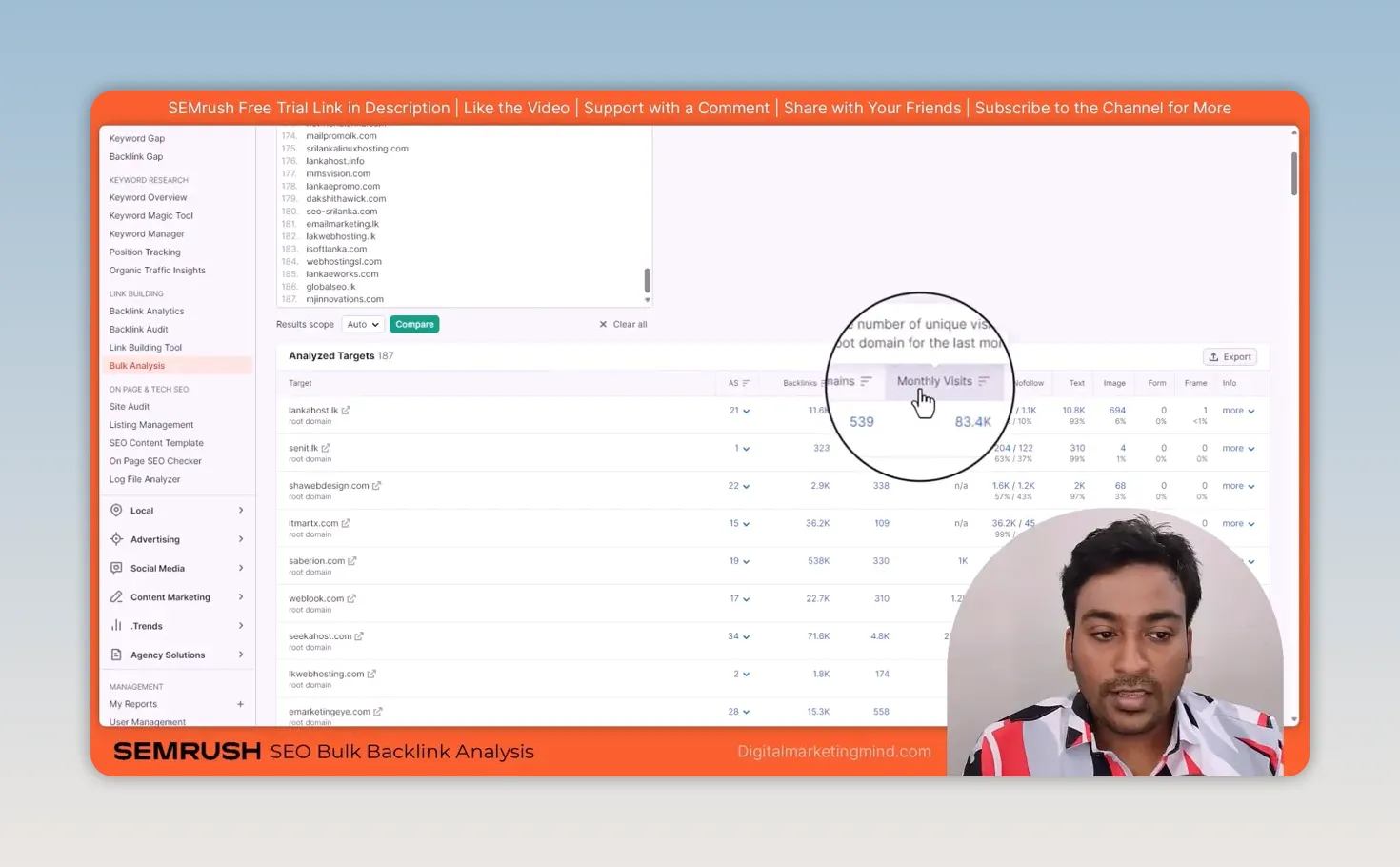
When I have a long list of competitors or potential websites. Bulk Analysis compares up to 200 domains or URLs at a time, and I can analyse each as a root domain, subdomain or URL, or let Semrush detect the scope automatically.
The results put Authority Score, backlinks, referring domains, monthly visits, follow and nofollow links, and text and image links into one table. I sort it, pick out the domains worth investigating and click through to the detailed report for each.
How do the four tools fit together?
As one process, not a race for the biggest backlink number. (To choose which competitors to analyse in the first place, and to find the sites linking to them but not to you with Backlink Gap, see my Semrush competitor analysis guide.) I use Bulk Analysis to shortlist websites, Backlink Analytics to inspect their links, Backlink Audit to look after my own profile and the Link Building Tool to manage outreach. If you haven’t set up a Semrush project before, my review covers how to set up a Semrush project.
Good link building takes more than pressing a button. I want to find the right pages, understand why they link to others and give them a genuine reason to consider my website. Semrush gives me the data and a place to organise the work; I still make the decisions. Links from other sites are only half of it, too: the links between your own pages are fully in your control, which is why I built a free AI internal linking tool.
Try Semrush free here (affiliate link).
FAQ
What is the difference between backlinks and referring domains in Semrush?
A backlink is a single link to your site. A referring domain is a website that links to you, however many links it provides, so one site with 100 links counts as 100 backlinks but one referring domain.
Should I disavow every link Semrush marks as toxic?
No. Treat the score as a reason to review the link. Look at the linking page yourself, ask for removal where it makes sense, and only disavow when Google’s guidance says the tool is appropriate.
Can Semrush build backlinks for me?
No. It finds prospects, suggests an outreach strategy and tracks your emails and links, but you still have to contact the sites and earn the link.
Keep reading
You Might Also Like
How can I find my domain SEO power?
How can I find my domain SEO power? Score any domain 0-100 on real Ahrefs Domain Rating from the official API, not an estimate. Free, no signup.
6 min read
Ahrefs Domain Authority Checker: Free Chrome Extension
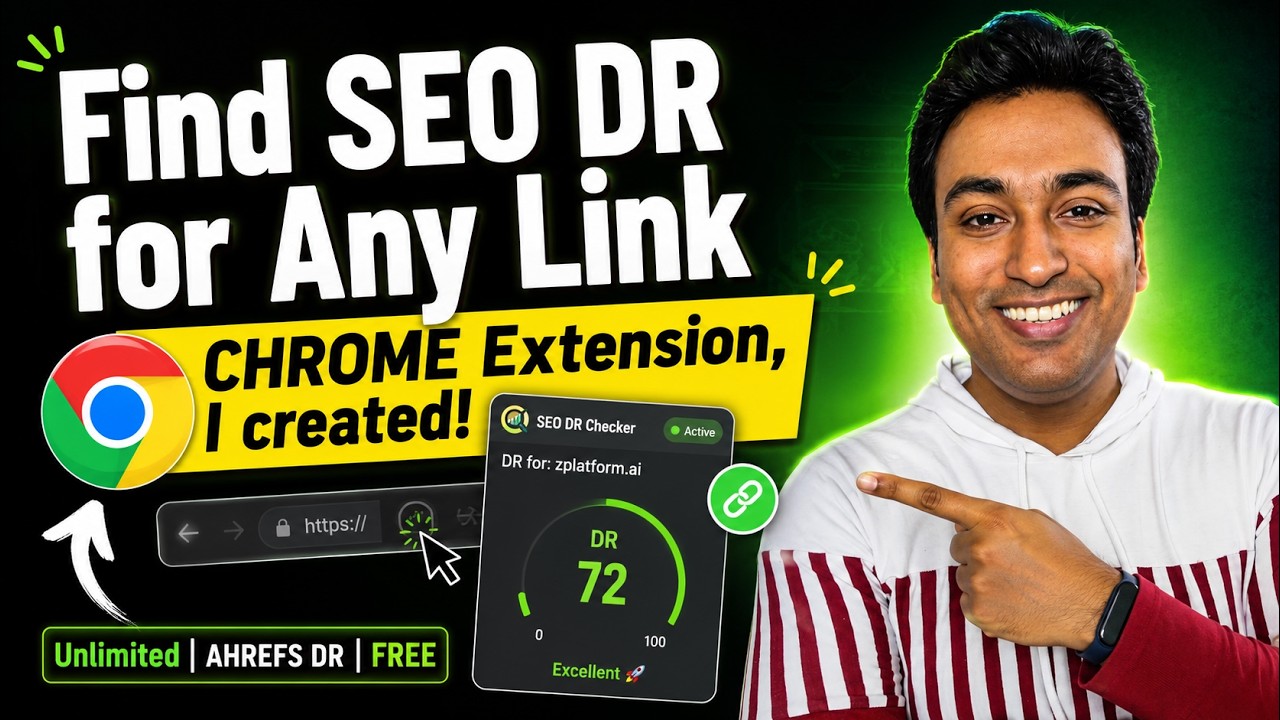
A free Chrome extension I built that shows the Ahrefs Domain Rating of the site you are on, or of any link you right-click, with no login needed.
7 min read
Semrush Competitor Analysis: Find Their Keywords and Links
How I do Semrush competitor analysis with five tools: Domain Overview, Traffic Analytics, Organic Research, Keyword Gap and Backlink Gap, and what to skip.
9 min read