SEO Tool Reviews
LeadSniper Google Maps Scraper Review: 421 Unique Leads
My LeadSniper Google Maps scraper review. 2,020 searches across 1,010 Indian cities gave 421 unique business leads in about 11 minutes, exported to Excel.

In this LeadSniper Google Maps Scraper review, I generated 2,020 Google Maps searches for two healthcare categories across 1,010 Indian cities, ran them through the Chrome extension, and stopped after about 11 minutes with 421 unique business leads, which I exported to Excel. The bulk keyword generator and Place ID de-duplication did most of the work, and it is sold as a one-time licence instead of a subscription. It runs in your own browser, so expect CAPTCHAs on big jobs, and every listing still needs checking before you use it.
Affiliate disclosure: links marked “affiliate link” earn me a commission if you buy, at no extra cost to you. That didn’t change what I wrote. How I review tools. I ran this test on 31 March 2026 with a Pro licence. Prices were checked on 24 September 2026.
Prefer to watch? Here is the full test.
Why a browser-based Google Maps scraper?
Cost. Most Google Maps scrapers are cloud services with a monthly fee or a cap on leads. LeadSniper has a free trial and a one-time licence, and it runs in your own browser. That gives you more control, and it brings the CAPTCHA limits covered below.
How do you install the extension in Chrome?
Edge users can install it from Microsoft’s add-ons store. In Chrome I loaded it by hand from the downloaded files, which takes a few more steps but isn’t technical. The vendor’s page now also shows an Add to Chrome button.
- Download the Chrome extension package from your LeadSniper account (affiliate link), after starting the trial or buying a licence.
- Extract the package into a folder.
- In Chrome, open Manage extensions and turn on Developer mode.
- Click Load unpacked and select the extracted folder.
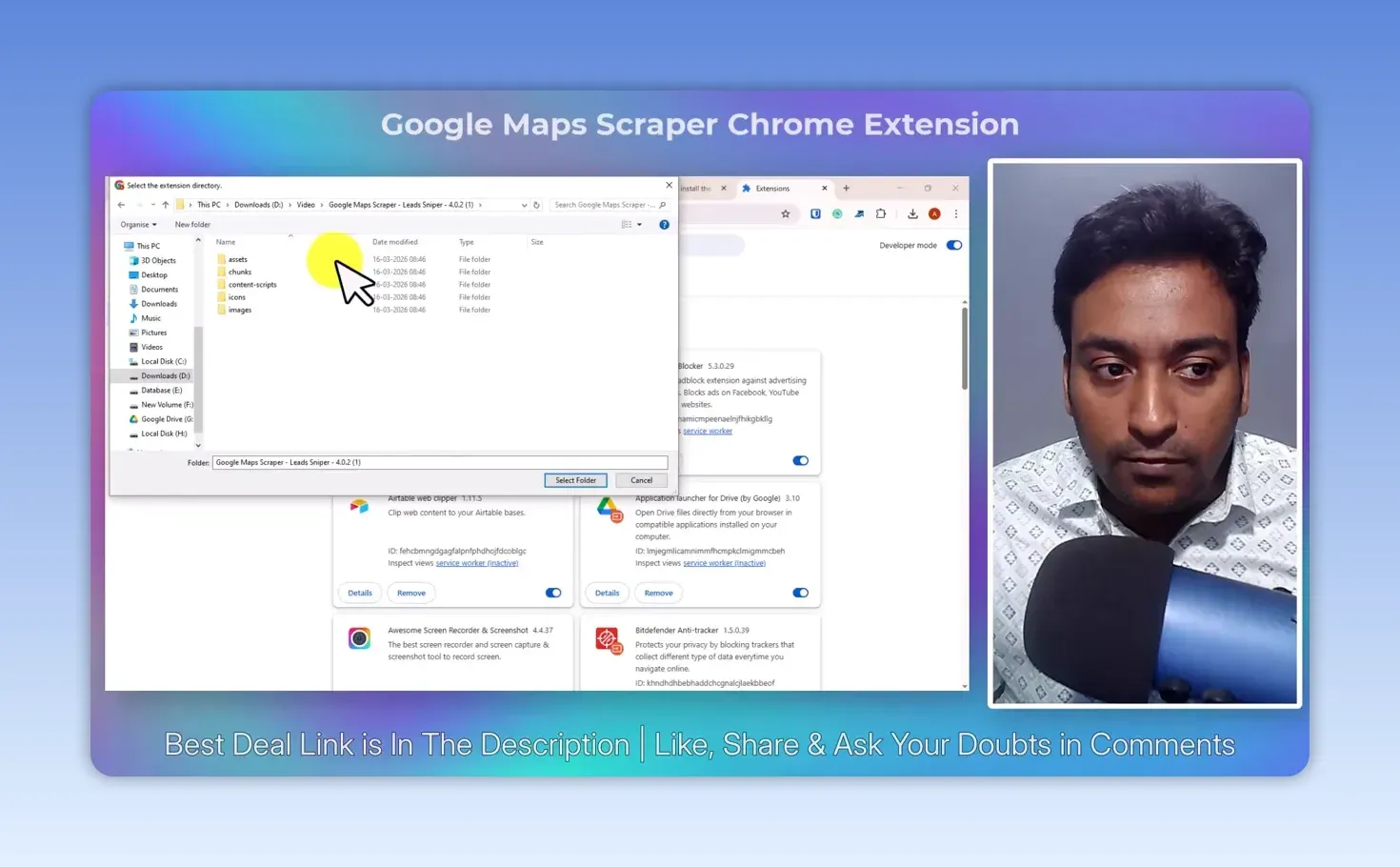
Open the extension, enter your licence key, and check it shows your plan rather than the trial. With an unpacked extension especially, download the files only from the vendor’s own installation page.
Which scraping options should you pick?
Choose between scraping by keywords and scraping places from a saved list. A saved list suits you if you already know the specific Google Maps places you want. I wanted to discover businesses across many locations, so I scraped by keywords.
There’s also a Website Extraction option, which visits each business’s website for details beyond the Maps listing. Don’t assume every business has a website, a social profile or an email address; you get what can be found for each one.
Decide who you’re trying to find before you generate searches. A huge spreadsheet of businesses outside your target market doesn’t help anyone.
How did I generate 2,020 Google Maps searches?
With LeadSniper’s free bulk keyword generator, which combines business categories with locations. You don’t need it if you already know your categories and cities, but it saves typing every combination when you cover a lot of places.
I entered two categories, “Hospital equipment and supplies” and “Medical Center”, and selected 1,010 cities in India. The generator multiplied them into 2,020 keyword and location combinations, ready to copy or export as CSV. It also offers country and language settings, formatting options such as quoting the search terms, and a list of over 4,000 categories to browse.
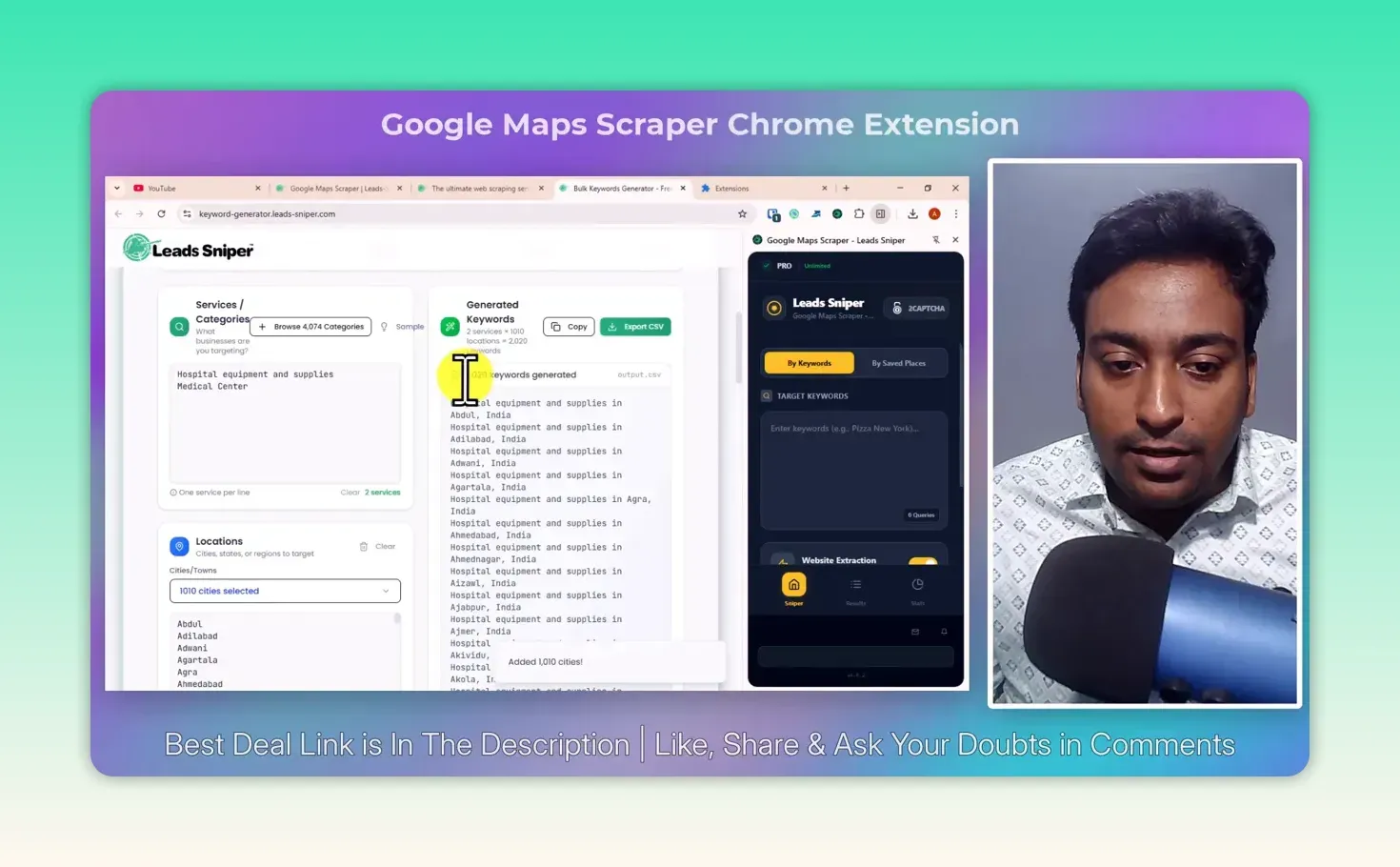
2,020 searches are not 2,020 businesses. Different searches return the same listing, so the number of unique leads depends on your keywords, locations, the listings that exist and the duplicate filtering.
What happened when I started scraping?
I sent the searches to the extension and clicked Start scraping. It opened Google Maps and worked through them in my browser, with the lead count climbing and a skipped count climbing alongside it.
The skipped count isn’t a failure. When several healthcare searches returned the same business, LeadSniper skipped the repeat instead of counting it as a new lead. I stopped the run before it finished every search, at 421 unique leads after 11 minutes and 24 seconds.
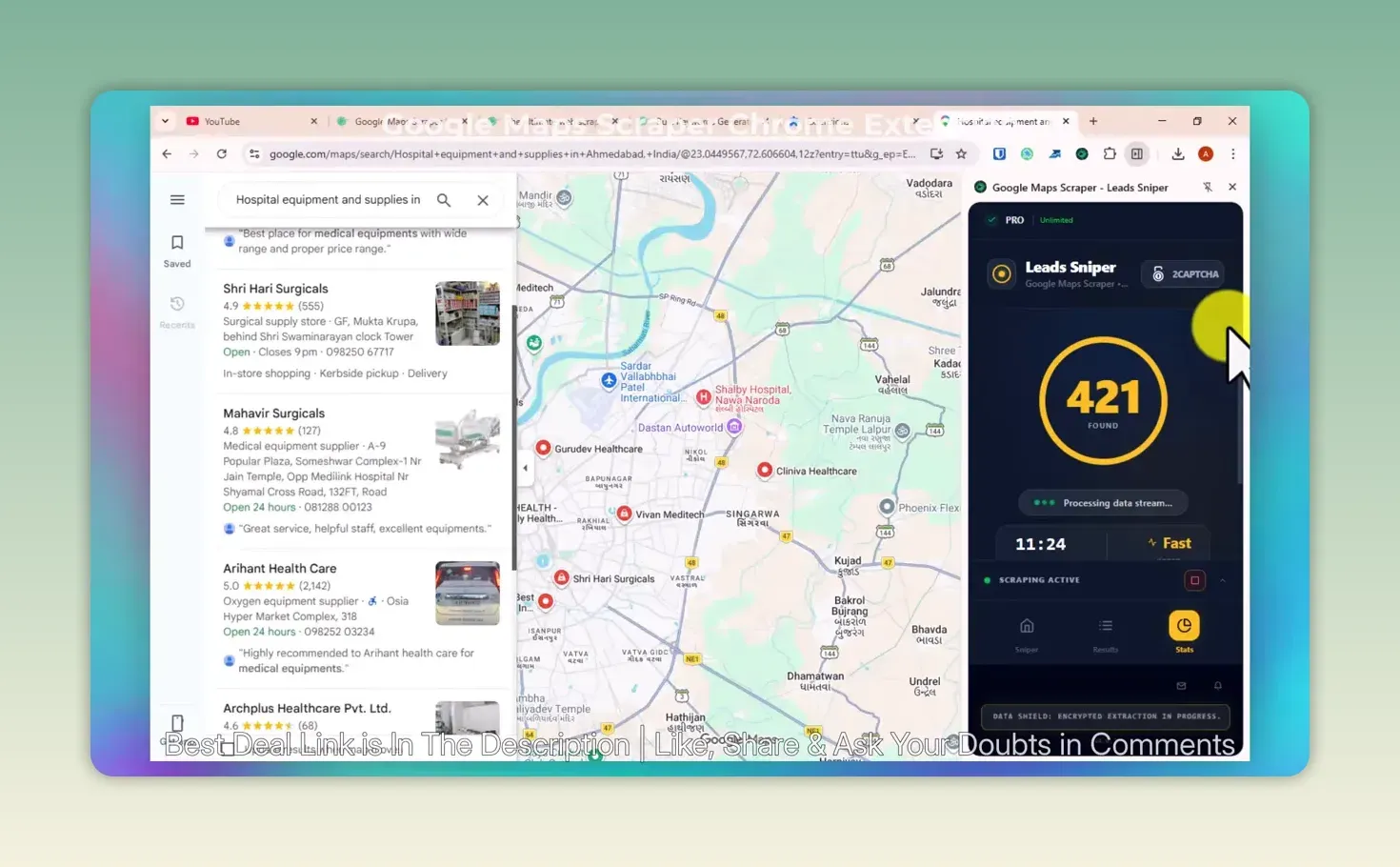
The useful part wasn’t the number; it was being able to watch the process, see repeats being skipped, and decide when to stop. Pause and resume let you split a long search list across sessions.
What about CAPTCHAs and duplicate businesses?
Because it runs in your browser, a bigger job can hit a CAPTCHA. LeadSniper integrates 2Captcha, a separate pay-per-use solving service; check its pricing first, because a one-time LeadSniper licence doesn’t make every add-on free. Without it, you pause the job and carry on later. Either way, “unlimited” on the licence doesn’t mean every search runs uninterrupted.
Duplicates matter just as much. The export can filter on Place ID, the identifier Google Maps gives each place, which is how the tool recognizes the same business across different searches. Google’s Place ID documentation explains what those IDs are.
What business information can you export?
Pick all fields or only the ones you need, and export to CSV, Excel or JSON, or export a single column, such as only names or addresses. I exported everything to Excel to see what came back.
The sheet had the keyword that found each row, business name, full and street address, city, zip, state, country, time zone, phone numbers, emails found on business websites, website and domain, categories, reviews, average rating, opening hours, latitude and longitude, Place ID and the Google Business Profile URL. Some rows were full; others had no website, email or phone.
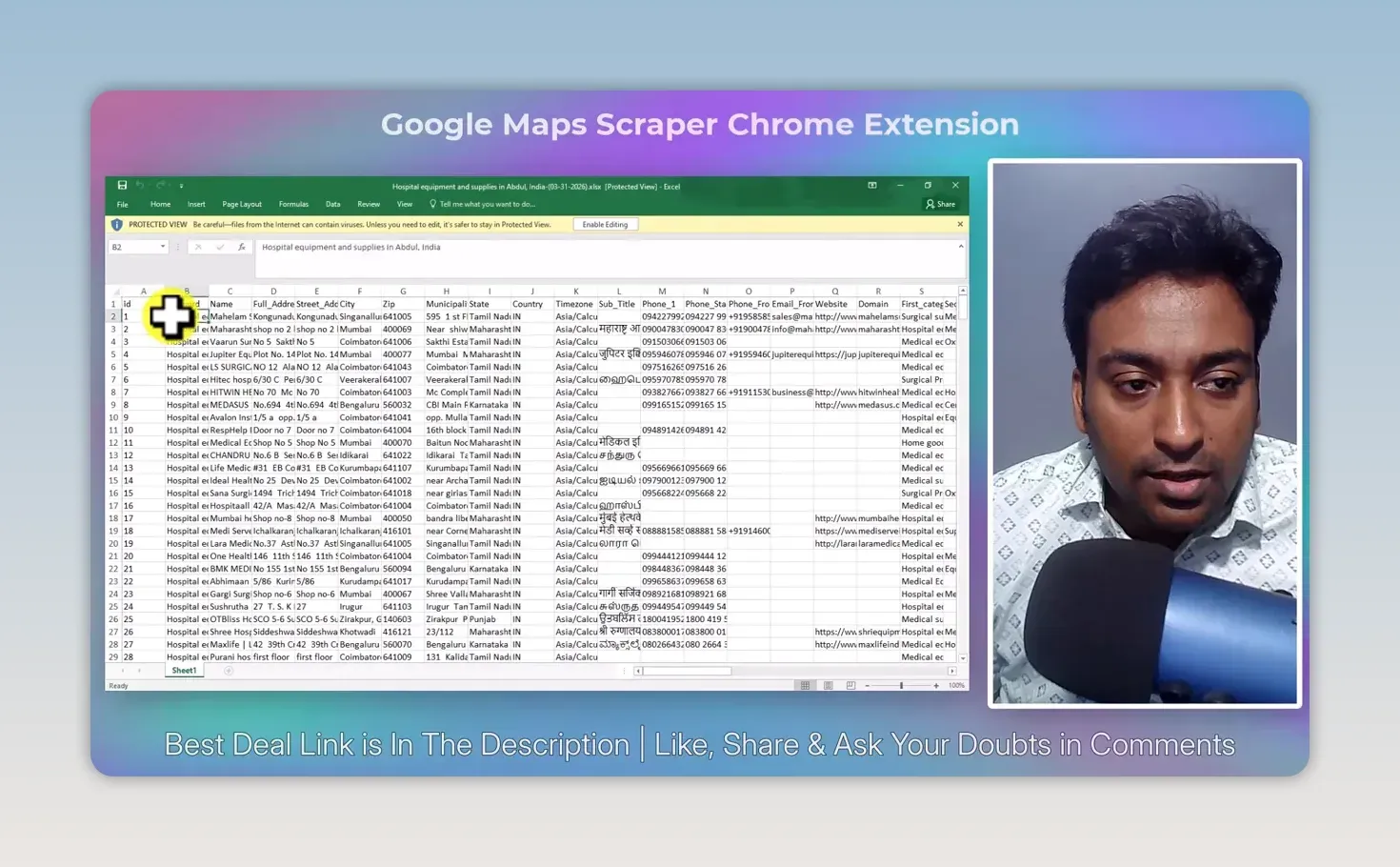
An email depends on the business having a website where one can be found, not just on having a Maps profile. Use the data for local SEO prospecting, market research, competitor research or planning a directory, but clean and review it first. A collected listing is a starting point, not proof that a business is a good prospect or that every detail is current. If local SEO is what you offer, my Coimbatore Junction case study shows what that work looks like on a real local site.
Before you scrape at scale or contact anyone, check the Google Maps Platform terms, the privacy rules and the outreach rules where you operate. Getting a spreadsheet is easy; using it responsibly is on you.
How much does the Google Maps scraper cost?
The Google Maps Scraper is $149 as a one-time payment, against a list price of $249, with lifetime access and updates and, per the vendor, unlimited leads. From LeadSniper’s pricing page, checked 24 September 2026. Each scraper is licensed separately at the same price, with bundle discounts of up to 45% for two to four tools and volume discounts on multiple licences. There’s a free trial with no credit card needed, and 2Captcha is billed separately if you use it.
To try it, start the LeadSniper free trial here (affiliate link).
LeadSniper Google Maps Scraper pros and cons
What I liked:
- The free bulk keyword generator turns categories and cities into thousands of searches
- Place ID de-duplication, with skipped repeats shown as it runs
- 421 unique leads in about 11 minutes in my test
- Pause and resume for long search lists
- Rich export fields, including Place ID, coordinates and profile URL, to CSV, Excel or JSON
- A one-time licence instead of a subscription
What held it back:
- Big jobs hit CAPTCHAs, and hands-off solving costs extra through 2Captcha
- Emails and websites depend on each business, and many rows lack them
- Installing in Chrome by hand takes developer mode, though a store listing now exists
- The data is raw and needs cleaning, checking and responsible use
Is the LeadSniper Google Maps Scraper worth it?
Yes, if collecting local business data is a regular part of your work and you’d rather own a browser extension than rent a cloud scraper. My test took me from category and city ideas to 421 unique records and an Excel file in about 11 minutes.
Of the three LeadSniper scrapers I’ve tested, this is the one for local businesses at scale. For directory listings, see my LeadSniper Yellow Pages review; for professionals found through Google search, see my Google Search scraper review. Whichever you need, run a small search on the free trial first (affiliate link).
FAQ
Did all 2,020 searches produce new leads?
No. They were keyword and location combinations, and many return the same business. My stopped run produced 421 unique leads after duplicates were skipped.
Does the Google Maps scraper find email addresses?
Only when Website Extraction finds one on the business’s own website. A Maps listing alone doesn’t include an email, so many rows in my export had none.
Keep reading
You Might Also Like
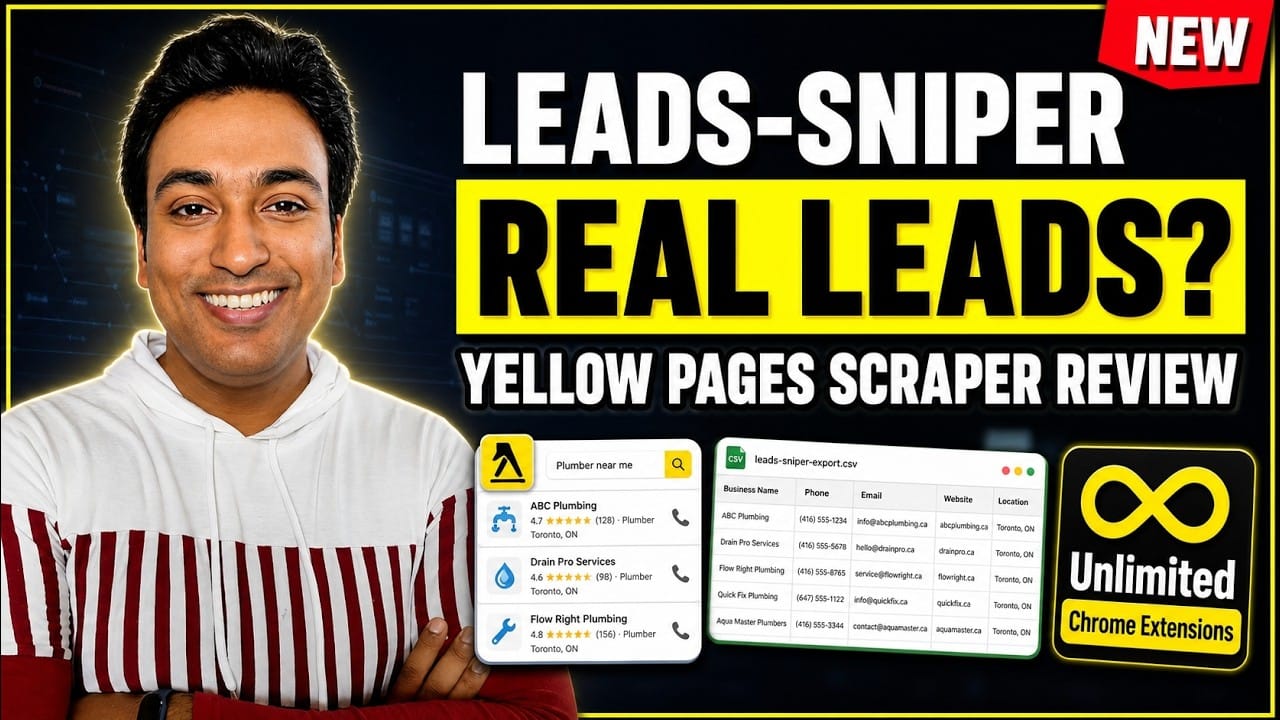
LeadSniper Yellow Pages Review: Finding Local SEO Clients
My LeadSniper Yellow Pages review. One plumber search in New York gave 41 leads with phones, websites and social links, and how I qualify them as clients.
9 min read
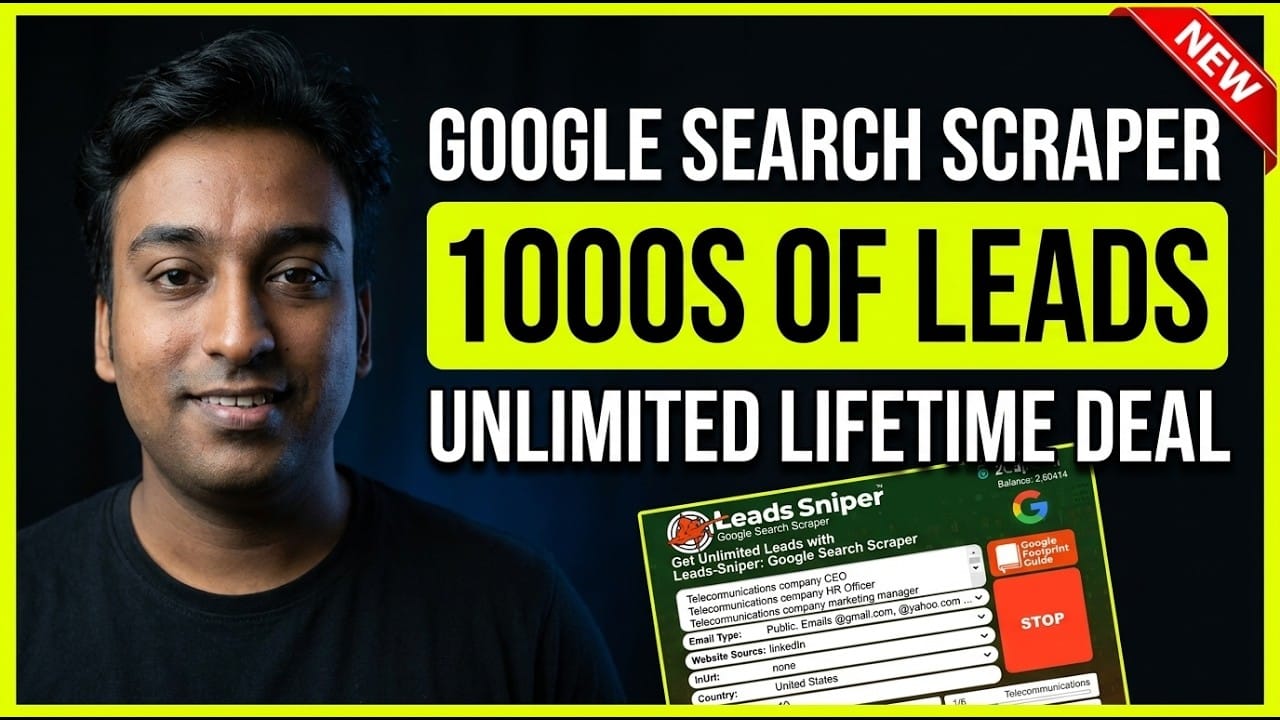
LeadSniper Google Search Scraper Review: B2B Prospecting
My LeadSniper Google Search scraper review. Two footprints for doctors in Chennai found 53 LinkedIn leads, exported to Excel, and what to check first.
9 min read

Visby AI Review: Tracking My Brand Across AI Answers
My Visby AI review. Real ChatGPT, Gemini and Claude answers and citations per prompt, competitor share of voice, GA4 traffic and a beta report builder.
10 min read