SEO Tool Reviews
LeadSniper Google Search Scraper Review: B2B Prospecting
My LeadSniper Google Search scraper review. Two footprints for doctors in Chennai found 53 LinkedIn leads, exported to Excel, and what to check first.

In this LeadSniper Google Search Scraper review, I built two Google search footprints for doctors and nurses in Chennai, ran them through the Chrome extension, and collected 53 leads from LinkedIn results, which I exported to Excel. It finds prospects through Google across LinkedIn, Facebook, Instagram and other sites instead of one lead database, and the free footprint generator does the hard part of writing the queries. Many rows come back without an email or phone number, and every row needs checking, and careful handling, before any outreach.
Affiliate disclosure: links marked “affiliate link” earn me a commission if you buy, at no extra cost to you. That didn’t change what I wrote. How I review tools. I ran this test in June 2026. Prices were checked on 24 September 2026. Names, numbers and emails in my export are blurred below.
Prefer to watch? Here is the full test.
What can the LeadSniper Google Search Scraper find?
It works through Google results for the queries you give it and collects what Google and the pages expose: the title, URL, phone number, email address, social profile URL, description and meta description, where each is available.
You can point it at LinkedIn, Facebook, Instagram, X, TikTok, YouTube, Pinterest, Reddit, a custom website, or no platform at all. That is what makes it useful to me: I’m not limited to whichever businesses happen to be in one database.
Don’t expect every result to have an email or a phone number. The extension only collects what it finds, and in my export plenty of rows had empty contact and meta description fields.
How do you install the extension and add your licence?
In my test I installed it by hand from a ZIP; the vendor’s page now also offers Add to Chrome and Add to Edge.
- Get access to LeadSniper (affiliate link), open the customer area, and copy your licence key.
- Download the extension ZIP and extract it.
- In Chrome, open Manage extensions and switch on Developer mode.
- Drag the extracted folder onto that page, then pin the extension.
- Open it and either start the trial or enter your licence key.
The interface has a search box, filters, results and the settings you need for bigger jobs. According to the vendor, one licence key validates in one browser, and buying five or ten licences lets you run it in that many at once.
How do you build Google search footprints for your prospects?
Use LeadSniper’s free footprint generator: enter your audience and location, pick the email type and source, and it writes the Google queries for you. A footprint is a search query with extra operators that make the results more relevant.
For this test I pretended to be finding doctors for a pharmaceutical company. I entered “doctor” and “nurse” as the audience, Chennai as the location, publicly available email addresses as the email type, and LinkedIn as the source. The generator produced two queries, one per audience term, each shaped like this:
site:linkedin.com "Doctor" "Chennai" ("@gmail.com" OR "@yahoo.com" OR "@hotmail.com" OR ...)
site: limits results to one website, and quotation marks ask Google for the exact word or phrase. Google’s own advanced search guidance explains these operators further. A location is optional; leave it out for a wider search.
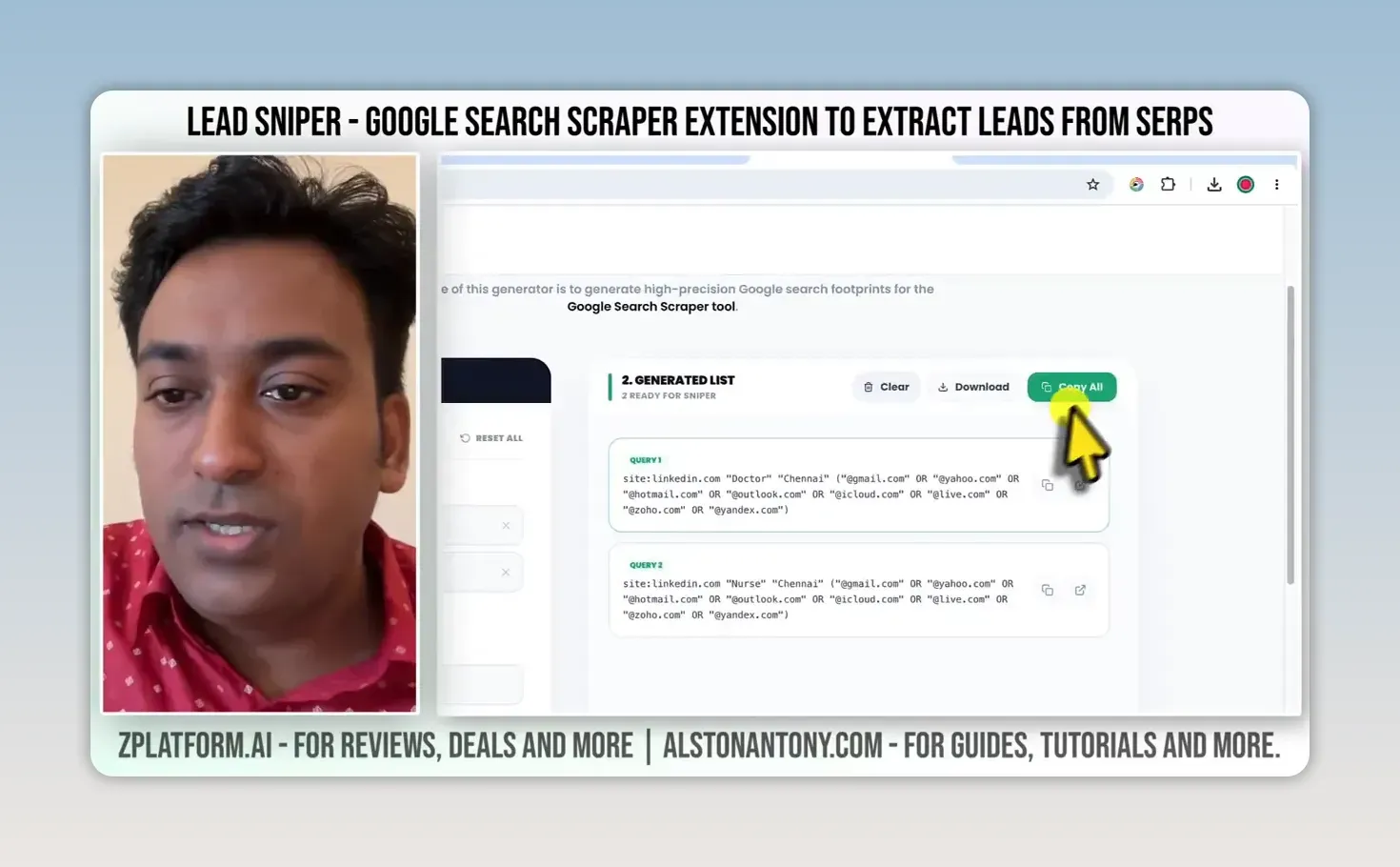
Click Copy All, open the extension, and paste the footprints into its search box. You don’t need to be on a Google results page; the extension opens the search in a new tab when you start.
Decide who you actually want to reach before you generate a big list. If that’s fuzzy, the audience research prompts in my ChatGPT keyword research guide help you define it first.
Which filters keep the results relevant?
The generator is the route I recommend, but the extension has its own filters: search terms, a website source, a country, words that must appear in the URL, how many Google results pages to work through, and a time filter.
One detail catches people out. If your pasted footprint already contains site:linkedin.com, setting the extension’s source filter to “none” doesn’t remove that restriction from the query.
The URL filter helps on custom websites, where contact, about, profile and list pages are usually more useful than a homepage. Keep the page count low while you test a new search. There’s no point scraping ten pages if the first results show you picked the wrong audience or location.
What happens when Google shows a CAPTCHA?
Because the scraper runs in your browser, Google may show a CAPTCHA on a bigger search. You can solve it yourself, or connect 2Captcha, a third-party solving service with its own usage-based cost on top of the licence. The vendor calls it optional but recommends it for larger runs. Check that cost before you plan a big job.
For the Chennai test I kept the page count small and clicked Start scraping. The extension worked through the results and updated its lead count. I’d started this search earlier, so it carried on from the leads already collected instead of redoing that work. Because both footprints targeted LinkedIn, so did the results.
How do you export and check the leads?
When the run finishes, the extension shows an All Done screen with the lead count and an Export All Data button. Mine reported 53 leads.
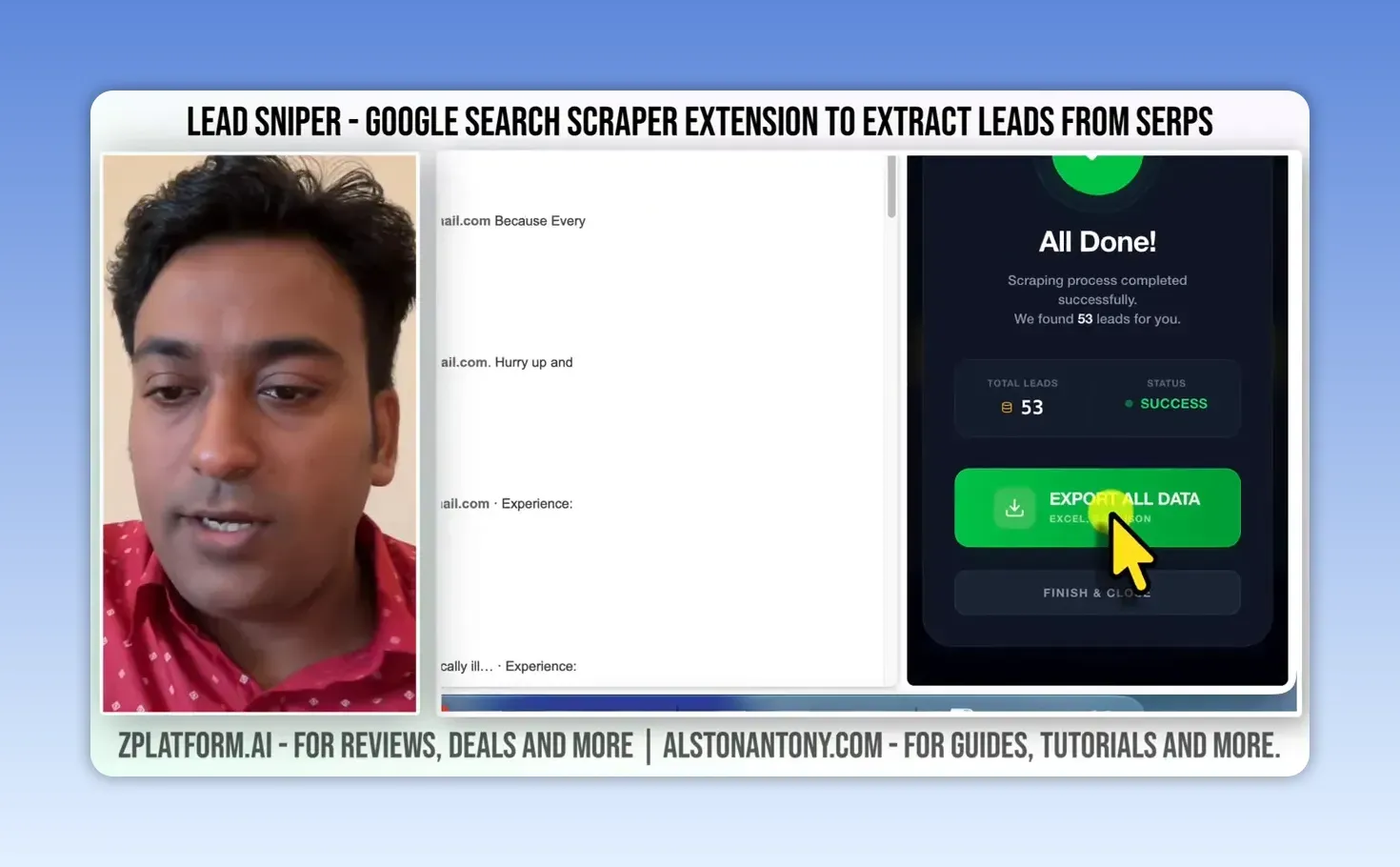
In the export settings you choose which field defines a unique entry, so duplicates don’t count as separate prospects. Unique by the field I chose, it came to 39. You can export to CSV, Excel or JSON, or export a single field, such as only the phone numbers or emails. I exported the full Excel file to see what was actually collected.
The sheet had an ID, the keyword that found each row, title, phone, email, favicon, meta description, meta keywords, description and the LinkedIn URL. I could see Chennai results, with phone numbers or emails where the scraper found them, and many rows where it didn’t.
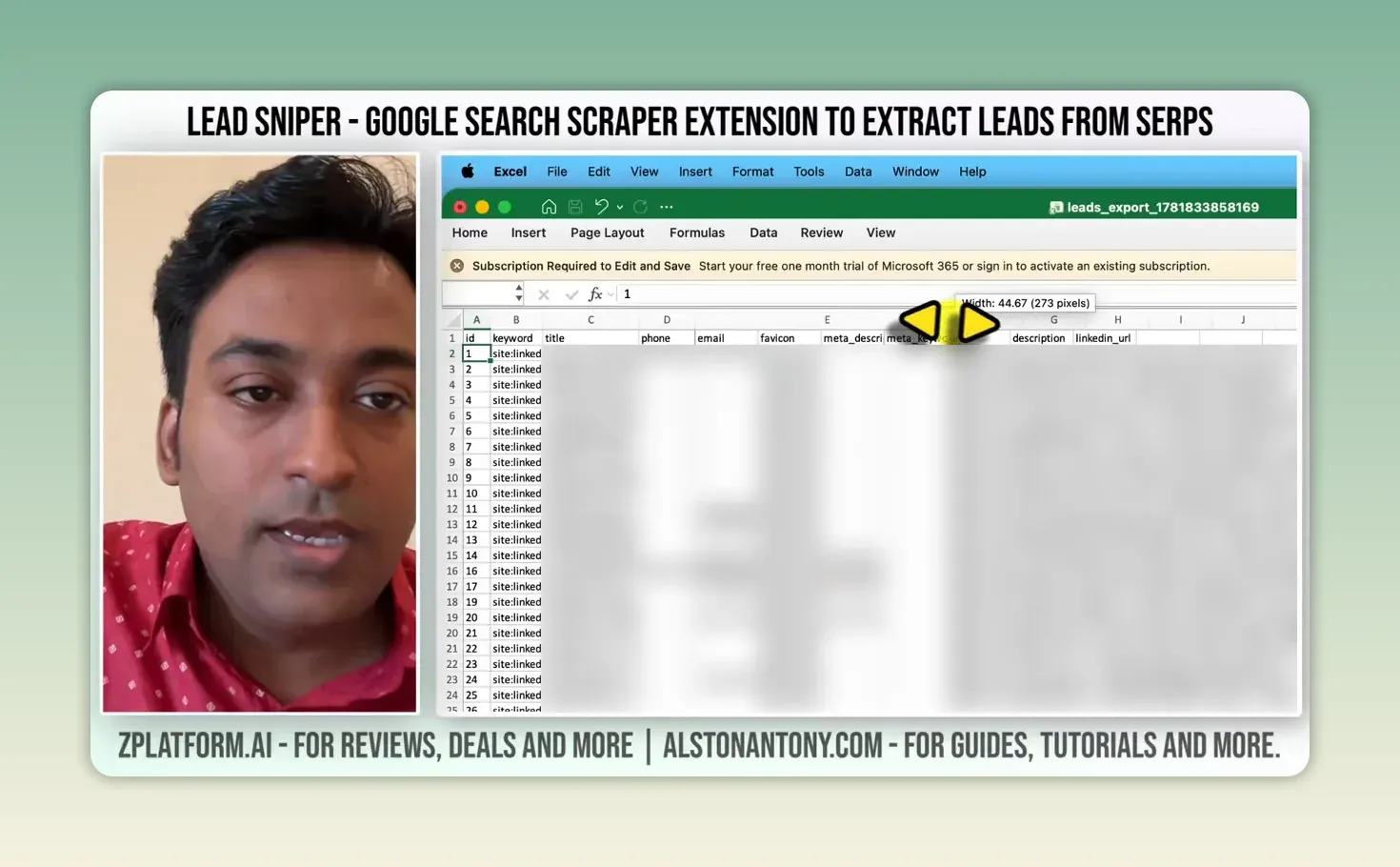
This is where you judge the list on quality, not size. A row in a spreadsheet is not automatically a suitable lead.
How should you use these results for B2B outreach?
As a prospecting tool, not a substitute for thinking about the customer. Find relevant businesses or professionals, collect what’s available, check whether they fit your service, and only then consider a personal message.
Treat the contact details carefully. Footprints like mine target personal email domains, and in many countries a personal email address counts as personal data, with rules about when you may contact someone and how. Check relevance, respect privacy, and follow the outreach and anti-spam rules that apply to you. Finding hundreds of results is easy; the value is in reaching the right few people responsibly. When you do write to them, my spintax generator keeps a sequence from reading like the same email sent fifty times.
How much does the Google Search scraper cost?
The Google Search Scraper is $149 as a one-time payment, against a list price of $249, with lifetime access and updates and, per the vendor, unlimited leads. From LeadSniper’s pricing page, checked 24 September 2026. Each scraper is licensed separately at the same price, the vendor advertises bundle discounts of up to 45% for two to four tools, and there’s a free trial with no credit card needed. 2Captcha is billed separately if you use it.
To try it, start the LeadSniper free trial here (affiliate link).
LeadSniper Google Search Scraper pros and cons
What I liked:
- Searches across LinkedIn, social platforms and any website through Google, not one database
- The free footprint generator writes precise queries in seconds
- URL, country, page and time filters
- Resumes a search instead of starting again
- Unique-field de-duplication and export to CSV, Excel or JSON
- A one-time licence rather than a subscription
What held it back:
- Many rows have no email or phone number
- Google CAPTCHAs on bigger runs, with hands-off solving costing extra
- A source filter set to “none” doesn’t override
site:in a pasted footprint, which is easy to miss - One browser per licence
- The list is raw: relevance, privacy and consent are all still on you
Is the LeadSniper Google Search Scraper worth it?
Yes, if you prospect B2B contacts often and want to search the open web rather than rent access to a lead database. The footprint generator and filters make targeted searches quick, and the lifetime licence suits regular use. Keep searches narrow, check every row, and contact people only where you have a real reason and the right to.
For local businesses rather than professionals, my LeadSniper Google Maps scraper review and Yellow Pages review cover the other two scrapers. Either way, test your own niche on the free trial (affiliate link) before you buy.
FAQ
Do I have to search LinkedIn with LeadSniper?
No. I used LinkedIn for the Chennai example, but you can pick Facebook, Instagram, X, TikTok, YouTube, Pinterest, Reddit, a custom website, or no platform.
Can I use the footprint generator without buying LeadSniper?
Yes. The footprint generator is a free tool on its own site. The queries it writes are plain Google searches, so you can run them in Google yourself; the scraper is what collects the results in bulk.
Keep reading
You Might Also Like
LeadSniper Yellow Pages Review: Finding Local SEO Clients
My LeadSniper Yellow Pages review. One plumber search in New York gave 41 leads with phones, websites and social links, and how I qualify them as clients.
9 min read
LeadSniper Google Maps Scraper Review: 421 Unique Leads
My LeadSniper Google Maps scraper review. 2,020 searches across 1,010 Indian cities gave 421 unique business leads in about 11 minutes, exported to Excel.
8 min read

Visby AI Review: Tracking My Brand Across AI Answers
My Visby AI review. Real ChatGPT, Gemini and Claude answers and citations per prompt, competitor share of voice, GA4 traffic and a beta report builder.
10 min read