SEO
Google Keyword Planner for SEO: Free Ideas From Google
How I use Google Keyword Planner for SEO: set the city, read the search ranges, ignore the Ads competition label, and pull ideas from a competitor's site.

Using Google Keyword Planner for SEO is a free way to get keyword ideas directly from Google, as long as you remember it is a Google Ads tool, not an SEO tool. Set the right language and location, use its ideas and search ranges to size demand, and ignore its competition column for SEO, because that measures advertisers, not how hard a page is to rank. Then check the actual search results before you choose a keyword.
Prefer to watch? Here is the full tutorial.
Jump to a part of the video:
- 00:21 What Keyword Planner actually is
- 03:17 Location targeting
- 05:07 Broaden your search
- 07:02 Monthly search volume
- 07:39 Google Ads competition explained
- 09:38 Search volume and forecasts
- 10:28 Start with a website
Is Google Keyword Planner an SEO tool?
No. Google built it for advertisers choosing keywords to bid on in Google Ads. You can still use its ideas and search data to understand a topic, research a local market and decide which keywords deserve a closer look for SEO, as long as you know what each number actually measures.
How do you get started with Keyword Planner?
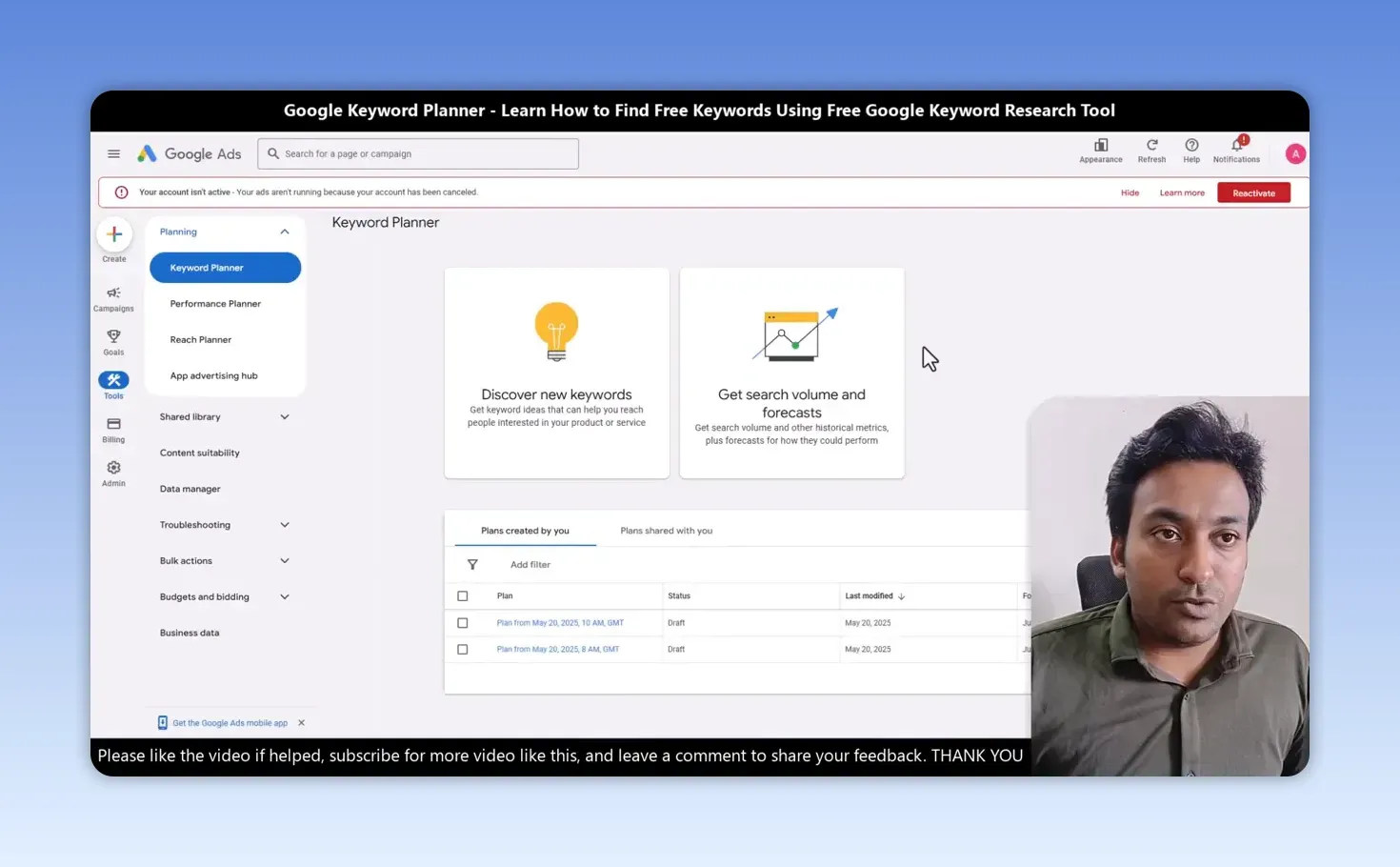
Open the Google Ads Keyword Planner page and sign in to your Google Ads account. The Keyword Planner screen gives you two options:
- Discover new keywords, for when you need ideas.
- Get search volume and forecasts, for when you already have a list and want its data.
In the video my Ads account showed as not active, with no ads running, and Keyword Planner still worked.
How do you find keyword ideas from a word or phrase?
- Click Discover new keywords and choose Start with keywords.
- Enter one term or several as starting points. I entered “lawyer”.
- Set the language. It will often be English, but that depends on who you want to reach.
- Set the location to the market you actually serve. For a lawyer client in Chennai, I chose Chennai rather than all of India.
- Click Get results.
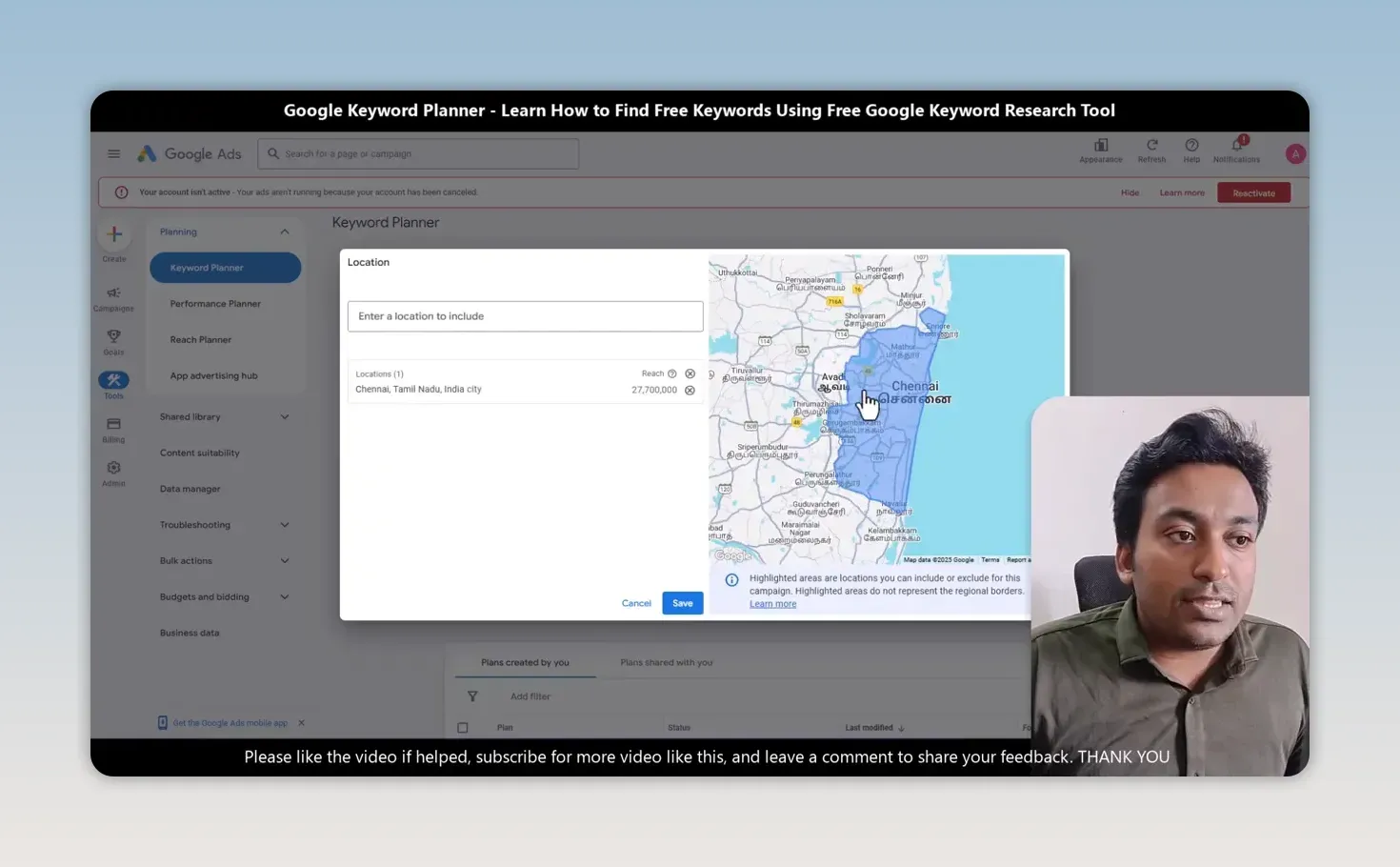
Location is the setting that matters most for local SEO, because it decides whose searches you are looking at. A country, such as India or Sri Lanka, gives you national demand; a city gives you the demand a local business can actually serve. My first search for “lawyer” in Chennai returned 669 keyword ideas. That is a useful list to investigate, not 669 keywords worth targeting.
How do you get more ideas without guessing every related keyword?
Use Broaden your search. Above the results, Google suggests related terms you can add to your starting keywords. For the lawyer example, “personal injury law” may be relevant; if it fits the business, add it and get results again. Repeat with other relevant areas, such as criminal law.
The important part is whether it fits the business. Don’t add a service just because it produces more keywords. More ideas only help when they relate to what you can offer or write about. After broadening, my Chennai search had 1,826 keyword ideas.
You can also refine and filter the results, exclude adult ideas where appropriate, and change the table’s columns. When you are ready to work through a longer list, use Download keyword ideas to export it as a CSV or to Google Sheets.
What does average monthly search volume tell you?
An estimated range of monthly searches for the location and settings you chose. Keyword Planner often shows a range rather than an exact figure: 1K to 10K means roughly 1,000 to 10,000 searches a month, where K is a thousand.
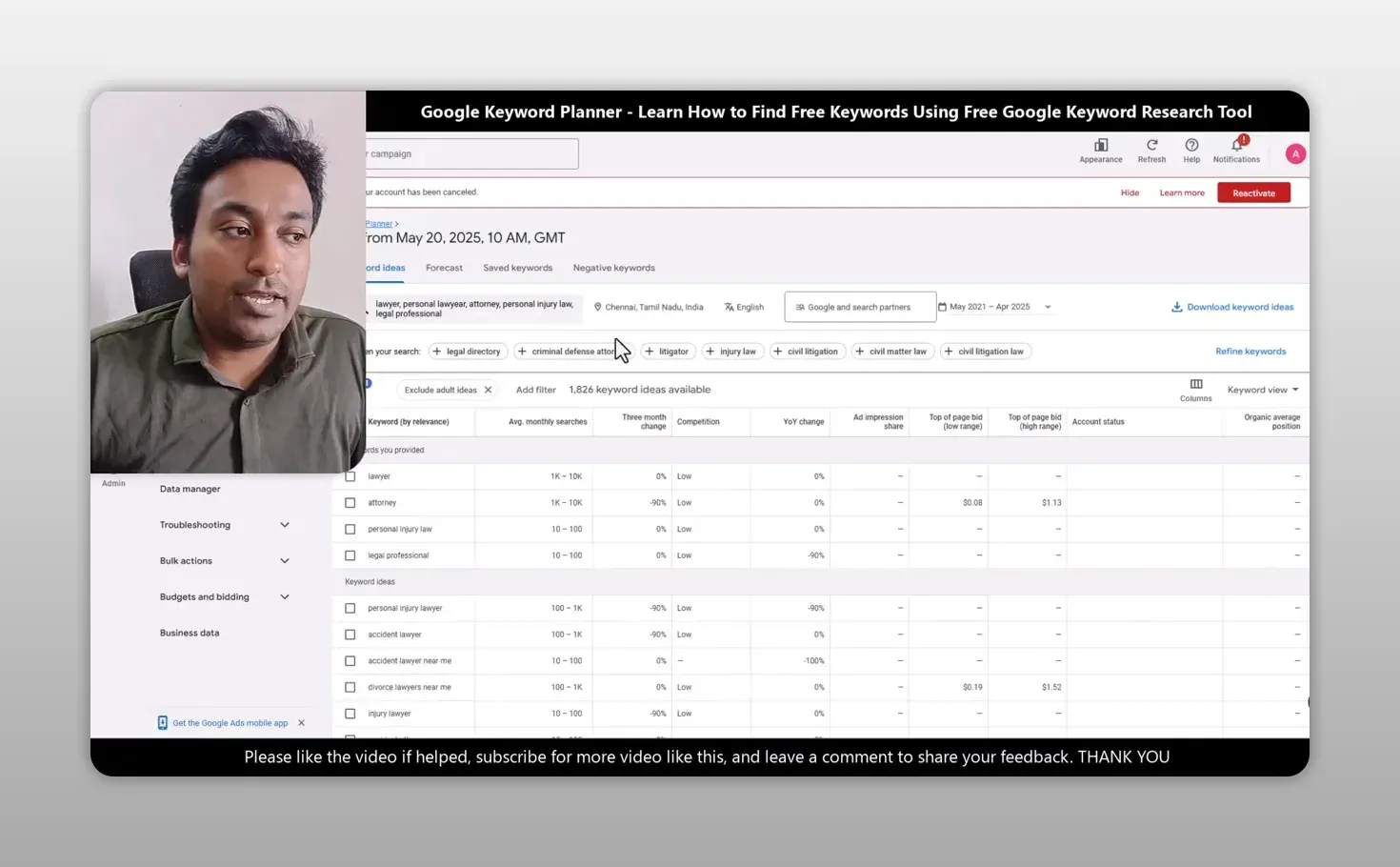
So always read the settings above the table. Change the city or country and you are no longer looking at the same market. The table also shows the three-month change and the year-over-year change, and you can set the date range and choose Google only or Google and its search partners. Read each keyword with its location, range and change in demand, never as an isolated number.
Does low competition in Keyword Planner mean an easy SEO ranking?
No. This is the mistake I most want you to avoid. The Low, Medium and High competition labels describe how many advertisers compete for the keyword in Google Ads, not how hard it is to rank organically.
| Keyword Planner “Competition” | SEO keyword difficulty | |
|---|---|---|
| What it measures | Advertiser competition in Google Ads | How hard it is to rank organically |
| Where it comes from | Google Ads bidding in your chosen market | The pages already ranking for the query |
| How to check it | The Competition column and top-of-page bids | Search the keyword and study the results |
| What Low tells you | Fewer advertisers are bidding | Nothing about organic ranking |
Location changes the advertising picture too. When I switched from Chennai to New York, the competition labels and bids looked different. The low and high top-of-page bid estimates are advertising context, not an SEO difficulty score or a promise that a keyword will bring business. For SEO, look at the search results, the intent behind the query and the pages already answering it. Even SEO tools’ own difficulty scores need that check; my Semdash review found very low scores on terms that are clearly competitive.
When should you use Get search volume and forecasts?
When you already have keywords written down. Paste or type them in, separated by line or comma, or upload a file, then check the results for your chosen location.
I often brainstorm seed ideas with ChatGPT, Gemini or Claude, then bring the list into Keyword Planner to check it against Google’s data. My ChatGPT prompts for keyword research cover that brainstorming step. Neither the AI list nor the search ranges make the decision: I still ask whether each keyword is relevant, what the searcher wants, how strong the competing pages are, and whether I can give a genuinely useful answer.
How do you find keyword ideas from a competitor’s website?
- Click Discover new keywords and choose Start with a website.
- Enter a website in your niche. I used semrush.com.
- Choose Use the entire site if its overall subject fits your products or services, or Use only this page for one specific topic.
- Check the language and location, then click Get results.
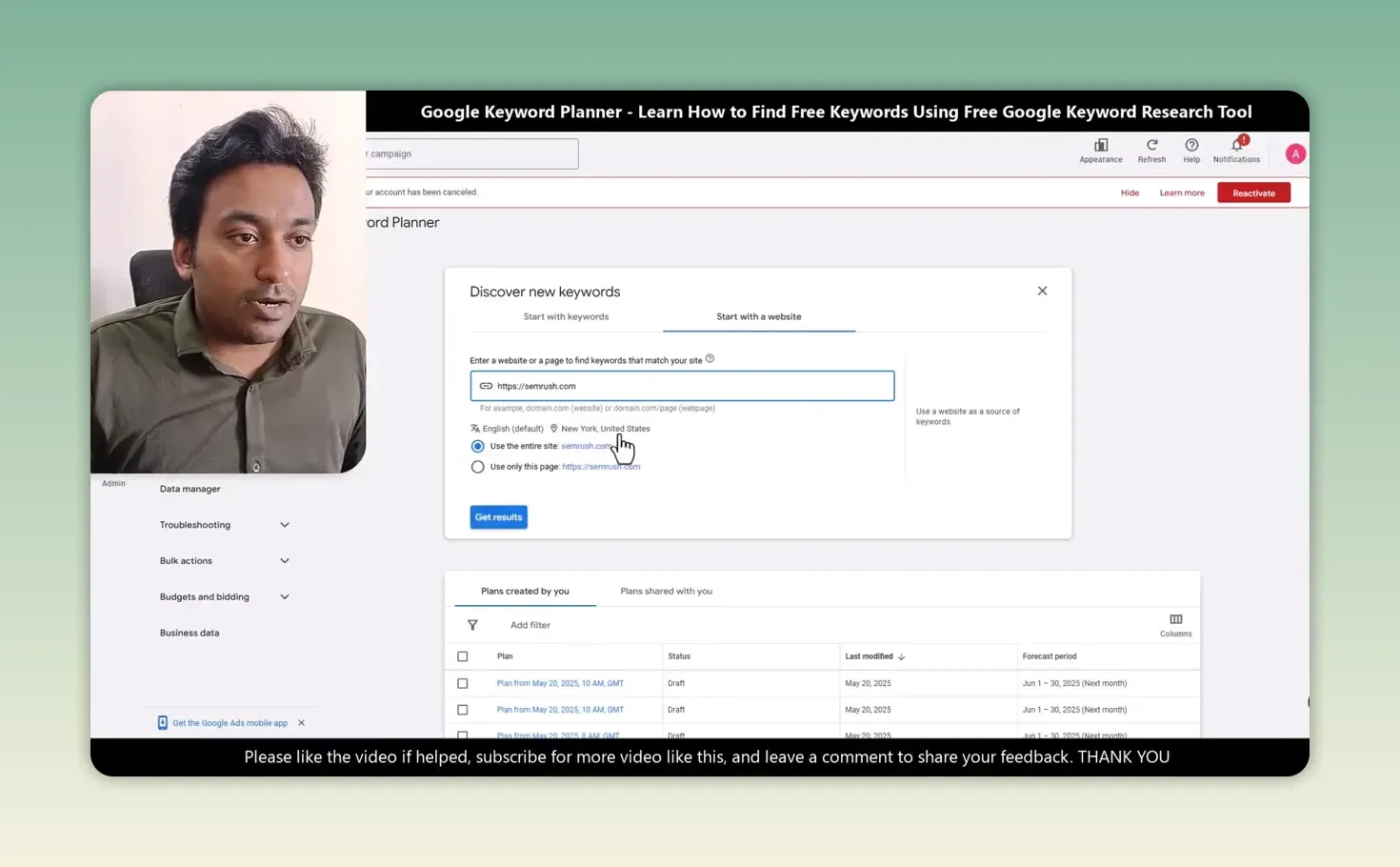
My website-based search returned more than 1,500 keyword ideas. Be careful what you call them: they are ideas generated from the website, not proof that the competitor ranks for every term or gets traffic from each one.
How do you turn keyword ideas into an SEO decision?
Start with a keyword or a relevant website, set the right language and location, collect the ideas and export the useful ones. Then check the search intent and the actual Google results before deciding what content to create. For question-style keywords around the same topic, my Answer Socrates review shows a tool built for that, and for a local business my free local SEO GPT helps plan the pages.
Keyword Planner is a very good free starting point, because it shows related topics and estimated demand straight from Google. But it is only a starting point. The keyword has to fit the business, and you have to answer the searcher better than a table of numbers ever could.
FAQ
Is Google Keyword Planner free?
It is free to use inside a Google Ads account. In the video my account was not running any ads and the tool still worked.
Why does Keyword Planner show a range instead of an exact number?
It often shows average monthly searches as a range, such as 1K to 10K. Treat it as an estimate for the location and settings you chose, and compare keywords within the same settings.
Keep reading
You Might Also Like
Convert SEO Keyword List to Comma Separated Keywords List
Convert SEO keyword list to comma separated keywords list in one paste. Drop a column from Excel, Ahrefs or Search Console in, get a joined line out.
5 min read

Future-Proof SEO Strategy: Google, AI Search and Social
How I build a future-proof SEO strategy: Google as the foundation, content AI search can use, and social search where your customers look for a business.
6 min read

How Social Media Search Engines Work for SEO
How social media search engines work: posts and videos instead of links, fresh content and engagement, discovery intent, and making a business findable.
6 min read