SEO
How Social Media Search Engines Work for SEO
How social media search engines work: posts and videos instead of links, fresh content and engagement, discovery intent, and making a business findable.

Social media search engines work differently from Google: they return posts, photos and videos rather than lists of web pages, and they lean on fresh content, engagement, tags and location. Most SEO tutorials skip them, yet someone looking for a local business, a product or an answer may search Instagram or Facebook instead of Google. To be found there, create content that belongs in those results, not a web page pasted into a caption.
This guide goes into how social search itself works. For where it fits alongside Google and AI search in one plan, see my future-proof SEO strategy.
Prefer to watch? This is lesson 7 of my beginner SEO course.
How is social media search different from Google?
The results themselves are different. Type a broad query into Google and you get web pages: titles, links and descriptions that lead to a site, a blog or a directory, organised so you can choose the page that best answers your question. Google explains that process in how Search works.
Type a similar query into a social platform and you mostly get posts, photos, videos, reels or stories. A post from a few hours ago can sit next to content from a popular account or a local business page, and what appears depends on the platform and the formats it allows.
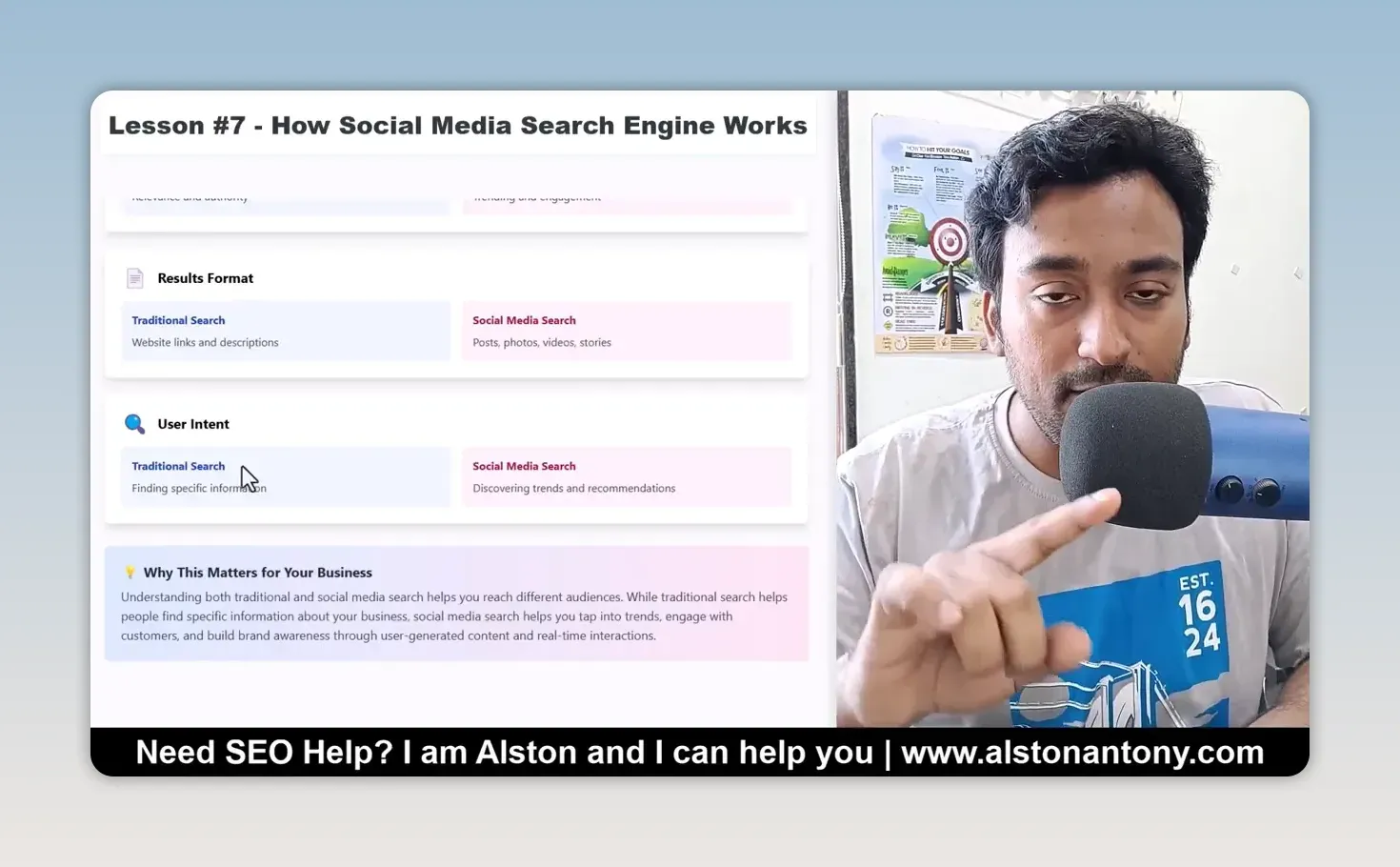
| Traditional search | Social media search | |
|---|---|---|
| Content type | Organised, verified information | User-generated, real-time content |
| Search priority | Relevance and authority | Trending and engagement |
| Results format | Website links and descriptions | Posts, photos, videos, stories |
| User intent | Finding specific information | Discovering trends and recommendations |
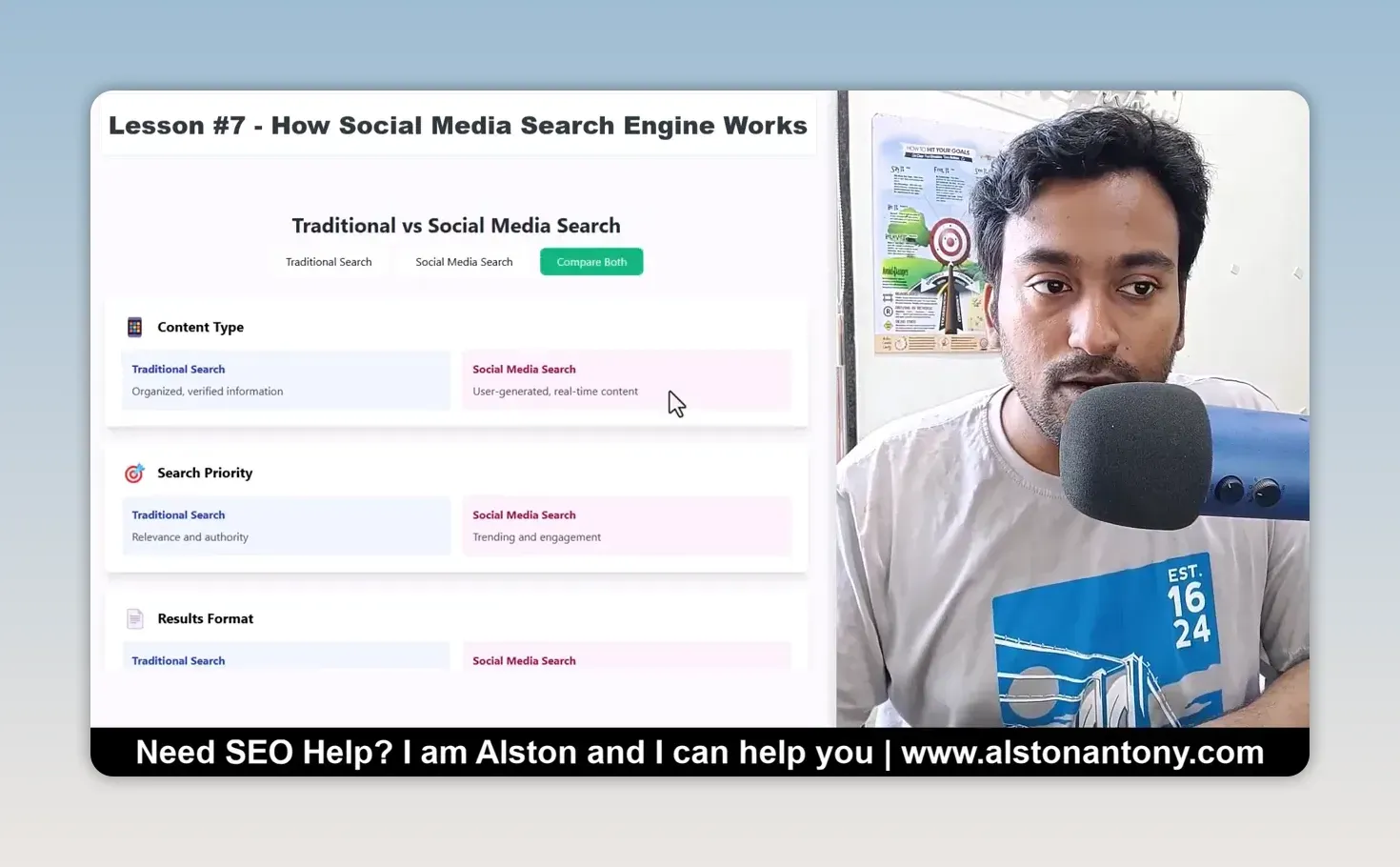
Social media search is not Google with different colours. If you want your business to appear there, you have to create content that belongs in those results.
Why do recent posts and engagement matter in social search?
Because social platforms surface what people are posting and engaging with now. With Google I think about pages, relevance and authority, found through crawling, indexing and ranking. Social platforms can show a post made a few hours ago, content tied to a trending discussion, or a post from an account people engage with.
Likes, shares, reposts, comments, saves, bookmarks and pins are all signals of interaction. Tags and location can matter too, especially when someone searches for something nearby.
Every platform has its own formula, and more likes don’t guarantee a top result. The practical point is this: optimise only your web pages and ignore what you publish on your social pages, and you are ignoring a place where people look for information. A business page can’t just exist and sit empty. Check that the posts are relevant, recent, and give people a reason to interact, and make the location clear if it matters to the search.
How is search intent different on social media?
It leans towards discovery. On Google, people often type a query because they want a specific answer, then compare links and open the most relevant page. On social media, searching feels more like exploring: someone knows the general topic but wants photos, short videos, other people’s experiences and different options before deciding what to do.
When my wife looks for a parlour, she may not just want a name and address; she wants to browse posts and get a sense of what is available. That doesn’t mean people never search social media for something specific. It means planning for the experience they expect there: a web page can give the detailed explanation, and a post or video lets someone see the subject quickly and decide whether to go further.
How do you make a business easier to find in social search?
Start with the questions people already ask about the business. That is the link between website SEO and social SEO: both begin with understanding what someone wants to find. My ChatGPT prompts for keyword research help brainstorm those questions, and reading what people actually say on each platform, as in my BuzzAbout review, shows how they phrase them.
Then adapt the content to the platform rather than copying a web page into a caption:
- Choose a format that shows the answer. Depending on the platform and topic, that might be a photo, a post or a short video that helps someone understand something without visiting your site first.
- Keep it current. Freshness is part of social search, so publish an up-to-date post when there is something useful to share, instead of relying only on old content.
- Give each post clear context. Relevant wording, tags and location help people see what it is about and whether it applies to them. For a local business, the same location details belong in your Google presence too; my free local SEO GPT helps plan that side.
- Make interaction worthwhile. Create something people find helpful enough to comment on, share or save, rather than chasing engagement as a number.
None of these are tricks for forcing a ranking. They make the content more useful in a place where posts, interaction and discovery are central, and the right mix still depends on the business and the platform its customers use.
Why is SEO a multi-channel job now?
Because the website is no longer the only place people search. A good page can still answer a question in depth, and I don’t want to abandon it. But I now think about three routes to discovery: traditional web search, AI search and social media search, and they aren’t identical. What someone expects from a Google result can differ from what they want to explore in a reel or a post.
Don’t assume everyone starts on Google; younger people in particular may prefer to search inside the social platforms they already use. So when I work on SEO for a business, I also ask whether its social content can be found and understood by the people looking for it.
Learn where your customers search, what kind of results they expect there, and how your content can help them. Make the website useful and the social presence discoverable, and the business has more than one chance to be found as search habits change.
FAQ
Does social media search replace Google SEO?
No. Google is still where many people search, and a good page answers questions in depth. Social search is an extra route to the same customers.
Do likes decide what ranks in social search?
Not on their own. Engagement is one signal among recency, tags and location, and every platform weighs them differently. Make content worth interacting with rather than chasing the number.
Keep reading
You Might Also Like

Future-Proof SEO Strategy: Google, AI Search and Social
How I build a future-proof SEO strategy: Google as the foundation, content AI search can use, and social search where your customers look for a business.
6 min read

Google Keyword Planner for SEO: Free Ideas From Google
How I use Google Keyword Planner for SEO: set the city, read the search ranges, ignore the Ads competition label, and pull ideas from a competitor's site.
8 min read

SEO Challenges: 5 Problems and How to Handle Each
The five SEO challenges every business runs into: slow results, no guarantees, established competitors, bad advice and effort, and what I do about each.
8 min read