AI SEO
I Built a Free AI Internal Linking Tool
The build takes 30 minutes in Google AI Studio and the prompt is in the post. Suggestion quality comes from the URL list you index, not the model.

You can build a working AI internal linking tool in Google AI Studio in about 30 minutes, and the build isn’t the part that matters. Skip this if you run a single WordPress site and want zero setup, because a plugin is a fair purchase at that scale. I built my own because I pay per-site licenses across several properties and publish on two different stacks. Link Whisper charges $97 a year for one site.
What it sells you is the finding, and the finding is the cheap part.
What you need
- A Google account. Google AI Studio is free to use.
- Your sitemap URL. Usually
/sitemap.xmlor/sitemap_index.xml. Open it in a browser first and confirm it returns raw XML, not a styled page. - A Gemini API key from aistudio.google.com/app/apikey. No card.
- Thirty minutes, most of it waiting.
Google doesn’t publish one flat free-tier number any more. Rate limits are scoped per project and shown in AI Studio, so read yours there instead of trusting a figure that someone copied out of a blog post two model generations ago and nobody has rechecked since.
Mine hasn’t throttled once on this workload.
Paste one prompt and the app builds itself
Sign in at aistudio.google.com and pick Build an app, which opens a prompt field on the left and a live preview on the right.
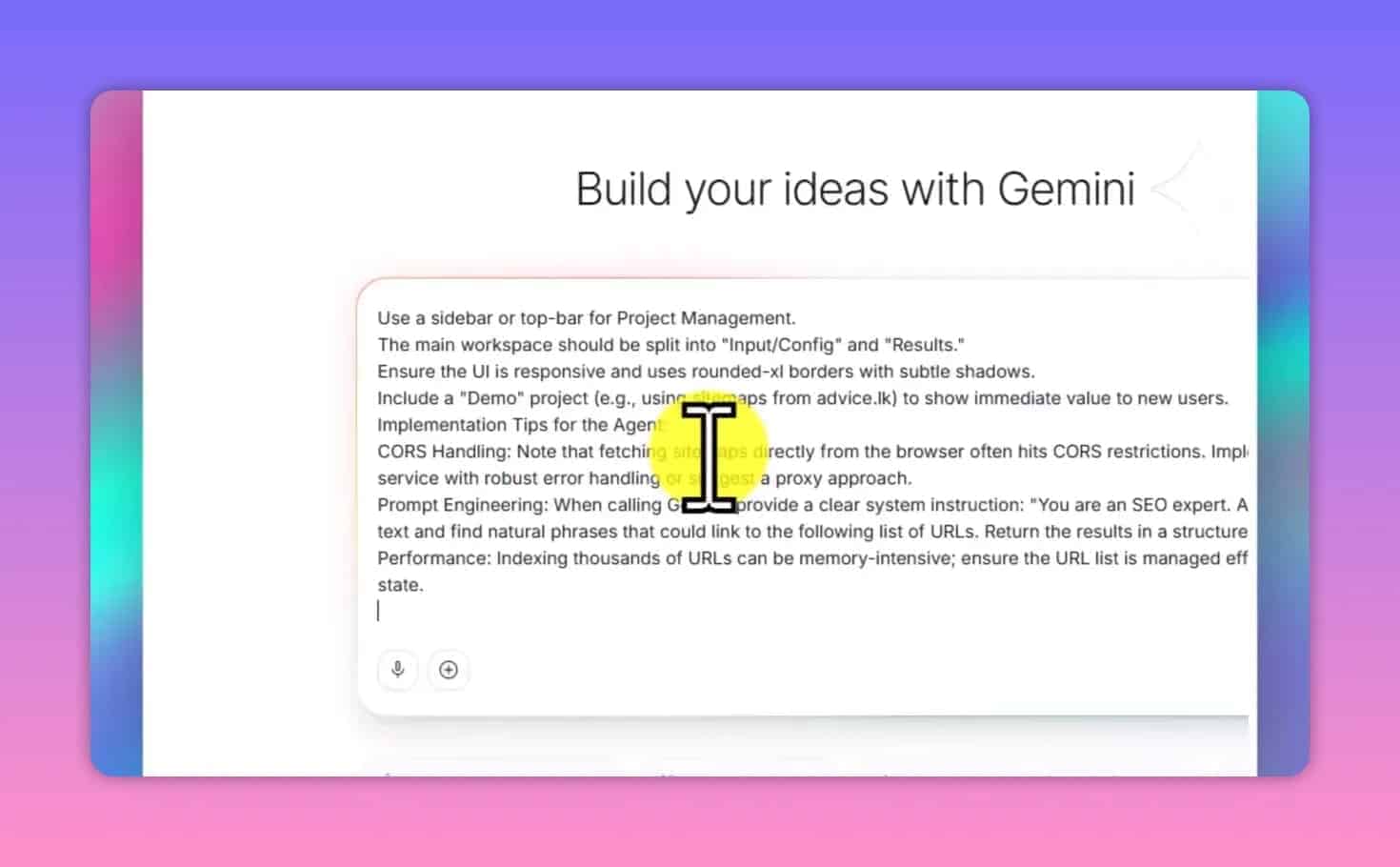
Paste this:
Build a web app called "LinkWhisperer AI", an AI internal linking tool.

OBJECTIVE
Discover internal link opportunities and authority external links for one page of
content, by analyzing that page against a knowledge base of existing site URLs.

FEATURES
1. Projects. One per site. Name, description, one or more sitemap URLs. Each
   project stores its own indexed URL knowledge base. Switch between projects.
2. Sitemap knowledge base. Accept XML sitemap URLs. Parse them to extract page
   URLs. Support sitemap index files. Show the indexed URL count and a
   last-updated time. Allow manual refresh. If the direct fetch fails with a CORS
   error, fall back to a textarea where the user pastes the sitemap XML, and parse
   that instead.
3. Analysis engine. Accept a target page URL or raw HTML/text. Analyze it
   semantically and cross-reference the indexed knowledge base. Return, per
   suggestion: anchorText, targetURL, contextSnippet (the exact sentence the link
   belongs in), relevanceScore (1-10), reason.
4. Authority links. Alongside internal links, suggest 5-8 external links to
   Wikipedia, .gov, .edu, WHO or World Bank sources, with citation context. Let
   the user add their own trusted domains in settings and prioritize those.
5. HTML injection. Accept raw page HTML. Wrap approved anchor text in <a href>
   tags. Rules: never inject where the anchor text already sits inside a link;
   never link the same target URL twice on one page; preserve existing attributes
   and formatting; log every injection with before/after context; include an
   "Undo all injections" button.

UI
Dark sidebar for projects. Main area with Analysis, Knowledge Base and Settings
tabs. Suggestions as cards with approve/reject toggles and the relevance score
visible. An HTML editor pane for the injected output. Indexing progress state.

STACK
React, TypeScript, Tailwind, Lucide icons. Gemini Flash (latest available) as the
analysis model, Gemini Pro as the fallback for documents over 5,000 words. Store
the API key in localStorage only.

Return the complete app as a single HTML file using CDN imports.
What you should see: code streaming into the right-hand pane, then a rendered app with a project sidebar. One to three minutes, depending on load.
Same build on video, if you would rather watch me hit the errors in real time.
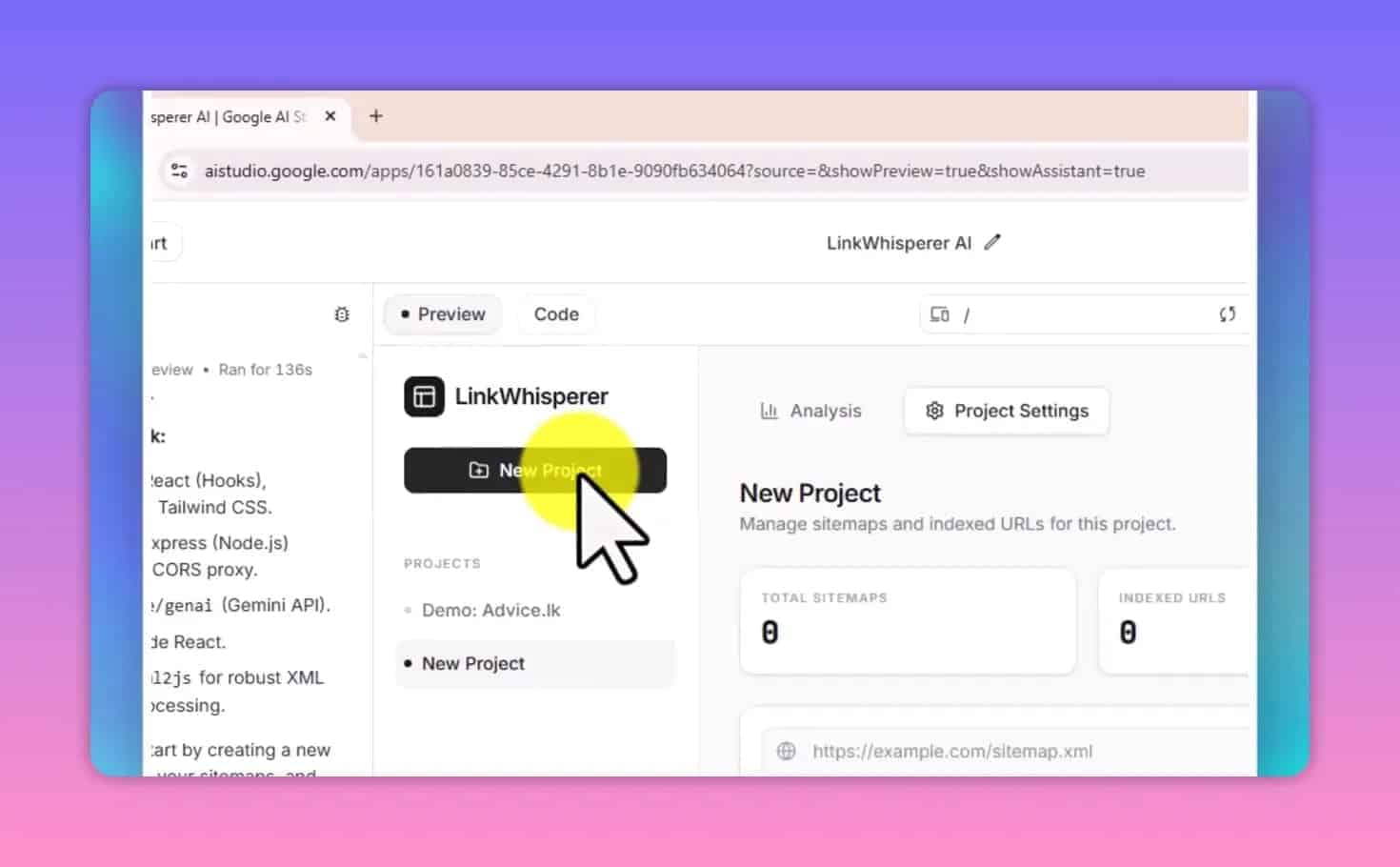
Paste your API key into the Settings tab, create a project, add your sitemap URL, and index it.
This is the same pattern as the local SEO GPT I built, and the pattern is the point: one prompt, one knowledge base, and nobody’s license terms deciding what your tool is allowed to do.
What you should see: a URL count. On this site that is 240 pages.
The URL list is the variable, not the model
My first build produced noise, and the model wasn’t at fault.
I’d fed it the sitemap index whole, which meant tag archives, paginated pages and author pages all landed in the knowledge base, so the tool did exactly what I asked and proposed links to pages that were never meant to receive them.
Swap the model and the output barely moves. Trim the URL list down to real content pages and it transforms.
That’s why a per-site license buys you less than it looks like: a paid plugin reads your CMS and offers you every published post, because it holds no opinion about which of them should be accumulating internal links.
Forming that opinion is the actual job, and there’s no price at which a vendor does it for you.
So decide this before you index: which pages on this site are actually supposed to rank? Those, and only those, are the URLs that belong in the knowledge base.
A relevance score is confidence, not relevance
The number beside each suggestion is the model’s confidence that a link fits. It isn’t a measurement of whether it fits.
Same distinction as Ahrefs DR: a figure a tool produced, not a property of the thing it’s pointed at.
Which matters more than it sounds, because of what an internal link actually is on the page.
An internal link is a sentence.
Anchor text plus the clause around it is body copy, and body copy is what gets chunked and embedded when a retrieval system reads the page, so a forced anchor lands somewhere it can do real damage.
It drags the passage it lives in toward a topic the page wasn’t answering, and passage retrieval scores chunks, not pages. You lose ground on the thing the page was for.
That’s the mechanical reason a missing link costs less than a bad one, and why I hold a threshold instead of approving whatever comes back.
On a 2,500-word article my knowledge base returns 8 to 15 suggestions. I approve 5 to 7. Anything at 7 or above is usually a link I’d have placed myself.
Below 6 it’s technically related and reads as forced, which makes it worse than the gap it was filling.
Crawled, indexed, ranking and retrieved-by-an-LLM are four different states. Internal links move the first one hard, the second one somewhat, and the last one only if the sentence survives contact with a reader.
Where this breaks
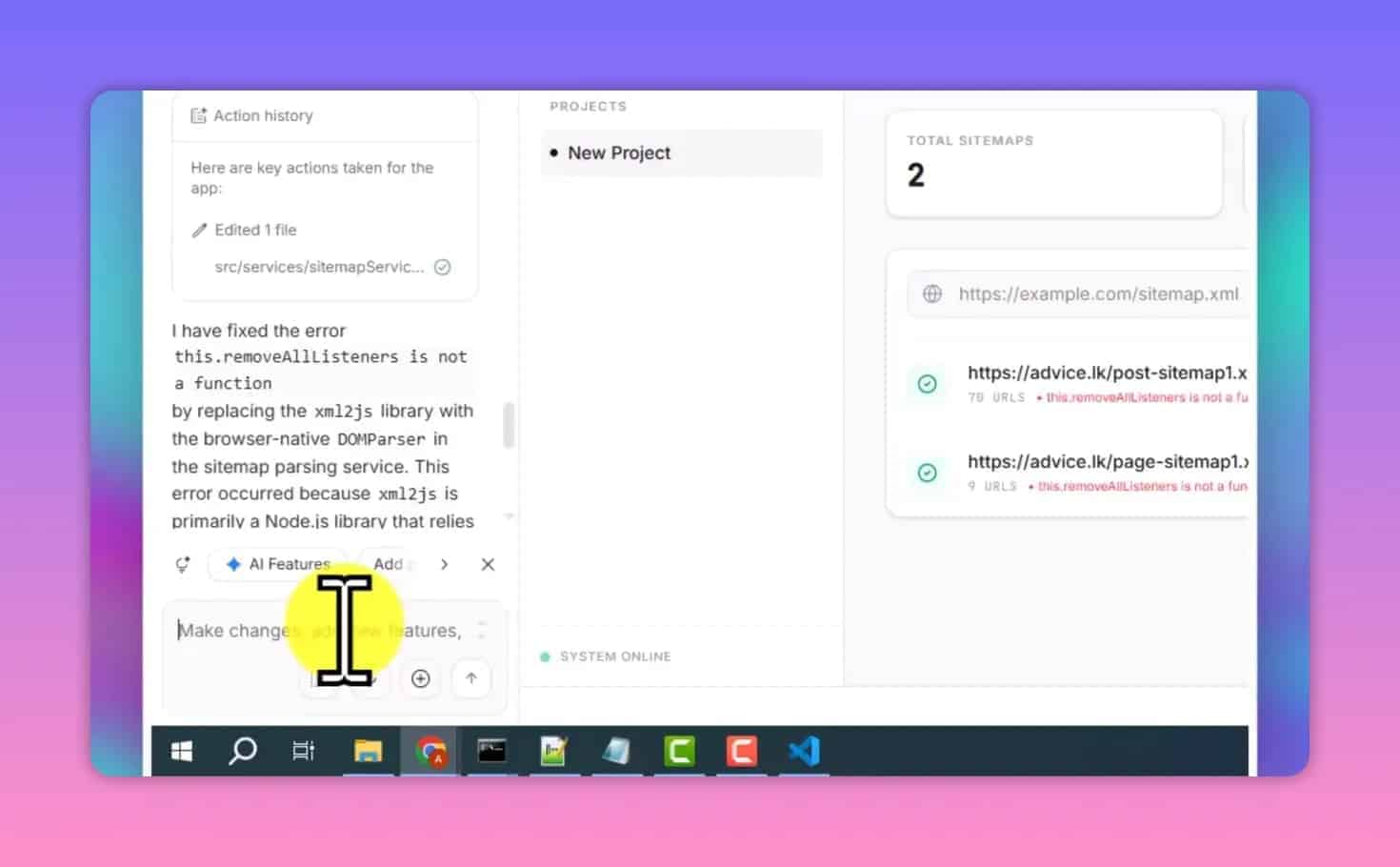
The sitemap fetch dies on CORS. Some servers block cross-origin requests from browser JavaScript. The prompt above already builds the paste-your-XML fallback, so open the sitemap, select all, and paste it in. It’s the failure you’re most likely to hit and the least interesting one.
Long articles come back thin. Flash-tier models truncate. If a 5,000-word pillar returns four suggestions where a 1,200-word post returned twelve, the document got cut, not the opportunities. Rerun that one on Pro.
It has no memory between articles. Every analysis starts fresh, sees one page and optimizes for that page alone, so run it across thirty posts and it will happily hand the same anchor text to the same pillar thirty times, because nothing in the design can see your site-wide anchor distribution. That’s a limit of the whole category rather than this build. Vary the anchors yourself, or you’re building an exact-match footprint one approved suggestion at a time.
How to tell if it worked
Two checks, one cheap and one slow.
The cheap one runs today: take the five pages you most want ranking, count the internal links pointing at each of them, then count again after a month of working this way.
If that number hasn’t moved on the pages you called important, you are approving suggestions for the wrong targets.
The slow one is crawl discovery, so watch time-to-first-impression in Search Console across your next ten posts against your last ten, because a new post should get found faster once established pages point at it.
If neither number moves, the honest reading is that internal linking was never your bottleneck, and nothing in this category is going to change that.
Internal links redistribute authority. They don’t create it.
No affiliate links in this one. Everything else I’ve measured about how AI search retrieves and cites sits in AI SEO.
Keep reading
You Might Also Like
40+ ChatGPT Prompts for SEO Keyword Research (Copy-Paste Ready)
Copy-paste 40+ ChatGPT prompts for SEO keyword research. Organized by task: idea generation, intent filtering, clustering, competitor analysis, and more.
31 min read
Query Fan-Out in SEO: A Passage Problem
Query fan-out splits one question into many sub-queries. Every explainer tells you to write longer pages. Retrieval scores chunks, so that's backwards.
4 min read
300+ Common ChatGPT Words to Avoid (2026)
The most common ChatGPT words to avoid, all 283 of them, plus 335 phrases. Sorted by category, with copy-paste prompts that block them permanently.
25 min read