SEO Tool Reviews
CrawlWP Review: I Tested Its Indexing Tools on a Live Site
My CrawlWP review from a live WordPress test. IndexNow worked, Google API submissions stayed in progress, and the plugin now does far more than I tested.

This CrawlWP review covers what happened when I ran the plugin’s indexing tools on a live WordPress site: IndexNow notifications worked, but my Google Indexing API submissions stayed “in progress” and I could not confirm that any of them completed. CrawlWP is worth a look if you publish often or manage client sites and want indexing status inside WordPress. For a small site with a sitemap and Search Console already set up, you probably don’t need it.
Disclosure: I have no affiliate link, sponsorship or other commercial relationship with CrawlWP. How I review tools. I personally tested the indexing features on an earlier version; features added since then come from the plugin’s own listing and are marked as such.
Prefer to watch? Here is the full test.
What version of CrawlWP did I test?
I tested CrawlWP when it was an indexing plugin, before version 3.1.0. That release, according to the plugin’s wordpress.org changelog, added a full on-page SEO suite: meta title and description templates, an SEO metabox, a JSON-LD schema graph, breadcrumbs, a redirect manager, a 404 monitor, a robots.txt editor, llms.txt and one-click import from Yoast SEO, Rank Math, All in One SEO, SEOPress, The SEO Framework and Slim SEO.
I have not tested any of that. Everything below about indexing, IndexNow and the dashboards comes from my own test. Anything about the newer features is the vendor’s description, checked on 23 September 2026 against version 3.1.1.
What does CrawlWP do?
CrawlWP tells search engines when you publish, update or delete content on a WordPress site, then tracks whether each URL got indexed. It only works on WordPress, so it is no use for Shopify or other site builders.
The version I tested put these in the WordPress dashboard:
- Indexing notifications for new and updated content
- IndexNow setup for the search engines that support it
- A Google Indexing API connection
- Controls for which posts, pages, media, custom post types and taxonomies trigger a notification
- Indexed, in progress and not indexed status for each URL
- Google Search Console data in its own dashboard
I see it as a management tool. On a site with hundreds or thousands of URLs, or across several client sites, it saves moving between tools to follow the indexing side of the work.
Why check indexing before worrying about rankings?
A page has to be indexed before it can get any organic traffic, so indexing comes first. Google can only show pages it has discovered, crawled and chosen to keep in its index.
Indexing is not ranking, though. Getting Google, Bing or Yandex to find a URL faster does not make it rank, bring traffic or beat a competitor. The page still needs useful content, internal links, sound technical SEO and a reason for the search engine to keep it.
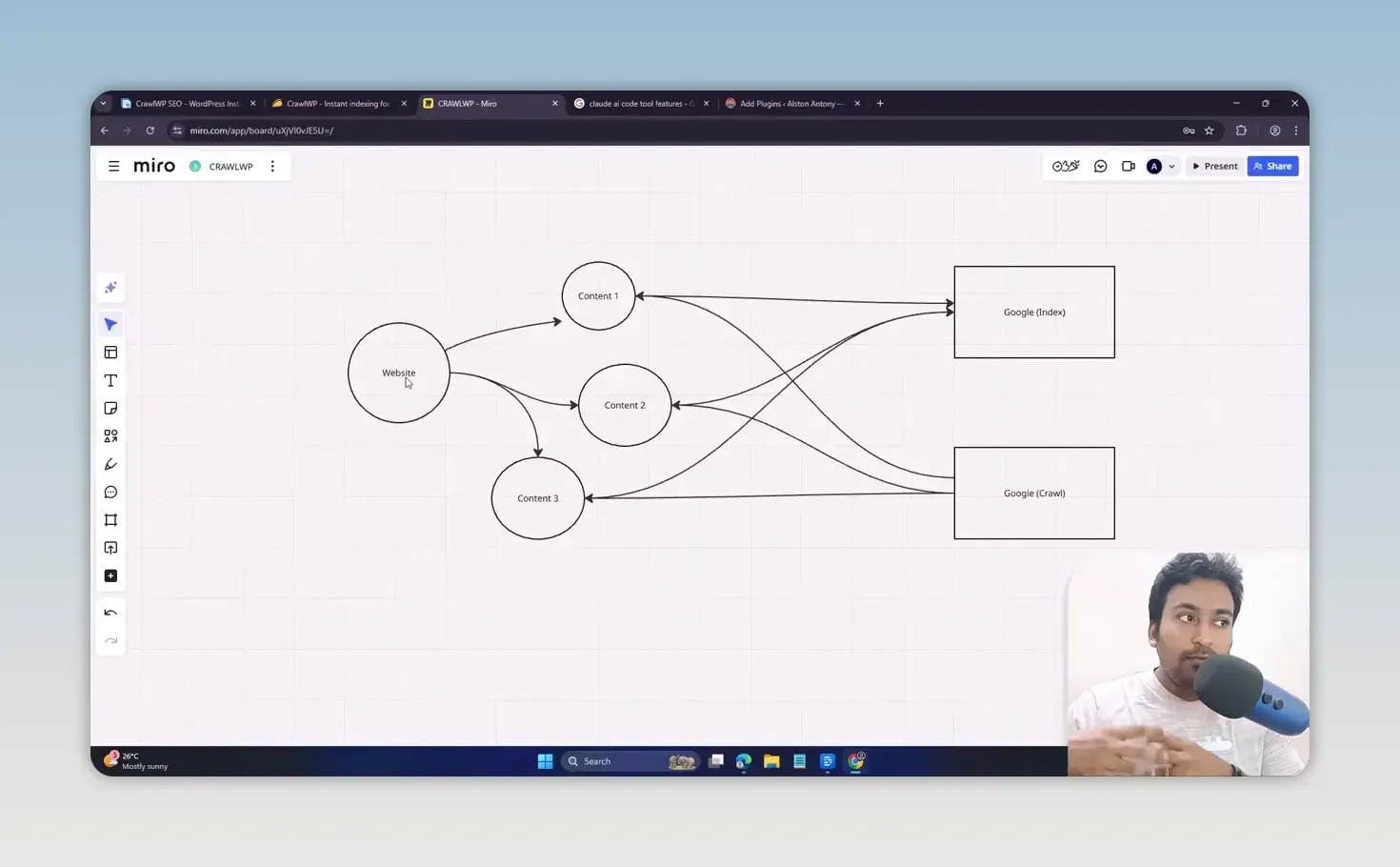
I don’t recommend submitting the same URLs again and again. When a good page isn’t indexed, find out why first. It could be a noindex setting, duplicate content, weak internal linking or thin content. My workflow:
- Find a page that is not indexed.
- Check the URL and work out why it may be excluded.
- Fix the page or the technical issue.
- Improve its internal links and content.
- Only then request discovery or indexing.
The same diagnosis applies on any platform. My guide to Blogger indexing problems walks through the checks for one of the most common cases.
When do faster indexing notifications help?
They help when waiting for a normal crawl costs you something. The cases where I can see CrawlWP earning its place:
- A new site that has little crawl activity or authority yet
- Time-sensitive content, such as news, launches, trending topics, limited offers and new software announcements
- An old guide you have refreshed with substantial new information
- A large publishing site where checking and requesting URLs by hand stops being practical
- Client sites, where a dashboard inside WordPress beats giving every client full Search Console access
A normal small WordPress site with a proper sitemap, internal links and Search Console set up may already be fine without it.
How is IndexNow different from a Google indexing request?
IndexNow is an open protocol that Google does not take part in, while Google has its own Indexing API with a much narrower purpose. That difference is the most important thing to understand before you turn anything on.
IndexNow lets a site tell participating search engines that a URL was added, updated or deleted. The engines in its published list include Bing, Yandex, Seznam, Naver and Yep. Google is not one of them. In CrawlWP, setting it up means choosing a search engine, generating the key and saving it.
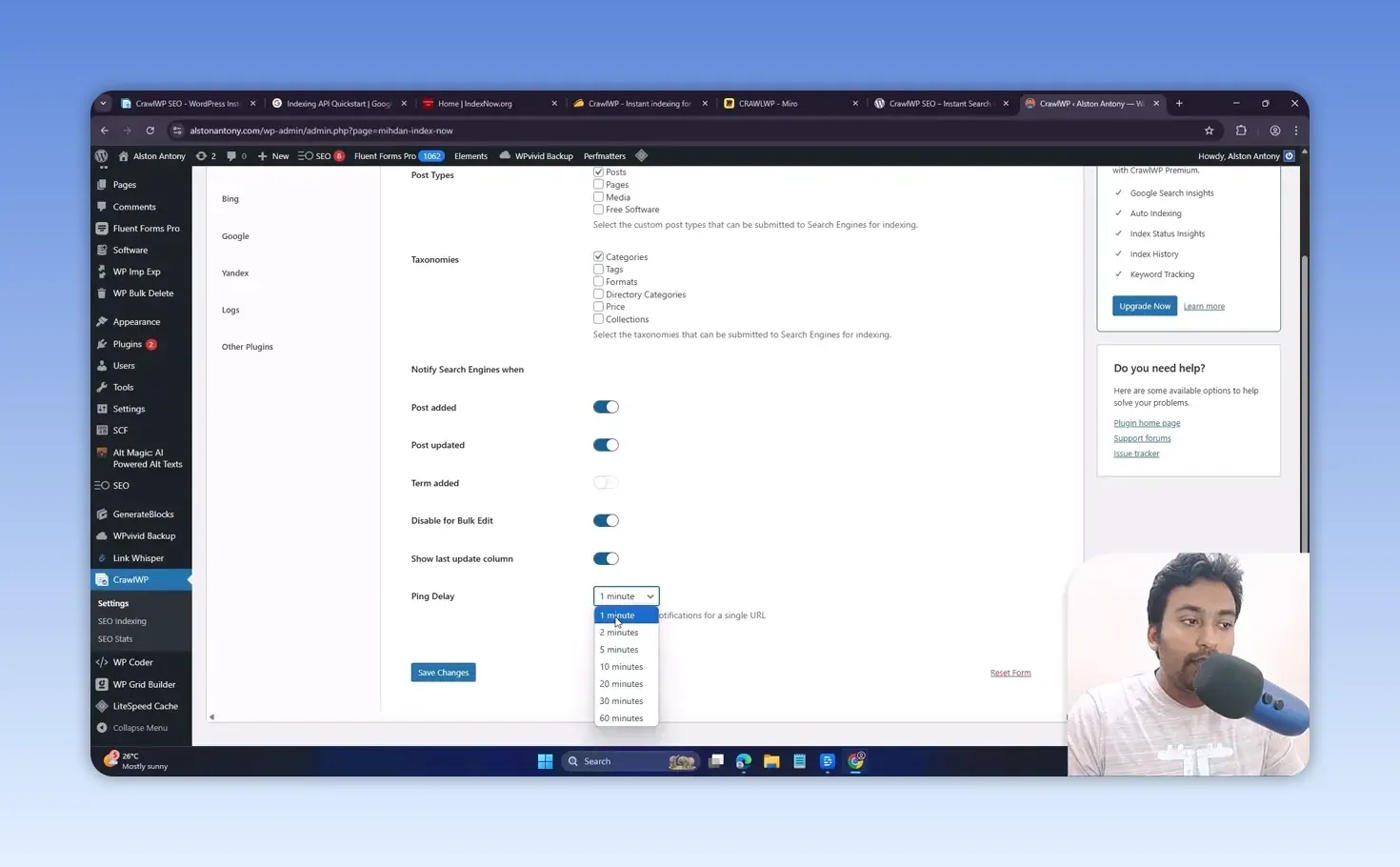
You also choose what triggers a notification: posts, pages, media, custom post types and taxonomies, and whether a new post, an updated post or a new term sends one. There is a ping delay from 1 to 60 minutes, which I like, because I don’t want automation firing the moment I hit save.
| IndexNow | Google Indexing API | |
|---|---|---|
| Who receives it | Participating engines, including Bing, Yandex, Seznam, Naver and Yep | Google only |
| What it is meant for | Any added, updated or deleted URL | Pages with JobPosting, or BroadcastEvent embedded in a VideoObject |
| Setup in CrawlWP | Generate and save a key | Google Cloud project, service account, JSON key and Search Console permission |
| How I’d use it | Leave it on for new and updated content | Sparingly, for a real reason, a few URLs at a time |
Should you automate the Google Indexing API for blog posts?
I wouldn’t. Google’s own Indexing API documentation says it can only be used for pages with JobPosting or BroadcastEvent embedded in a VideoObject, which means job listings and livestreams, not ordinary articles.
The setup is more technical than IndexNow, but it was manageable with CrawlWP’s step-by-step guide. I created a Google Cloud project, created a service account, generated its JSON key and added the account to Search Console.
Bulk-submitting every normal blog post through it is where I see risk to your Google account. For regular content, the safer route is still to open the URL in Google Search Console and request indexing by hand. CrawlWP can still find the URLs that need attention; I make the final request in Search Console. It costs one more click, and I would rather be on the safe side.
Did Google indexing work in my test?
No, or at least I could not confirm that it did. After I connected Google and submitted URLs, they stayed “in progress”, and the log did not show the entries I expected.
I don’t know whether that came down to my configuration, the Google connection, a verification requirement or a bug in the plugin. Finding out would have meant contacting support. I’m including it because a review that only lists what worked isn’t much use to you.
What do the free and Pro versions include?
The free version I tested covered the core indexing settings, IndexNow, the API settings, content type controls and log controls. For automatic notifications to IndexNow engines, it may be all you need. The current listing says the free version now also submits to Google, Naver and Seznam.cz. The Google Indexing API caution above applies whatever the plan.
The Pro version added what makes CrawlWP a dashboard:
- Search Console statistics, with performance graphs and trends
- Query, page, country and device data
- The SEO indexing dashboard, with indexed, in progress and not indexed URL lists
- Bulk and individual submission controls
- Auto-indexing
The Search Console dashboard is the same Search Console data in a different interface, not new data. What I liked was the layout: clicks, impressions, keywords, pages, top countries and devices at a glance. It showed a major traffic drop from a Google update on the site I tested and the first signs of recovery. You can line a drop up against update dates yourself with my free Google algorithm penalty checker. The site I tested on was this one, back when it ran WordPress, and its traffic history is in my SEO penalty recovery case study.
If you are already comfortable in Search Console, you may not need this dashboard. For a tool that puts an AI agent on top of the same data, see my ClickRank review. It helps most when you want the data inside WordPress, or you are showing it to clients.
CrawlWP Premium starts at $59 a year with a 14-day money-back guarantee, according to the plugin’s wordpress.org listing (checked 23 September 2026). When I recorded the video it was also on a lifetime deal.
How does the indexing dashboard help you investigate URLs?
The Pro indexing dashboard sorts your URLs into indexed, in progress and not indexed, which makes it one of the better reasons to consider CrawlWP. You can filter pages, spot the missing ones, check status and submit selected URLs.
There are bulk options, but I would not submit big batches. I’d keep it to around 10 to 20 URLs, each with a real reason to request indexing. Auto-indexing is there too, which keeps processing URLs on its own. Turn it on only once you know the site’s setup is right.
CrawlWP pros and cons
What I liked:
- IndexNow setup takes a few clicks, with sensible control over what triggers a ping
- The ping delay stops notifications firing on every save
- The indexed, in progress and not indexed lists make problem URLs easy to find
- Search Console data inside WordPress is handy for client sites
What held it back:
- My Google API submissions stayed in progress, and I could not confirm any completed
- The Google Indexing API setup is technical, and Google limits the API to job and livestream pages
- The Pro dashboard repeats Search Console data rather than adding any
- A small site with a sitemap and Search Console may not need it at all
Should you buy CrawlWP if you already use Rank Math or another SEO plugin?
Check what your current SEO plugin already does before you buy. If you pay for a premium SEO suite, you may already have enough indexing tools, and Search Console’s manual request is free.
The decision has also changed since I tested it. CrawlWP now positions itself as a replacement for plugins like Rank Math rather than an add-on, with importers for six of them. I have not tested it in that role, so treat that as the vendor’s claim until someone has.
My verdict on CrawlWP
CrawlWP is an indexing management tool, not a ranking plugin, and not every WordPress site needs one. I like having IndexNow, URL status and Search Console data in the WordPress dashboard, and it suits publishers, agencies, new sites and anyone managing a lot of URLs.
Use IndexNow for the engines that support it, be very careful with Google API automation, and find out why a URL is not indexed before you submit it. If CrawlWP gives you a cleaner process, it can be worth paying for. If your SEO plugin and Search Console already cover it, don’t buy another plugin just because it is on a deal. For a WordPress plugin that handles image alt text on its own, see my Alt Magic review.
FAQ
Does CrawlWP guarantee that Google will index my pages?
No. It can notify search engines or submit URLs, but Google still decides whether to crawl, index and rank a page.
Does CrawlWP send my site data through its own servers?
The vendor says no: its wordpress.org listing states that your site talks to the search engines directly and nothing passes through CrawlWP’s servers. I have not verified that independently.
Keep reading
You Might Also Like
ClickRank Review: Strong AI Agent, Weak AI Writer
My ClickRank review from a test on my own WordPress site. The Search Console AI agent impressed me, one-click titles worked, and the AI writer failed.
11 min read
LeadSniper Yellow Pages Review: Finding Local SEO Clients
My LeadSniper Yellow Pages review. One plumber search in New York gave 41 leads with phones, websites and social links, and how I qualify them as clients.
9 min read
LeadSniper Google Search Scraper Review: B2B Prospecting
My LeadSniper Google Search scraper review. Two footprints for doctors in Chennai found 53 LinkedIn leads, exported to Excel, and what to check first.
9 min read