Leads-Sniper · Google Search
Leads-Sniper Google Search tutorial: footprints, not keywords
Part of the Leads-Sniper tool listing, 3 in-depth guides plus the full review.
The short answer
Type a niche, a location and a source website into the built-in footprint generator, feed the advanced Google query it produces into the Leads-Sniper Google Search Scraper, and let the Chrome extension iterate through the result pages extracting publicly available emails, phone numbers and social profiles. In my test I ran doctors in Chennai targeting LinkedIn and exported a CSV filtered to email plus phone. The footprint is the whole workflow.
I tested the Leads-Sniper Google Search Scraper on doctors in Chennai with LinkedIn as the target source, and the workflow that matters is not scraping. It is the footprint. Feed the extension a naive query and Google returns category pages; feed it a proper footprint and Google returns pages with names, emails and phone numbers. The scraper is one step in a three-step workflow, and it is not the interesting one.
The footprint is the whole workflow
Google is a lead source only if you know how to ask it. “Doctors Chennai” returns hospital directories and job boards. ("doctor" OR "physician") "chennai" site:linkedin.com/in "@gmail.com" OR "@yahoo.com" returns individual profiles with public contact details.
The Leads-Sniper Google Search Scraper ships with a built-in Google Footprint Generator that composes those queries for you. Type the audience, the location, pick the sources (LinkedIn, Facebook, X, custom sites), pick the contact-info operators (email, phone), and it emits ten to twenty candidate queries that the scraper then consumes.
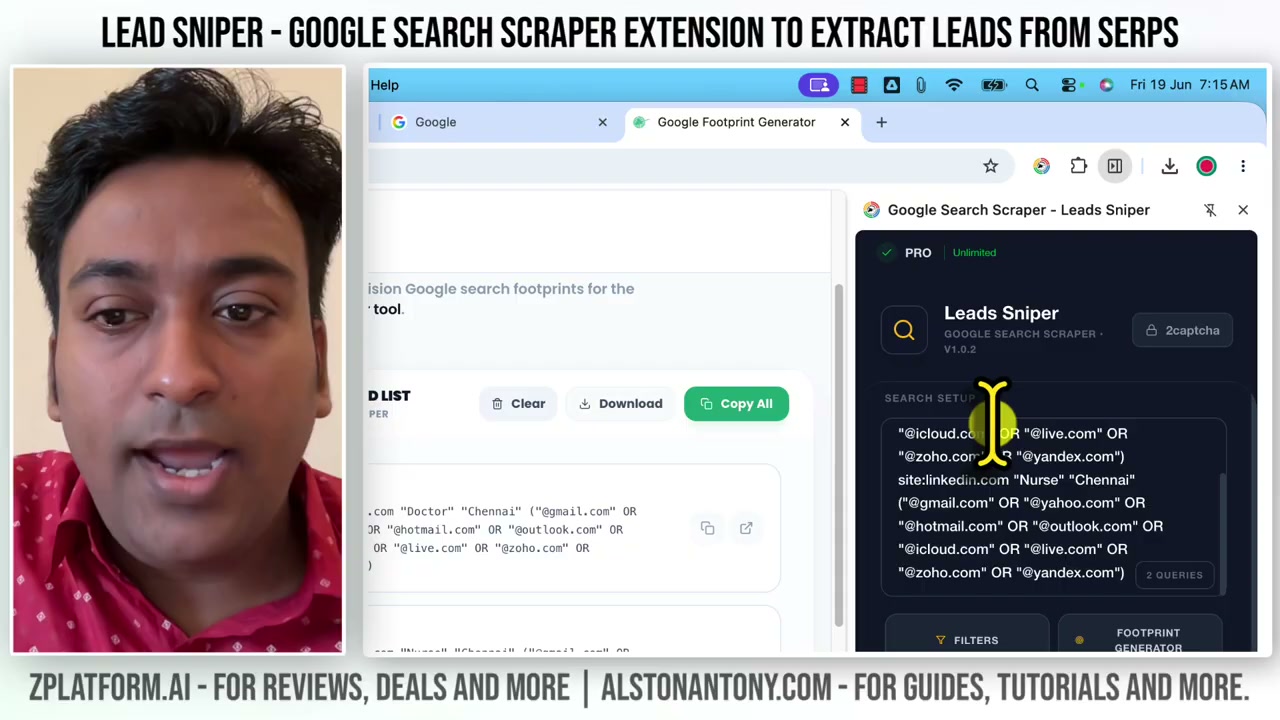
This is the reason the Google Search Scraper is not just “another Google scraper”. Every Google-scraping tool can execute a query. The value is what the query is.
Install the extension, then activate the module
Leads-Sniper is a Chrome extension. Install it, activate the Google Search Scraper module, and the toolbar carries the entry to the footprint generator and the run panel. Nothing to install per module — one extension, four scrapers, activation per tool.
The extension also works in Microsoft Edge, which matters if you already have Chrome logged into a personal account and you want a clean profile for scraping. Install it in Edge with a separate profile and the workflow stays isolated from your personal browsing.
Compose the footprint before you touch the scraper
Open the Google Footprint Generator and it asks four questions in this order:
- Who is the target? Doctors, dentists, plumbers, HR managers, freelance designers — the noun that describes your prospect.
- Where? Country, city, region. Local prospecting narrows a footprint from millions of hits to hundreds.
- Which source? LinkedIn is the default because it publishes profession and location on public profiles. Facebook, X, Instagram, TikTok, YouTube, Reddit and Pinterest are the alternatives, plus a custom-website field for anything else.
- Which contact info to require? Email operator, phone operator, or both. This is what turns a “who’s out there” search into a “who’s reachable” search.
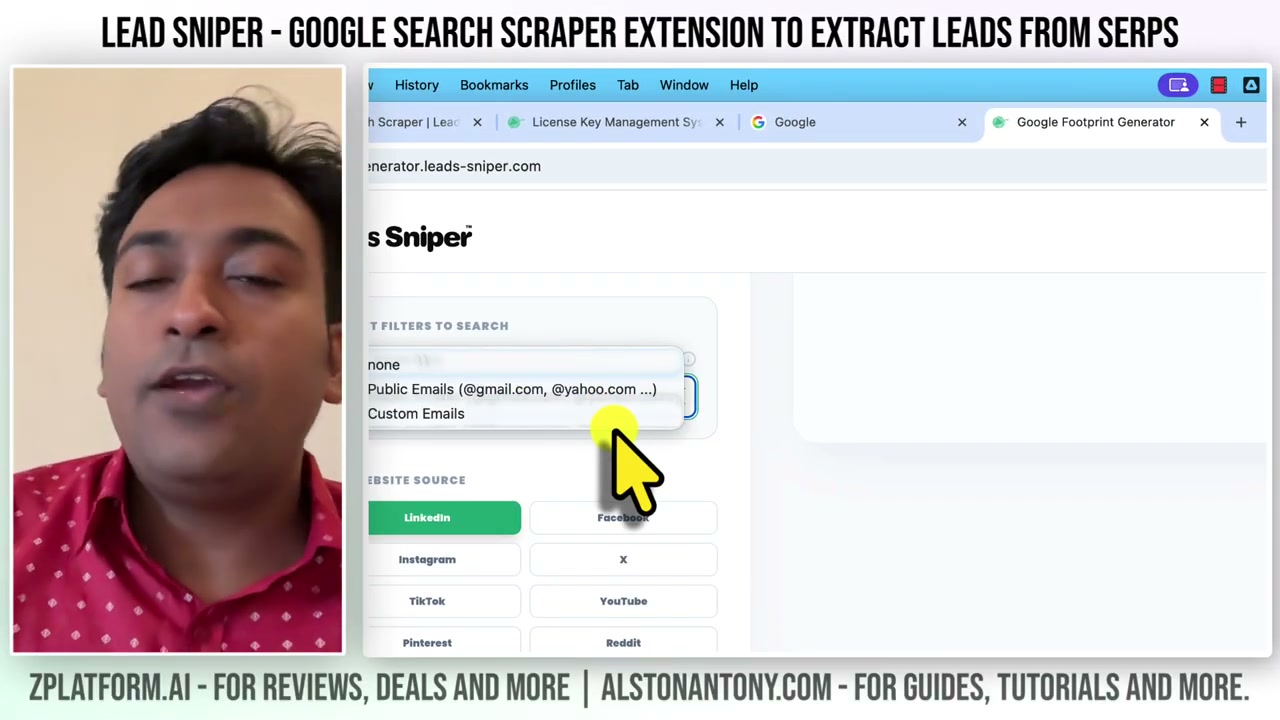
The generator produces the Google syntax on the right side. Read a few of the queries before you run them and you learn faster than any tutorial teaches: Google’s site: operator, quoted phrase behaviour, and how mixing OR groups changes the yield.
Feed the queries into the scraper, cap the depth
The generated footprints go straight into the scraper’s queue. Depth per query is the setting that decides how many result pages the extension iterates through. Ten pages is a safe default; thirty is where Google’s throttle starts to bite; a hundred is where you need the CAPTCHA integration wired in and a plan for pause-resume.
The extension shows the queue live. Each query runs, results scroll into a running dataset with a de-dup check on the domain, and the total climbs. You can pause any query mid-scrape and resume from the next page.
Watch the scrape, then export the fields you need
Once the scrape is running you get a live count of extracted prospects with their source query attached. This matters when you’re tuning footprints: a query that returned six prospects out of two pages is a strong signal to write three more like it; a query that returned zero out of ten is a signal to change the operators or drop the source.
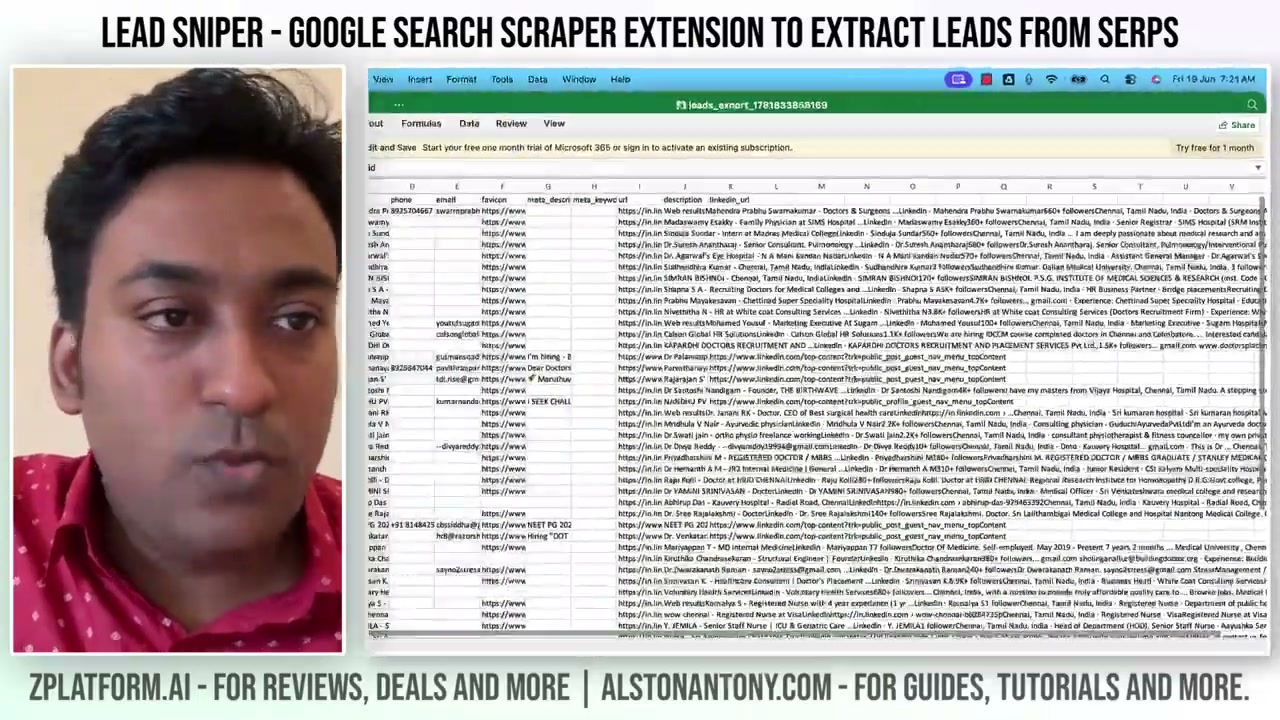
Export is the same three-format menu as the other scrapers — CSV, XLSX or JSON — and the field checklist lets you drop everything except email plus phone if that is what the outreach tool needs. For B2B prospecting the useful export is name, source URL, email, phone and platform tag. Everything else is optional.
Why this is the underrated scraper
The Yellow Pages Scraper wins on structured business data. The Google Maps Scraper wins on local volume. The Google Search Scraper wins on the one thing the other two cannot do: cross-platform prospecting from a single seed. One footprint against LinkedIn, one against a niche forum, one against a directory, one against personal sites, and the export is a mixed prospect list from four sources with names and emails in the same CSV.
That workflow does not exist in any tool priced on the Google Maps Scraper’s ladder. It exists here because Google indexes everything, and the footprint generator makes the query composition trivial. If you have not run this workflow before, the video is where to start.
What this tutorial did not cover
Two things the video and this page leave out:
- Email verification. The scraper extracts publicly available emails from the pages Google returns. Whether the address is deliverable is a separate step in a separate tool. Ship the CSV to a verification service before any outreach platform sees it.
- Outreach and personalisation. Leads-Sniper is scrape-only. The pitch, the follow-up sequence and the reply-rate optimisation live in the outreach platform. Do not try to make a scraper do the outreach; do not try to make an outreach tool do the scraping.
For the higher-volume local prospecting source: the Google Maps Scraper walkthrough. For the country-restricted business directory: the Yellow Pages Scraper walkthrough. Pricing, bundle discounts and the alternatives are on the Leads-Sniper listing with the date every figure was read.
Disclosure: I tested Leads-Sniper on the Chrome extension in August 2026. Some links in this article are affiliate links, including the 40% off lifetime deal on the listing above. The free trial covers the same workflow before you commit.
Questions
What is a Google search footprint?
A footprint is an advanced Google query that combines target audience, location, source website, contact-info operator and file-type filter into a single search. "doctors in Chennai linkedin.com email" is a beginner footprint. The built-in generator composes the syntax so the scraper receives Google queries that actually return prospects rather than category pages.
Can the Google Search Scraper find email addresses?
It extracts publicly available emails from the pages Google returns. Whether an email is on the page is not a decision the scraper makes; it depends on the source website. LinkedIn public profiles do not expose email, but personal sites, agency contact pages and directory listings often do. Verification is a separate step in a separate tool.
Does the scraper handle CAPTCHA on Google?
Yes, two ways. You can wire in a CAPTCHA-solving integration to push through automatically, or you can pause when the CAPTCHA appears, solve it in the Google tab yourself, and resume the same job. Depth caps and per-job configuration exist to keep any single search under Google's short-window throttle.
Which platforms can you target with a footprint?
LinkedIn, Facebook, Instagram, X/Twitter, TikTok, YouTube, Reddit, Pinterest, and custom websites you type in. You can also run a footprint without restricting to a specific platform, which returns a wider mix at lower prospect density.
Sources
Each one says which claim on this page it stands behind, and when it was read.
- Leads-Sniper pricing Verifies pricing, plans, deal · read 26 August 2026
- Leads-Sniper product site Verifies features, availability · read 26 August 2026
Where to go next
- Leads-Sniper: the full listing What it does, what it costs, and what it cannot do, with every field dated.
- The Google Maps Scraper walkthrough The higher-volume local-prospecting source. 421 unique leads on the same tested workflow.
- The Yellow Pages Scraper walkthrough The country-restricted business-directory source. Best for reputation-management pitch lists.
- Keyword research and search demand A Google footprint is a keyword with operators. This lesson covers the demand side, not the extraction side.
Affiliate link. It pays a commission and did not buy this listing or its position.